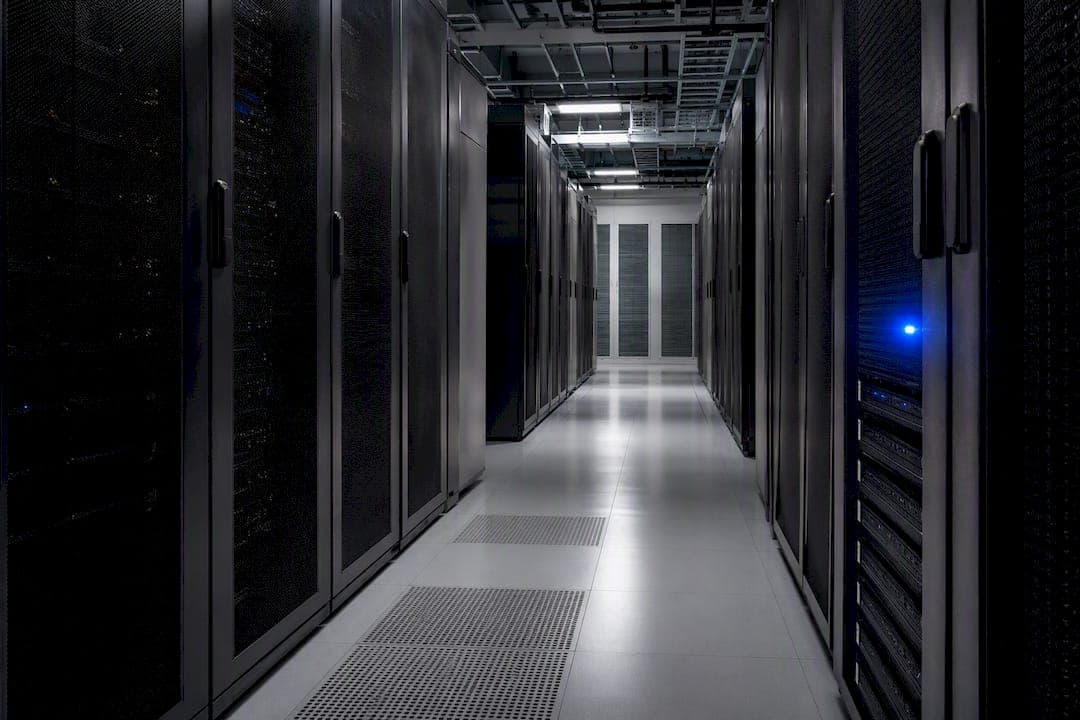
Data on-premise means storing and processing your organization's information on servers and hardware you own and physically house, rather than on infrastructure managed by a cloud provider. Choose it when you need direct control over data residency, sub-millisecond latency, or strict compliance under frameworks like HIPAA or ISO 9001. Choose cloud instead when your workloads need elastic scaling or you're running SaaS analytics. A platform like QA-Report shows how the hybrid middle ground often wins in practice.
TL;DR:
- On-premises hardware provides direct physical control and is often necessary for low-latency, high-security, or compliance-critical workloads.
- Cloud costs can escalate without active management, especially for elastic workloads, and often require over-provisioning due to fixed hardware capacity.
- Hybrid solutions and gateways enable secure data sharing between local infrastructure and cloud services without full migration, supporting regulated environments.
- Operational responsibilities for on-premises include patching, security, and environmental control, which add ongoing staff and maintenance costs.
- Cloud remains advantageous for unpredictable demand spikes, SaaS analytics, and workloads that do not involve strict data residency or real-time control.
Table of Contents
- Data On-Premise vs. Cloud: A Quick Comparison
- What On-Premises Data Storage and Data Centers Actually Are
- What Cloud, Private Cloud, and Hybrid Actually Mean
- Costs, Performance, and Security: The Real Tradeoffs
- When On-Premises Still Wins
- Hybrid Architecture and On-Prem Gateways, Explained
- Planning a Migration Without Blowing the Budget
- How to Choose: Evaluation Checklist
- Balancing Control and Agility
- A Cloud-Based Path for QA and Production Reporting
- Sources
- FAQ
Data On-Premise vs. Cloud: A Quick Comparison
Before you dig into the mechanics, it helps to see how the two models stack up side by side. Every organization weighs these five factors differently, but they cover the ground that actually drives the decision.
- Cost (capex vs. opex): On-premises means buying servers upfront and depreciating them over years. Cloud shifts spending to a recurring operating expense. A machine shop buying a CMM data server outright is capex; a subscription reporting tool is opex.
- Performance and latency: Local hardware wins when milliseconds matter, like a CNC controller reading sensor data in real time. Cloud latency depends on your connection and provider location.
- Scalability and elasticity: Cloud resources expand and contract with demand. On-premises capacity is fixed until you buy more hardware, which is why on-premises storage scalability is limited by upfront investment.
- Security, compliance, and data residency: On-premises gives you physical custody of every byte. Cloud requires trusting a shared responsibility model, though some providers now offer local hardware options.
- Operational burden and staffing: On-premises requires a team to patch, cool, and replace hardware. Cloud pushes that labor to the provider, for a price.
What On-Premises Data Storage and Data Centers Actually Are
An on-premises data center is a room, or a building, full of servers, storage arrays, and networking equipment that your organization owns and operates directly. There's no abstraction layer, no third-party dashboard standing between you and the hardware. If a drive fails at 2 a.m., someone on your payroll walks over and replaces it.
This arrangement gives businesses total sovereignty and physical control over their infrastructure, which matters enormously for organizations bound by data residency laws or defense contracts that prohibit foreign-hosted data. You know exactly which building your records live in, who has badge access, and what network segment separates production data from the guest Wi-Fi.
That control comes with obligations. Your team owns patch management, backup verification, HVAC and power redundancy, and physical security like badge readers and camera systems. Skip any one of those and you've built a single point of failure with your organization's name on it. The technical definition of on-premises infrastructure always includes this operational responsibility. It isn't just where the servers sit.
What Cloud, Private Cloud, and Hybrid Actually Mean
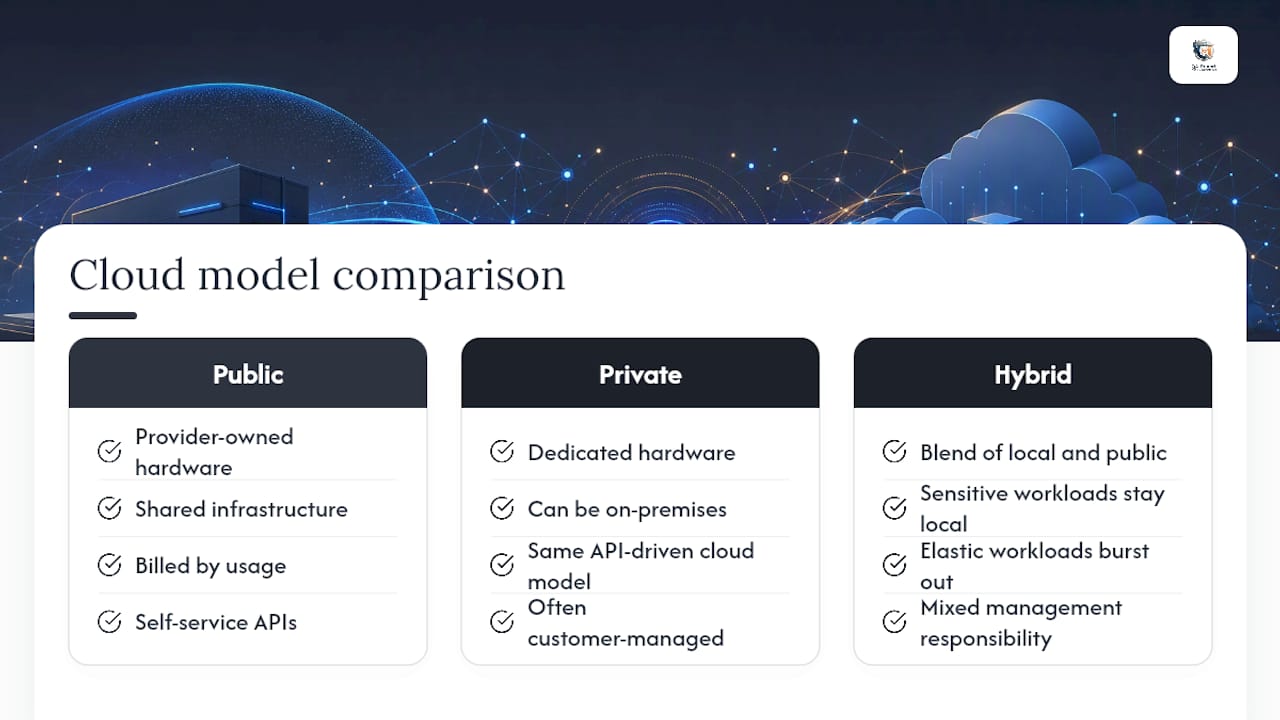
Public cloud means renting compute and storage from a provider who owns the hardware, spread across shared infrastructure, billed by usage. Private cloud takes the same self-service, API-driven model and runs it on dedicated hardware, sometimes even hardware sitting in your own building.
That last detail confuses a lot of people. A private cloud can physically be on-premises. What makes it "cloud" is the operating model, not the location. Managed cloud services hand maintenance and patching to the provider. Customer-managed setups, including most on-premises private clouds, leave that work with your team.
Hybrid cloud blends the two: sensitive workloads stay local, elastic or analytical workloads burst to public cloud. AWS Outposts is a concrete example. It delivers on-premises object storage using the same APIs as the public cloud, so an application can run identically in either location.
Costs, Performance, and Security: The Real Tradeoffs
The capex-versus-opex framing gets thrown around casually, but the mechanics matter. On-premises hardware is a large upfront purchase, depreciated over three to seven years, plus ongoing maintenance contracts. Cloud spending scales with usage. Teradata's comparison of the two models notes that cloud's elasticity can save money for spiky workloads, but only if you actively manage consumption. Left unchecked, cloud bills climb past what equivalent on-premises capacity would have cost over the same period.
Performance tells a similar story with a twist. A CNC machine feeding tolerance data to a local server doesn't care about internet weather; the round trip happens on a local switch in microseconds. Send that same data to a cloud region three states away, and you've introduced a delay that can matter on a production line running tight cycle times.
Scalability cuts the opposite direction. Cloud capacity expands on demand. On-premises capacity is whatever you provisioned, which pushes many IT teams to over-buy hardware "just in case," since Teradata's own data shows fixed hardware investment forces overprovisioning, which helps avoid running out of headroom mid-quarter.
Security and compliance are where nuance actually pays off. On-premises gives you direct custody, useful for audit trails under AS9100 or PPAP documentation requirements. Cloud operates on a shared responsibility model: the provider secures the infrastructure, you secure what you put on it. Neither model is automatically safer. As one industry view puts it, security works best as a lifecycle design applied consistently, not a property tied to a single location.
Operational burden is the cost most teams underestimate. Running your own infrastructure means:
- Scheduled firmware updates and hardware refresh cycles
- Environmental controls for power and cooling
- Continuous security patching on your own timeline, not a vendor's
That combination is a specialized, ongoing operational load that doesn't show up on a purchase order but shows up every month in staff hours.
When On-Premises Still Wins
Cloud dominates headlines, but plenty of workloads have concrete reasons to stay local.
- Real-time industrial automation. Control systems reading sensor feedback on a production line need latency measured in single-digit milliseconds. A network hiccup to a distant cloud region isn't an inconvenience; it's a defect risk.
- Regulated data with strict residency rules. Healthcare records under HIPAA and defense manufacturing data under ITAR often carry contractual or legal requirements that the data never leave a specific facility or jurisdiction.
- Legacy systems with local dependencies. Machine tools and inspection equipment running decades-old control software frequently expect a local network, not an internet connection, and rearchitecting them is expensive.
- Predictable, steady-state workloads. If your compute needs are flat and known, fixed on-premises capacity can be cheaper than paying a cloud markup for elasticity you never use.
Cloud, by contrast, tends to fit workloads that spike unpredictably: ad hoc analytics, machine learning training runs, or SaaS platforms serving a growing customer base. Most organizations don't pick a single lane; the real decision is rarely a strict either/or, and they end up running both models side by side depending on the workload.
Hybrid Architecture and On-Prem Gateways, Explained
A hybrid setup lets you keep sensitive data local while still tapping cloud services for analytics, reporting, or collaboration. The connective tissue is usually a gateway: a piece of software installed inside your network that securely relays data to cloud services without moving the underlying dataset off-site.
Microsoft's on-premises data gateway is the clearest example. It lets organizations keep databases on-prem while securely using that data in cloud services like Power BI, acting as a bridge rather than a migration path. AWS Outposts takes a slightly different angle, bringing cloud-consistent object storage APIs onto hardware that physically sits in your facility.
Use a gateway when you want cloud-side reporting or dashboards without exporting raw data. Migrate fully when the workload genuinely benefits from elastic scaling and you no longer need the data to sit local. Many teams land on the middle path: a private cloud running on-premises paired with public cloud resources for the workloads that need elasticity.
Network design matters here. Gateways should sit behind proper segmentation, with authentication tied to your existing identity provider, not a standalone credential.
- Isolate the gateway on its own network segment, separate from general office traffic
- Require multi-factor authentication for any account with gateway administration rights
- Log and review outbound connections regularly, since a gateway is effectively a controlled data exit point
Pro Tip: Test your gateway's failover behavior before you rely on it. A gateway that silently drops connections during a network hiccup can leave cloud dashboards showing stale data without anyone noticing for days.
Planning a Migration Without Blowing the Budget
Moving workloads between on-premises and cloud, in either direction, is a project with real financial teeth if you skip the planning stage.
- Map dependencies first. Inventory every application, integration, and data flow touching the system you plan to move. Skipping this step is the single most common cause of migration overruns.
- Model bandwidth and egress costs. Cloud providers often charge to move data out, and reserved capacity pricing differs sharply from burst pricing. Run both scenarios before committing.
- Account for hardware refresh cycles. On-premises gear doesn't last forever. Depreciation schedules and replacement costs are ongoing, not one-time, expenses.
- Plan for partial repatriation. Some workloads move to cloud and later move back once real costs surface. Build contingency budget for that possibility rather than treating migration as a one-way door.
How to Choose: Evaluation Checklist
Score each factor from 1 to 5 based on how strongly it applies to your organization, then total the results. A score weighted heavily toward the first three points usually means on-premises or hybrid deserves serious consideration.
- Data sensitivity: Does regulation or contract require the data to stay in a specific location?
- Latency requirements: Does the workload need response times measured in milliseconds?
- Growth profile: Is demand steady and predictable, or does it spike unpredictably?
- Operational capability: Does your team have the staff and expertise to maintain physical infrastructure?
- Vendor questions to ask: What's the SLA for uptime and support response? What's the patching cadence? Can you export your data on demand? Who bears responsibility in a breach?
Balancing Control and Agility
Hybrid isn't a compromise; it's the honest outcome once you map real workloads against real constraints. In manufacturing and regulated production environments, floor-level realities, OT/IT segmentation, real-time control loops, audit trails, almost always push part of the stack toward on-premises or a gateway pattern, even when leadership wants a cloud-first story, as seen with small-batch manufacturers like those at the Flying Chip Factory. The checklist above isn't a formality. Run your own numbers through it before a vendor's sales deck does it for you.
— Michael Chen
A Cloud-Based Path for QA and Production Reporting
If your evaluation checklist points toward cloud for quality reporting specifically, QA-Report offers a cloud-based inspection and reporting platform designed to support aerospace, automotive, and medical device manufacturers with First Article Inspection, dimensional, and GD&T reports.

The measurement wizard links ballooned drawing dimensions directly to measured results, auto-flags out-of-tolerance deviations, and generates statistical summaries relevant to quality audits. Its integrated MES layer manages route cards, batch tracking, and rejection recovery on the shop floor, all from one multi-language platform accessible from a mobile device. For teams weighing on-premises versus cloud QA software in defense manufacturing, this is what the cloud side of that tradeoff actually looks like in daily use. Start a trial or view a product walkthrough to see whether it fits your reporting workflow before your next audit cycle.
Sources
- On-Premises vs. Cloud: Pros and Cons of Each | Teradata
- Amazon S3 on Outposts | AWS
- On-premises data gateway | Microsoft Learn
- How to ensure data sovereignty with on-premises data storage | Open-E
FAQ
What Does "On-Premise Data" Mean?
On-premise data refers to information stored and processed on hardware an organization owns and physically houses in its own facility, rather than on infrastructure managed by a third-party cloud provider.
What Is PaaS, With an Example?
Platform as a Service (PaaS) provides a managed runtime environment for building applications without managing underlying servers; Microsoft Azure App Service, where developers deploy code without configuring the operating system, is a common example.
What Is On-Prem vs. AWS?
On-premises means hardware you own in your own facility, while AWS is a public cloud provider renting compute and storage on shared or dedicated infrastructure. AWS Outposts blurs the line by bringing AWS-consistent hardware and APIs directly into a customer's own data center.
What Is an Example of DaaS?
Desktop as a Service (DaaS) delivers virtual desktops hosted in the cloud, letting employees access a full desktop environment from any device; a manufacturing quality team using cloud-hosted virtual desktops to access inspection and production reporting software like QA-Report without local installation is one practical example.