
A shop traveler (also called a route card, job card, or production slip) is the document that physically accompanies a part or batch through every production step, recording each operation performed, material used, and inspection milestone reached. Without it, traceability breaks down the moment a part leaves one workstation and reaches the next.
Three things every traveler must capture:
- Operations sequence: numbered steps, assigned machines, tooling IDs, and expected cycle times
- Material and traceability: heat numbers, lot/serial numbers, and material certifications linked to the specific job
- Inspection and hold points: mandatory sign-off fields that gate part movement until a qualified inspector approves each checkpoint
Ownership sits with the shop floor supervisor and QA together. The traveler is the master record auditors check first under ISO 9001, AS9100, and PPAP — if it isn't documented there, it didn't happen.
Key Takeaways
A shop traveler is the single most auditable document in a machine shop — it either proves traceability or exposes the gap.
| Point | Details |
|---|---|
| Define hold points explicitly | Every hold point needs a named inspector role, a specific characteristic, and a mandatory sign-off block. |
| Keep travelers lean | Reference SOPs by document number rather than embedding procedure text to prevent version-control problems. |
| Match the holder to the environment | ESD-sensitive lines need dissipative pockets like the Desco 07451 or MENDA 34455; standard shops can use top-loading sleeves. |
| Pilot before full rollout | Run two or three jobs with full operator and inspector sign-off, collect feedback, and revise the template before wider deployment. |
| Digital travelers close the loop | Systems that enforce hold points, import CMM data, and export FAI packages eliminate the manual steps where errors accumulate. |
Table of Contents
- What belongs on a shop traveler: fields and structure
- Physical travelers and document holders: choosing the right pocket
- Digital travelers: what features actually matter
- How to create a shop traveler: step-by-step workflow
- Shop-floor best practices: version control, hold points, and audit readiness
- Common traveler mistakes and how to fix them
- How QA-Report implements travelers in a production QA workflow
- Why clear travelers reduce audit risk more than any other single change
- Sources
What belongs on a shop traveler: fields and structure
A well-built traveler is a structured form, not a blank notepad. Every field earns its place by supporting traceability, scheduling, or audit evidence. Route cards can be printed one operation per page to distribute tasks across workcenters and aid scheduling — a design principle worth building into your template from the start.
Header / job identification fields:
- Job or work order number
- Part number, part name, and drawing revision level
- Quantity ordered and quantity released
- Serial numbers or lot numbers (one line per unit for serialized parts)
- Material heat number and material certification reference
Operations sequence fields (one row per operation):
- Op number (e.g., 010, 020, 030)
- Operation description (e.g., "Turn OD to 1.250 ± 0.001")
- Machine or workcenter ID
- Tooling ID and setup parameters
- Estimated setup time and cycle time
- Operator name and start/finish timestamps
Inspection and QA fields:
- Hold point designation (H) with mandatory sign-off block
- Inspector name, signature, and date
- Drawing balloon numbers referenced for dimensional checks
- Nonconformance or rework notes with disposition (accept / rework / scrap)
Document control fields:
- Traveler revision number and revision date
- Referenced SOP or work instruction numbers
- Linked documents: FAI report number, PPAP submission level, welding procedure
- Change log (one line per revision)
A concise sample outline looks like this:
| Section | Example entry |
|---|---|
| Job Header | WO-202x-xxxx / Part: Bracket-A / Rev: C / Qty: — |
| Material | 6061-T6 Aluminum / Heat: 4Axxxx / Cert on file |
| Op 010 | Mill datum face / VMC-3 / Setup: — / Cycle: 8 min |
| Hold Point 1 | First-article dimensional check — inspector sign-off required |
| Op 020 | Drill and tap 4× M6 / VMC-3 / Cycle: 12 min |
| Final Inspection | Full balloon check per Dwg Rev C / FAI Ref: FAI-xxxx |
Pro Tip: Keep the traveler lean. Reference your SOPs and welding procedures by document number rather than copying their full text onto the form. A traveler that runs six pages of embedded procedures becomes unmanageable on the floor and harder to revise when the SOP changes.
Physical travelers and document holders: choosing the right pocket
Paper travelers remain practical in several situations: low-volume job shops where every job is unique, offline stations without network access, customer turnover packages that ship with the part, and any environment where shop-floor visibility of a physical document beats a screen.
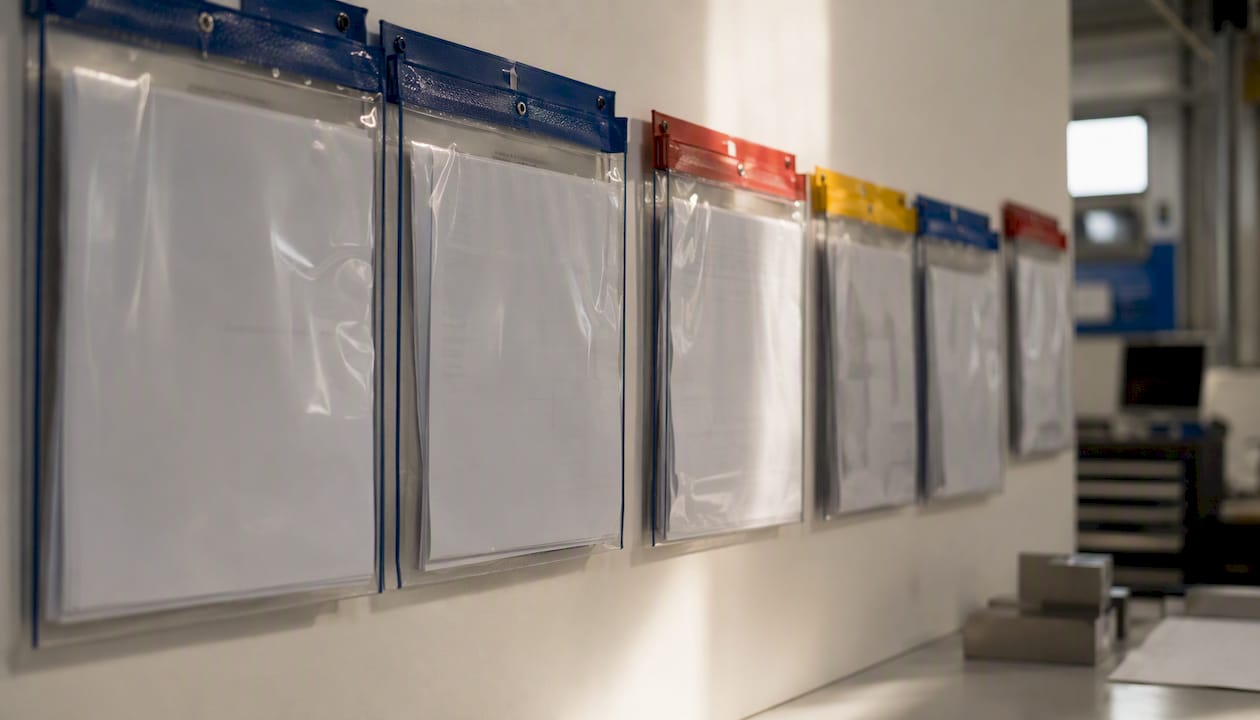
When paper is the right call, the holder protecting that document matters as much as the document itself.
What to look for in a traveler pocket:
- Size: 10" × 12" accommodates a standard 8.5" × 11" sheet with room to handle; verify the pocket fits your rack or clipboard system
- Loading style: top-loading sleeves allow quick document swaps without unfastening; zipper-seal pockets protect documents in high-particulate or fluid-splash environments
- ESD suitability: dissipative vinyl or polyolefin construction is mandatory on electronics assembly lines; look for compliance with ANSI/ESD S20.20 and S541
- Liner material: non-stick, amine-free inner surfaces prevent ink transfer and contamination on sensitive assemblies
Desco 07451 is the standard reference for ESD-protected areas. The 07451 sleeve is a 3-mil, top-loading, dissipative polyolefin pocket with negligible triboelectric charge generation tested per EIA-541, non-stick amine-free construction, and RoHS compliance. It fits a 10" × 12" footprint and ships in packs of multiple units. Specify it when your line follows ESD protected area protocols and you need a document holder that won't generate a charge or contaminate a board.
MENDA 34455 takes a different approach. The 34455 is a zipper-seal, dissipative vinyl pocket with an inner anti-print liner, available with color-coded headers (blue, red, yellow) for routing identification. It targets electronics manufacturers who need ANSI/ESD S20.20 and S541 compatibility and want the added security of a zipper closure. The color headers make it easy to sort travelers by priority level or routing group at a glance.
Pro Tip: Color-code your pockets by routing group or job priority — blue for standard, red for expedite, yellow for hold. Hang-hole or clip-friendly pockets let you stage travelers on racks at each workcenter so operators see exactly what's queued without touching a screen.
Digital travelers: what features actually matter
Moving from paper to a digital traveler is not just a format change. It changes how hold points are enforced, how version control works, and how fast you can assemble a PPAP or FAI package. Community threads on PracticalMachinist show that shops consistently ask for per-operation pages, printable route cards, and workcenter distribution — features that any credible digital traveler platform should handle without customization.
Core features to require in any digital traveler system:
- Configurable operation steps with field-level validation
- Hold-point enforcement that prevents job advancement until an authorized inspector signs off
- Mobile capture so inspectors record results on the floor, not at a desk
- Electronic signatures with timestamps and role-based access control
- Time-stamped audit trail linking every data entry to a user and a moment
- Material and lot linking that ties heat numbers and certifications to specific operations
- CMM and CAD data import to pull measured results directly into the traveler record
- PDF export for customer turnover packages and audit submissions
Operational benefits that show up quickly:
- Real-time WIP visibility across all open jobs without walking the floor
- Version control that ensures operators always work from the current traveler revision
- Reduced transcription errors because measured data flows in from CMM rather than being re-keyed
- Faster FAI and PPAP assembly because inspection evidence is already linked to the job record
- Integrated rejection and rework workflows that flag nonconformances and track disposition
Codeware Shopfloor is a dedicated shop traveler application that lets users configure tasks and define explicit hold points so parts cannot advance until mandatory quality checks pass. It targets regulated industries including aerospace and defense, where gating logic is a compliance requirement rather than a convenience.
QA-Report approaches the problem from the inspection side and extends into MES. Its integrated MES layer manages production with route cards, kanban and Gantt planning, and role-based shop-floor access, while the inspection layer handles automated drawing ballooning, CMM data import, GD&T validation, and audit-ready FAI/PPAP report generation. For shops that need both the traveler and the inspection report to live in the same system, that integration removes a significant manual step. Production tracking software that unifies route cards with inspection data is increasingly the standard expectation in aerospace and medical device supply chains.
When evaluating any digital option, ask specifically about: mobile UX for operators on the floor, offline capture capability for stations without reliable Wi-Fi, ERP/MRP job linking, and API access for CMM and document vault integration.
How to create a shop traveler: step-by-step workflow
PracticalMachinist forum threads show that shops which attach a traveler to every part and iterate the layout after a short pilot run end up with far more consistent documentation than those who design a "final" template in a conference room. Build yours in five steps.
-
Define scope and ownership. Decide which job types require a traveler (all jobs, or only regulated/contract work), whether the traveler covers a single part or a batch, and who holds sign-off authority for each hold point. Assign a traveler owner — typically the production supervisor or quality manager.
-
Select required fields. Use the field list from the section above as your starting checklist. Identify which hold points correspond to specific operations or drawing characteristics. Every hold point needs a named inspector role and a clear pass/fail criterion.
-
Map the operation sequence. List every operation in order, assign op numbers in increments of 10 (010, 020, 030), and record the machine, tooling, and expected setup and cycle time for each. This sequence becomes the scheduling backbone of the traveler.
-
Link to controlled documents. Reference your SOPs, welding procedures, and FAI/PPAP documents by document number and revision. Do not copy procedure text onto the traveler itself. If a procedure changes, you update one document, not every traveler in circulation.
-
Pilot with two or three jobs. Run the traveler on a small set of real jobs, require operator and inspector sign-off at every step, and collect written feedback at the end of each job. Iterate the fields before wider deployment. Optimization guidance consistently points to this pilot-then-iterate approach as the most reliable way to prevent resistance and unnecessary complexity.
Pilot checklist:
- Traveler owner assigned and documented
- All required fields present (job ID, part/rev, material traceability, op sequence, hold points)
- Hold points tied to specific operations with named inspector role
- SOPs and procedures referenced by number, not embedded
- Operator and inspector sign-off collected on every step during pilot
- Feedback captured and traveler revised before full rollout
Shop-floor best practices: version control, hold points, and audit readiness
The most common audit finding related to travelers is not a missing field. It's a hold point that exists on the form but was never enforced because no one trained operators on what "hold" actually means in practice.
Hold points and gate rules:
- Define each hold point in both the traveler and the referenced SOP so the requirement appears in two controlled documents
- Specify the exact characteristic being verified (drawing balloon number, dimension, visual criterion) and the acceptance standard
- Require a named inspector signature, not just an initials box, to create a clear accountability record
- Under AS9100 and PPAP, hold points tied to first-article or critical characteristics must be traceable to the specific inspection record
Version control:
- Assign a revision letter or number to every traveler template and increment it whenever a field, operation, or hold point changes
- Store the current revision in a controlled location (a document vault or MES) and pull obsolete paper copies from the floor immediately
- Print the revision level and effective date in the traveler header so operators can verify they have the current version at a glance
Linking traveler data to audit evidence:
- Record material heat numbers and lot numbers on the traveler and cross-reference the material certification on file
- Attach or reference CMM reports, signed inspection records, and dimensional data sheets to the specific job record
- For FAI submissions under AS9102, the traveler serves as the production evidence backbone — every balloon number on the drawing should map to a measured result and an inspector sign-off
Pro Tip: Track traveler-level KPIs: on-time completion rate per operation, rework rate by op number, and average time-at-op versus estimated cycle time. Operations that consistently run long or generate rework are telling you the work instruction or tooling setup needs attention — the traveler surfaces that signal before it becomes a customer escape.
For broader inspection documentation strategies that reduce non-conformance rates, the same principle applies: document the requirement, verify it, and link the evidence.
Common traveler mistakes and how to fix them
Missed or undefined hold points. Audit the traveler for any operation that produces a critical characteristic without a mandatory sign-off block. The fix is straightforward: add a hold point field with a required inspector signature to every operation that touches a drawing-controlled dimension or a customer-specified requirement. Then train operators on what "hold" means — the part does not move until the block is signed.
Traveler bloat. A traveler that embeds full procedure text, material specs, and drawing notes becomes a maintenance liability. Every time a procedure changes, every active traveler is potentially out of date. Slim the form to routing and inspection fields, and reference procedures by document number. Operators who need the procedure detail look it up in the controlled SOP, not on the traveler.
Inconsistent data entry. Free-text fields produce inconsistent records. "6061," "6061-T6," and "Aluminum 6061" are three entries for the same material, and they will not match in a traceability search. Standardize terminology across the shop, and where possible use picklists or dropdown fields in digital systems to eliminate ambiguity. Standardizing route-card formats and training operators on consistent terminology is one of the highest-return improvements a shop can make.
Lost or outdated paper travelers. Short-term: photograph each completed traveler page into a shared folder at the end of every shift. Long-term: move to a digital system with version control and a time-stamped audit trail. A lost paper traveler is not just an inconvenience — it's a traceability gap that can hold up a customer shipment or trigger a corrective action.
Three-step rapid audit for a suspect traveler:
- Check that all core fields are populated (job ID, part/rev, material heat number, op sequence)
- Verify that every hold point has a dated inspector signature — no blank sign-off blocks on completed operations
- Confirm material traceability: the heat number on the traveler matches the certification on file
How QA-Report implements travelers in a production QA workflow
QA-Report's integrated MES and inspection platform treats the route card as the connective tissue between production planning and quality evidence. Here is how the key features map to the traveler requirements covered in this guide.
Feature map:
- Route cards with role-based access: operations are configured per job, and each step requires the assigned role to complete it before the job advances
- Hold-point enforcement: the system gates job progression at designated inspection steps — an operator cannot mark an operation complete if the hold-point sign-off is pending
- Automated drawing ballooning and CMM import: measured results from CMM equipment link directly to balloon numbers on the drawing, eliminating manual re-entry and the transcription errors that come with it
- Audit-ready FAI and PPAP reports: inspection data collected through the traveler workflow exports as a structured PDF that satisfies AS9100, AS9102, and PPAP submission requirements
- Mobile access: inspectors capture results on the floor from any device, keeping the record current without returning to a desktop
Pilot checklist for shops evaluating QA-Report:
- Map your current traveler fields to QA-Report's configurable operation steps
- Identify which hold points require role-based sign-off and configure them before go-live
- Test CMM data import with one part number before full rollout
- Define success metrics: traveler completion rate, time to FAI package, rework rate
- Run a two-job pilot with one operator and one inspector before training the full team
During a demo, ask specifically how the system enforces hold points when a mobile inspector is offline, how traveler revisions are version-controlled, and what the PDF turnover package looks like for a customer audit submission. See QA-Report's CMM inspection capabilities to understand how measured data flows from the machine directly into the inspection record.

Ready to close the loop between your route cards and your inspection reports? Try QA-Report and see how an integrated MES and inspection platform handles travelers, hold points, and FAI packages in one place.
Why clear travelers reduce audit risk more than any other single change
Most shops treat the traveler as paperwork. The shops that treat it as a production control instrument — one that gates work, captures evidence, and links material to outcome — are the ones that pass audits without a corrective action backlog.
The resistance is predictable: operators see more fields to fill, supervisors see more process to manage. But the low-effort wins are real. A single, clearly defined hold point on a first-article operation catches more escapes than a week of end-of-line inspection. A modular traveler that references SOPs instead of embedding them takes ten minutes to update when a procedure changes, versus hours of re-issuing every active job packet.
When travelers are properly linked to FAI and PPAP evidence, an auditor's question about a specific part number becomes a five-minute lookup, not a two-day search through filing cabinets.
Sources
- 07451 - Shop Traveler, Clear, 3 MIL, 10" x 12", 25 EA/PK - Desco
- # MENDA 34455 ESD Shop Traveler, Clear with Zipper, Outer Dimensions: 10" Length x 12" Height, Vinyl, Blue Header (Pack of 10) - Amazon
- Software for creating shop travelers. - PracticalMachinist
- Route card - Herschel support
- 10 Tips for Optimizing Route Cards in Manufacturing - HNPuka Blog