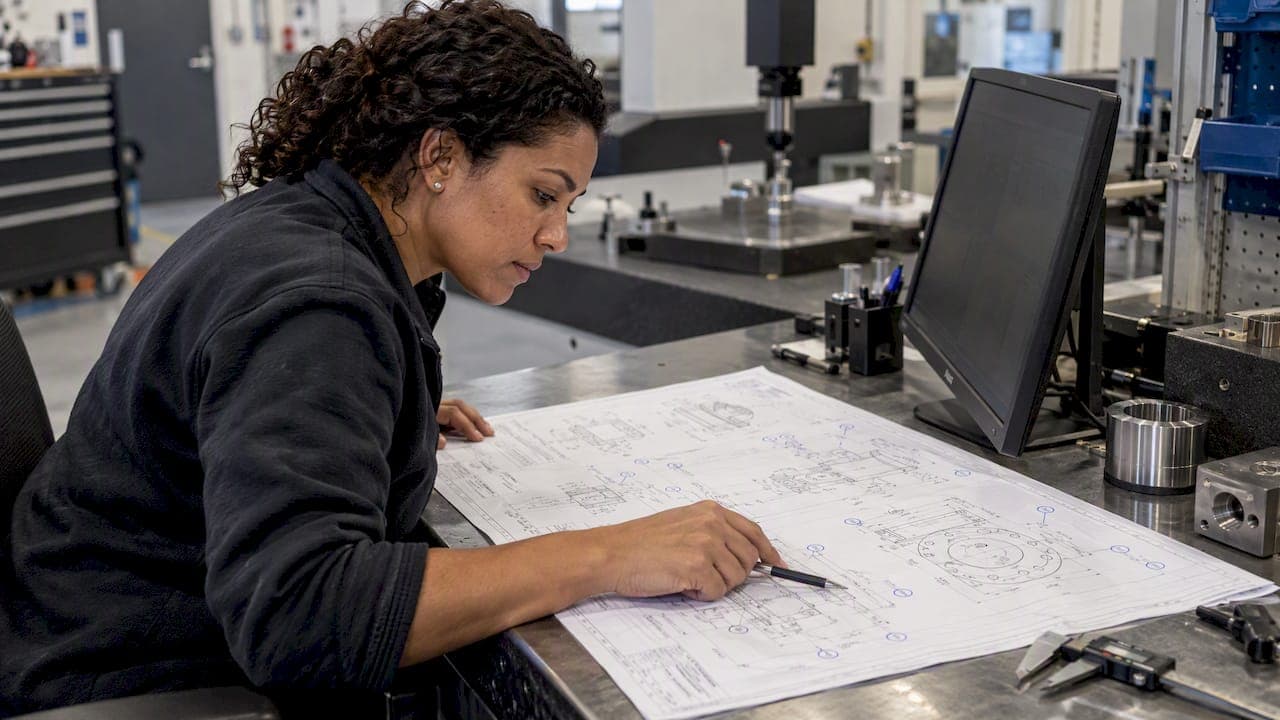
An AI drawing analyzer is software that reads an engineering drawing (PDF, scan, image, DXF/DWG or CAD export), pulls out dimensions, tolerances, GD&T callouts, notes and title-block data, and returns findings you can check. For a manufacturer, the question that matters is not whether it can read a drawing. It is whether the output connects to inspection, first article reports and traceability, and whether a qualified engineer can verify every finding before release.
This guide is for quality engineers and quality managers in US machine shops and regulated plants. It covers what these tools do, where the research says they break, and a practical test you can run on your own drawings. (If you searched the term looking for art critique tools that score sketches, those are a different category and we mention them only briefly below.)
TL;DR
- A manufacturing drawing analyzer extracts dimensions, datums, GD&T, notes and title-block fields, then flags missing, conflicting or non-standard items.
- Published research shows specialized models beat general chatbots on dense drawings, but even strong results still include hallucinated text and failures on composite tolerances and rotated annotations.
- The most reliable setup is hybrid: AI locates and reads callouts, deterministic rules check them against ASME Y14.5 or ISO GPS and your internal checklist.
- Test on your own drawings, including bad scans and drawings with known errors, and keep an engineer's approval as the release gate.
- Reading a drawing is only half the job. Value shows up when extracted characteristics flow into ballooning, measurement and FAI reports.
Table of Contents
- What an AI drawing analyzer actually means
- What the software reads from a drawing
- Why reading a drawing is harder than OCR
- The hybrid approach: AI to read, rules to judge
- How to test an analyzer on your own drawings
- Analysis only versus analysis linked to inspection
- Perspective: where we think the value really sits
- Where QA-Report fits
- Common mistakes when adopting a drawing analyzer
- FAQ
- Sources
What an AI drawing analyzer actually means
The phrase covers three different things, and mixing them up wastes evaluation time.
- Art and sketch critique tools. They assess line quality, proportion, perspective and composition from a photo. Consumer tools of this type give technique notes and a practice exercise, and they are weak on taste and intent. They have nothing to do with tolerances.
- Drawing review tools. These check an engineering drawing against a standard or rule set and return annotated findings: a missing dimension, a datum reference that points nowhere, a tolerance conflict, an empty title-block field.
- Extraction and inspection tools. These read every characteristic on the drawing and turn it into structured data: nominal, tolerance, feature type, location on the sheet. That data then drives inspection plans, CMM mapping and FAI documentation.
Types 2 and 3 overlap. A tool that reviews a drawing for completeness is useful to a designer before release. A tool that extracts characteristics is useful to the people who have to prove the part matches the drawing. Most quality teams need the second, and many also want some of the first.
What the software reads from a drawing
A capable analyzer works through the sheet roughly the way an experienced inspector does:
- Dimensions and tolerances: linear, angular, radii, chamfers, threads, hole callouts with quantity and depth.
- GD&T feature control frames: the symbol, the tolerance zone, modifiers such as MMC or LMC, and the datum references.
- Datum features and their targets.
- Notes: general tolerances, surface finish, heat treat, plating, inspection requirements.
- Title block and revision block: part number, revision, material, scale, projection method.
- Multi-page and multi-view relationships: which view a dimension belongs to, which detail it zooms into.
Vendor tools commonly list PDF and image analysis, DXF/DWG support, scanned blueprint handling, GD&T checks and title-block validation among their features. Treat those lists as claims to verify on your own files, not as measured performance.
Why reading a drawing is harder than OCR
A drawing is a dense, spatial language. Text sits at odd angles, leader lines cross, one callout applies to a feature three views away, and a single feature control frame can stack several tolerance lines. Plain text recognition captures characters but loses meaning.
The research backs this up. The MechVQA benchmark, built from 3.3k high-density mechanical drawing images and 21k question-answer pairs, describes general multimodal models as brittle on dense drawings and on spatial-relation reasoning. Its authors report that a specialized model beat the strongest closed-source baseline by 7.57 percentage points. The benchmark also separates recognition, reasoning and judging, which is a useful frame for you: a tool that reads callouts correctly may still be unable to say what they mean for manufacturing.
Two more data points show both the promise and the limit:
- A 2024 study on automated GD&T extraction from 400 expert-annotated drawings found that a fine-tuned vision-language model improved precision by 29.95% and recall by 37.75%, and cut hallucination rate by 43.15% against the best closed-source baseline it tested. The authors also note difficulty with composite tolerances, modifiers and non-standard text orientation.
- A 2026 hybrid drawing-parsing framework, tested on 1,367 annotated mechanical drawings across nine categories, reported 89.2% precision and 99.2% recall for its Donut model, with a 10.8% hallucination rate in that experiment.
Read those numbers carefully. They are results on specific datasets. They show that specialized training works. They do not tell you what any commercial product will do on your drawings, and a 10.8% hallucination rate on a release-critical drawing is not something you accept without a human check.
The hybrid approach: AI to read, rules to judge
The same research points to a design that works better than a single model: use vision models to find and read annotations, then apply deterministic checks for anything that has a right answer. A tolerance either conflicts with another or it does not. A datum reference either exists on the sheet or it does not. These are rule questions, and rules should not be left to a probabilistic model.
A well-built analyzer therefore does two jobs:
- Extraction (AI): locate every callout, read it, and link it to the feature and view.
- Validation (rules): check the extracted data for missing, duplicate or conflicting dimensions, GD&T syntax, title-block completeness and your own company conventions.
Every finding should be anchored to a location on the drawing, carry a severity, and explain itself. A flag that says "possible issue" with no position and no reason cannot be reviewed efficiently, which defeats the purpose.
We go deeper on how extraction can stay traceable in automated GD&T extraction with traceable evidence, and on typical failure modes in five auto dimension detection failures and fixes.
How to test an analyzer on your own drawings
A vendor demo uses a clean drawing chosen to look good. Your parts are not that drawing. Run this test before you commit.
1. Fix your reference standard first
Decide which standard governs the drawings you will test: ASME Y14.5 for most US work, ISO GPS where your customers or sites in Canada, the UK, France or Germany require it, plus your internal checklist. If the tool cannot tell you which edition it checks against, you cannot judge its answers.
2. Build a test set of 20 to 30 drawings
Include a deliberate mix:
- Clean vector PDFs
- Scanned legacy drawings with faded lines and stamps
- Multi-page assemblies and drawings with several detail views
- Dense GD&T with composite feature control frames
- Rotated and angled annotations
- Drawings with revision clouds and superseded notes
- A few drawings with errors you planted yourself, so you know the correct answer
3. Score extraction by hand
For each drawing, count characteristics the tool found, missed and misread. Misreads matter more than misses: a missed dimension is visible when you check the balloon count, while a misread tolerance can slip into a report unnoticed. Record the result per drawing type, not as one average.

4. Score validation on the planted errors
Did it catch the missing datum, the conflicting tolerance, the empty material field? Did it raise false alarms on correct drawings? Too many false positives and inspectors stop reading the flags.
5. Check the handoff
Can the extracted characteristics go straight into an inspection plan, a ballooned drawing, a CMM mapping and an FAI report without retyping? A tool that stops at a list of findings leaves the slowest manual step in place.
6. Review privacy and retention
Drawings are intellectual property, and some are export-controlled or customer-restricted. Tools differ widely: some process files in memory, some store them, some offer local-only options. Regulated manufacturers should ask for documented access control, retention, export and incident procedures instead of accepting a generic privacy label. Ask whether on-premise deployment is available if your contracts require it.
7. Keep the human gate
Whatever the score, the output is an assistive layer. A qualified designer or quality engineer reviews and approves findings before anything is released to manufacturing. A 2025 study of AI feedback on student technical drawings found no statistically significant difference between AI and human marks in its dataset, yet still recorded OCR hallucinations, variability between platforms and a lack of batch processing. Speed improved. Judgment stayed with people.
Analysis only versus analysis linked to inspection
The practical dividing line for a quality team is what happens after the drawing is read.
| Capability | Analysis-only tool | Analysis linked to inspection |
|---|---|---|
| Reads dimensions, GD&T, notes | Yes | Yes |
| Flags drawing errors | Yes | Yes |
| Assigns unique characteristic IDs (balloons) | Sometimes | Yes, tied to results |
| Imports CMM or manual measurements | No | Yes |
| Flags out-of-tolerance results | No | Yes |
| Builds FAI or PPAP report | No | Yes |
| Traceability from drawing to part, batch, serial | No | Yes |
If you only need a design-stage review before release, an analysis-only tool may be enough. If you are the team that must show every characteristic was measured and accepted, a stand-alone reader leaves you copying data into spreadsheets, and the link between drawing and result is where traceability breaks. Like a chain with one weak link, the whole record fails the moment a characteristic cannot be tied back to its balloon.
That tie is also what auditors check. AS9102 asks that every design characteristic be accounted for, uniquely identified, and traceable to inspection results. Our article on making drawing dimension detection audit ready walks through how automatic detection fits AS9102 and NIST-aligned expectations, and audit-ready AI inspection for ISO 9001 workflows covers the process side.
Perspective: where we think the value really sits
We build inspection software, so we see this from the receiving end of a drawing. Our view is that the drawing read is the easy half to demonstrate and the hard half to trust.
A tool can impress in a demo and still fail on the one rotated composite callout that decides whether a part ships. So we design around three beliefs.
- Extraction without traceability is a liability. Every characteristic should keep a visible link to its position on the drawing, so a reviewer can see what the system read and correct it in seconds.
- Validation belongs to rules and people. AI proposes, tolerance validation and a qualified engineer dispose.
- The drawing is the start of the workflow, not the end. In QA-Report, the ballooned drawing connects to the measurement wizard, CMM data import, out-of-tolerance flagging, statistical summaries and the PDF report, so the work done reading the drawing is not repeated when results arrive.
We also hold that sensitive industries should not have to trade data confidentiality for convenience, which is why we offer both cloud and on-premise deployment, and why CMM integration is configurable rather than limited to a few machine brands.
If you remember one thing from this article, make it this: test on your worst drawings, not your best.
— Michael Chen
Where QA-Report fits
QA-Report is a cloud-based inspection and reporting platform for manufacturers in aerospace, automotive and medical device production. It covers automatic drawing ballooning with AI auto-numbering, GD&T support, CMM data import and auto-mapping, tolerance validation, FAI/AS9102 and PPAP reports, batch and serial tracking, and mobile access for inspectors on the floor.
You can try the AI numbering on your own drawing with the free drawing ballooning tool, which is a quick way to see how it handles one of your test-set files. For ongoing use, the pricing page lists a Free plan at $0 per month, Basic at $49.99 per month and PRO at $149.99 per month. On-Premise and Enterprise Solutions are available without a published price.
Common mistakes when adopting a drawing analyzer
- Judging on a single clean drawing. Accuracy varies by drawing family, so measure by type.
- Treating a confidence score as a verdict. A score is a prompt to look, not a release decision.
- Ignoring revision control. If the analyzer reads revision B while production runs revision C, every downstream record is wrong. Confirm that the revision block is captured and displayed.
- Skipping the datum conversation. Datum errors often show up later at the fixture. Our piece on misaligned datums and fixtures explains why checking datum logic early saves rework.
- Uploading restricted drawings without checking terms. Retention and training policies differ, and export-controlled data needs a documented answer.
- Expecting AI to replace the engineer. Its job is to remove retyping and catch obvious misses, so people can spend time on the judgment calls.
FAQ
Can an AI drawing analyzer replace a quality engineer's review?
No. Current research documents hallucinated text and failures on dense layouts, composite tolerances and rotated annotations, so findings need verification by a qualified designer or quality engineer before release. The realistic gain is time: the software does the reading and first-pass checks, and the engineer confirms.
How accurate are AI tools at reading GD&T?
It depends on the model and the drawing. Published studies on specialized models report strong precision and recall on their datasets, but they also report non-trivial hallucination rates and trouble with composite tolerances and modifiers. Measure accuracy on your own drawings, split by type, before trusting any vendor figure.
Is it safe to upload proprietary drawings?
Only after you read the retention, deployment and access terms. Some tools process files in memory, others store them, and some offer local or on-premise deployment. For export-controlled or customer-restricted drawings, ask for written procedures on access control, deletion, export and incident response.
Does AS9102 require a ballooned drawing?
AS9102 requires that every design characteristic is accounted for, uniquely identified and traceable to inspection results. Many customers expect a ballooned drawing as part of the FAI package, so check your purchase order or quality agreement. Automatic ballooning makes the identification step faster and keeps the numbering consistent.
What is the difference between a drawing analyzer and ballooning software?
A drawing analyzer reads and checks the content of a drawing. Ballooning software assigns an identifier to each characteristic so results can be recorded against it. The most useful tools do both and then connect to measurement data and reporting.
Sources
- MechVQA: Benchmarking and Enhancing Multimodal LLMs on Comprehensive Mechanical Drawing Understanding
- Fine-Tuning Vision-Language Model for Automated Engineering Drawing Information Extraction
- From drawings to decisions: A hybrid vision-language framework for parsing 2D engineering drawings
- Leveraging AI for 2D technical drawing analysis, feedback and assessment in higher education
- Rate My Drawing, Sketch & Art: Free AI Critique
- AutoReview: AI Design Reviews