
A Device History Record (DHR) is the complete production record proving that a specific finished device, lot, or batch was manufactured in accordance with the Device Master Record (DMR) — and 21 CFR 820.184 requires you to maintain one for every batch, lot, or unit you release.
Before your next audit, verify three things: a DHR exists for each production batch or unit, it contains or references the six core elements required by 21 CFR 820.184, and every referenced electronic system is validated and audit-ready. That is the minimum bar.
- Dates of manufacture — when production started and completed
- Quantity manufactured — total units produced in the run
- Quantity released for distribution — units that passed acceptance
- Acceptance records — objective evidence the device met the DMR
- Primary identification label and labeling — the actual label or a controlled copy
- UDI or control numbers — the traceability identifiers linking the unit to its history
The DHR also aligns with ISO 13485 production and traceability clauses (7.5.1, 7.5.9, 8.2.4), so manufacturers operating under both frameworks satisfy both obligations with a single, well-structured record set. Treat DHRs as audit evidence first. Completeness and traceability matter far more than paper volume.
Pro Tip: Before any scheduled FDA inspection, pull three recent DHRs at random and verify each against the six-element checklist. Gaps found internally are correctable; gaps found by an inspector become 483 observations.

Table of Contents
- What is a device history record and when do you create one?
- How do DHR, DMR, and DHF differ — and who owns each?
- What must a DHR include? The complete requirements checklist
- Electronic DHR (eDHR): what regulators expect and how to validate one
- What the 2026 QMSR update means for your DHR obligations
- How inspectors use DHRs and what happens during a recall
- Which systems produce and consume DHR data?
- Best practices for creating, maintaining, and auditing DHRs
- Evidence summary: six core elements and the case for searchable eDHRs
- Key Takeaways
- The DHR trap most quality teams walk into
- QA-Report gives your team audit-ready DHR evidence from day one
- Useful sources and regulatory references
What is a device history record and when do you create one?
A DHR is the compilation of records that documents the complete production history of a finished device — every assembly step, test result, label applied, and disposition decision for a specific unit, lot, or batch. It does not contain design rationale or manufacturing instructions; those live in the DHF and DMR respectively. The DHR answers one question: was this specific device made correctly?
Unit vs. batch vs. lot DHRs depend on your production model and device classification:
- Per-unit DHRs apply to serialized, high-risk devices: implantable cardiac devices, orthopedic implants, active surgical instruments. Each unit carries its own record tied to a unique serial number or UDI.
- Per-batch or per-lot DHRs apply to devices manufactured in discrete runs: single-use sterile catheters, diagnostic reagent kits, wound dressings. One DHR covers the entire batch, with quantity fields tracking yield and release.
- Software as a Medical Device (SaMD) treats each software release or version as a "batch." The DHR for a SaMD release includes configuration management artifacts — build IDs, checksums, version control tags, deployment evidence — rather than physical assembly signatures.
| Attribute | Per-Unit DHR | Per-Batch/Lot DHR |
|---|---|---|
| Serialization | Unique serial number or UDI per record | Lot/batch number shared across units |
| Test records | Individual unit test results | Statistical or 100% test summary for the lot |
| Labeling evidence | Label applied to that unit | Representative label or lot-labeled sample |
| Quantity fields | Quantity = 1 (or N for a sub-assembly) | Total manufactured, total released |
| Traceability | Direct to individual device | To lot; individual units traced via UDI or sub-lot |
Mapping production steps to DHR evidence is straightforward once you think of each step as generating an artifact. Assembly generates a completed route card or work order. Functional testing generates a test report or pass/fail record. Labeling generates a label verification record. Final packaging generates a packing inspection record. Each artifact either lives in the DHR or is referenced by a validated pointer to its authoritative source system.
How do DHR, DMR, and DHF differ — and who owns each?
The three-file system trips up even experienced quality teams. The confusion is understandable: all three relate to the same device, and all three may live in the same QMS folder structure. But they serve entirely different purposes, and mixing them signals weak system control to an inspector.

The simplest framing: DHF = why (design decisions), DMR = how (manufacturing instructions), DHR = proof (what was actually done).
| Dimension | DHF | DMR | DHR |
|---|---|---|---|
| Purpose | Documents design and development history | Specifies how to manufacture the device | Proves a specific batch/unit was made per the DMR |
| Timing | Created during design and development | Finalized before production begins | Created during and after each production run |
| Owner | R&D / Design Engineering | Manufacturing Engineering / Quality | Manufacturing / Quality (per batch or unit) |
| Typical contents | Design inputs/outputs, V&V records, risk files, design reviews | Drawings, specs, SOPs, BOM, acceptance criteria | Batch records, test results, labels, operator logs, deviations |
| Regulatory citation | 21 CFR 820.30 (QSR) / QMSR DDF | 21 CFR 820.181 / QMSR MDF | 21 CFR 820.184 |
| ISO 13485 equivalent | — | Clause 7.5.1 (production planning) | Clauses 7.5.1, 7.5.9, 8.2.4 |
Audit warning: FDA investigators routinely issue 483 observations when DHR content is found inside the DMR folder, or when DHF design records are cited as production evidence. Inspectors interpret file mixing as a sign that the manufacturer does not understand the purpose of each record — which raises questions about the entire quality system, not just the misfiled document.
Pro Tip: Use a three-prefix naming convention in your document management system: "DHF-[DeviceCode]-[DocType]", "DMR-[DeviceCode]-[DocType]", "DHR-[DeviceCode]-[BatchID]". An inspector can immediately confirm which file set satisfies which request without asking follow-up questions — and that saves time for everyone.
What must a DHR include? The complete requirements checklist
21 CFR 820.184 sets the floor. Your DHR must contain, or reference the validated location of, these six core elements:
- Dates of manufacture — the date(s) production was performed; for multi-step processes, include start and completion dates for each major operation.
- Quantity manufactured — total units or items produced in the batch or run.
- Quantity released for distribution — units that passed all acceptance activities and were approved for release; the difference between this and quantity manufactured is your yield/rejection count.
- Acceptance records — objective evidence (test results, inspection records, certificates of conformance) demonstrating the device meets the DMR specifications.
- Primary identification label and labeling — the actual label applied, or a controlled reference copy, including all required UDI elements.
- UDI or control numbers — lot numbers, serial numbers, batch codes, or UDI-DI/PI combinations that link the physical device to its production record.
Beyond the regulatory floor, a complete DHR typically includes:
- Operator IDs and electronic signatures for each production step
- Equipment IDs and calibration status at time of use
- Environmental monitoring records (temperature, humidity, cleanroom class) where required by the DMR
- Raw material and component lot numbers with certificates of conformance
- In-process inspection results and statistical summaries
- Deviation and nonconformance records with disposition decisions
- Sterilization records (cycle ID, parameters, biological indicator results) for sterile devices
- Final release signature and date from the authorized quality reviewer
- For SaMD: build ID, checksum, version control tag, and deployment evidence
| Checklist category | Typical items | Where they live |
|---|---|---|
| Manufacturing | Route cards, work orders, operator logs, equipment IDs | MES or paper batch record |
| Quality / Acceptance | Inspection reports, CMM results, test reports, CoCs | QMS, LIMS, or inspection system |
| Labeling | Label master, label verification record, UDI assignment | QMS document vault or label management system |
| Traceability | Serial/lot numbers, UDI-DI/PI, component traceability | ERP or serialization system |
| Deviations | NCR records, disposition decisions, CAPA references | QMS nonconformance module |
| Environmental / Sterility | Environmental monitoring logs, sterilization cycle records | LIMS or dedicated sterility system |
On retention: FDA regulations require DHRs to be retained for a period equivalent to the design and expected life of the device, but not less than two years from the date of release for distribution. Many manufacturers apply a longer retention period (five to ten years) based on device risk class, post-market surveillance commitments, or international market requirements.
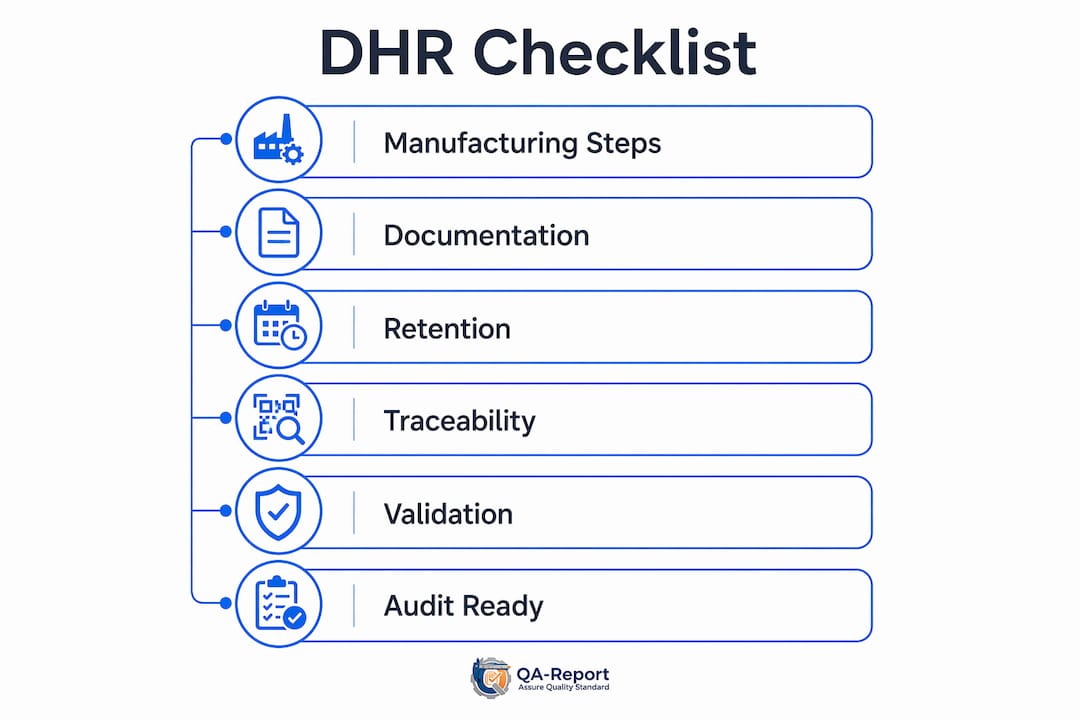
The "refer to the location" provision in 21 CFR 820.184 is practical but conditional. You may point to an MES work order or LIMS test result rather than printing it into the DHR — but the referenced system must be validated, maintain data integrity, and be accessible to an inspector on demand.
Electronic DHR (eDHR): what regulators expect and how to validate one
Paper DHRs work. They just work slowly. When a recall hits and you need to identify every affected lot across three production lines in 48 hours, a searchable eDHR is the difference between a controlled response and a crisis. Digitized, searchable DHRs materially reduce recall and investigation time compared with paper-based batch records, with manufacturers reporting significant improvements in root-cause analysis and retrieval speed.
Core benefits of an eDHR:
- Instant cross-lot search by component lot, equipment ID, operator, or test result
- Automated completeness checks that flag missing signatures before release
- Immutable audit trails showing who entered, modified, or approved each record
- Faster inspection response — pull a complete DHR package in minutes, not hours
- Reduced transcription errors from manual data entry
Regulatory expectations for eDHR systems:
FDA expects computerized systems used to create, modify, or maintain DHR records to be validated. For systems that capture electronic signatures or maintain records that substitute for paper, 21 CFR Part 11 requirements apply: electronic records must be trustworthy, reliable, and equivalent to paper records. Key controls include:
- System validation with documented IQ/OQ/PQ evidence
- Audit trail that captures who changed what, when, and why
- Access controls with role-based permissions
- Electronic signature controls (meaning, date, time, and identity)
- Data backup, disaster recovery, and data integrity protections
Validation checklist for an eDHR system:
- Define system requirements (user requirements specification, functional requirements specification)
- Complete Installation Qualification (IQ): confirm the system is installed as specified
- Complete Operational Qualification (OQ): verify functions perform per specification under normal and boundary conditions
- Complete Performance Qualification (PQ): confirm the system performs consistently in production conditions with real DHR workflows
- Document test scripts, test results, and deviation handling for each phase
- Establish a change control procedure for system updates that triggers re-validation where needed
- Maintain CSV (Computer System Validation) artifacts in a controlled document vault
- Verify disaster recovery procedures and test data restoration at defined intervals
Integration notes: An eDHR rarely stands alone. MES systems generate work orders and operator logs; ERP systems hold serial and lot records; LIMS holds test results; inspection systems like CMM platforms generate dimensional and GD&T reports. The eDHR aggregates or references all of these. Practical tips to avoid data duplication: designate one system as the authoritative source for each data type, use timestamped API calls or validated file exports rather than manual re-entry, and document the data flow in your validation package.
Pro Tip: Validate pointers, not printouts. Your eDHR can reference an MES work order by record ID and system name rather than embedding a PDF copy — as long as the MES is validated, maintains an immutable audit trail, and is included in your DHR procedure. This keeps the DHR lean and eliminates version conflicts between the embedded copy and the live record.
What the 2026 QMSR update means for your DHR obligations
The FDA's Quality Management System Regulation (QMSR), effective February 2, 2026, aligns US quality system terminology more closely with ISO 13485. The terminology shifts, but the record-keeping obligations do not disappear.
Key regulatory references for practitioners:
- 21 CFR 820.184 — the primary DHR requirement; mandates procedures and content for each batch, lot, or unit
- 21 CFR 820.181 — Device Master Record requirements (the "recipe" the DHR must prove was followed)
- 21 CFR 820.30 — Design Controls and Design History File (DHF) requirements
- 21 CFR Part 11 — electronic records and electronic signatures; applies when eDHR systems substitute for paper
What QMSR changed:
Under QMSR, the Design History File (DHF) becomes the Design and Development File (DDF), and the regulation introduces the Medical Device File (MDF) as a consolidated device documentation concept aligned with ISO 13485. The Device Master Record (DMR) concept maps to the MDF's production information. DHR-equivalent production records remain required; manufacturers should map legacy DHR elements into the updated framework and maintain audit trails intact.
ISO 13485 alignment:
ISO 13485 does not use the term "DHR" explicitly, but clauses 7.5.1 (production and service provision), 7.5.9 (traceability), and 8.2.4 (monitoring and measurement of product) collectively require the same production and traceability records. For global manufacturers, a single well-structured DHR satisfies both FDA and ISO 13485 obligations.
Audit-ready citation checklist:
- Print or bookmark 21 CFR 820.184 and have it available during inspections
- Map your DHR procedure to the specific sub-clauses of 21 CFR 820.184
- Document your QMSR transition plan showing how legacy DHR elements map to the updated framework
- For ISO 13485 audits, prepare a cross-reference matrix showing DHR content against clauses 7.5.1, 7.5.9, and 8.2.4
When an inspector asks for your DHR procedure, show it first — before pulling individual batch records. The procedure demonstrates systemic control; the batch records demonstrate execution.
How inspectors use DHRs and what happens during a recall
An FDA investigator arriving for a routine inspection will typically ask for three things early: your DHR procedure, a sample batch record for a recently released product, and your acceptance activity records for that batch. The sequence is deliberate. The procedure shows whether you understand the requirement; the batch record shows whether you follow it.
Typical inspection sequence for DHR review:
- Request DHR procedure and verify it addresses all six core elements
- Select one or more recent batches and pull the corresponding DHRs
- Verify dates of manufacture, quantities, and release records match production data
- Check acceptance records for completeness — signatures, dates, pass/fail results
- Confirm labeling records match the label master in the DMR
- Trace UDI or control numbers from the DHR to the distribution record
- Review any deviations or nonconformances documented in the DHR and verify disposition
Recall scenario: A complaint arrives reporting a potential sterility failure in a lot of single-use catheters. With paper DHRs, locating all affected lots, identifying the sterilization cycle, cross-referencing component suppliers, and pulling operator records can take days or weeks. With a searchable eDHR, the same search runs in hours: filter by sterilization cycle ID, pull all lots processed in that cycle, identify the component lot numbers, and generate a distribution list for recall notification. The speed difference is not theoretical — it directly affects patient safety and regulatory response timelines.
Most common DHR failures observed in inspections:
- Missing or unsigned acceptance records for one or more production steps
- Deviations documented in a separate nonconformance system with no reference in the DHR
- Labeling records that reference a label version not matching the DMR-controlled master
- Broken traceability — lot numbers in the DHR that cannot be matched to distribution records
- Electronic records without audit trails, or audit trails that were not reviewed during DHR closure
DHR evidence in CAPA and complaint investigations: When a CAPA is initiated from a complaint, the DHR for the affected lot becomes the primary evidence source. Investigators use it to identify the production step where the failure likely occurred, the operator and equipment involved, the environmental conditions at the time, and whether similar conditions existed in adjacent lots. A DHR that is complete and searchable compresses this analysis from weeks to hours.
Which systems produce and consume DHR data?
No single system owns the DHR. It is an aggregation of records from multiple authoritative sources, and the quality of your DHR depends directly on the quality of the systems feeding it.
System contributions:
- QMS — controlled procedures, approved SOPs, nonconformance records, CAPA links, document approvals
- MES — work orders, route cards, operator logs, production step completions, equipment assignments; see production tracking strategies for integration planning
- ERP — serial and lot number assignment, component traceability, distribution records
- LIMS — test results, environmental monitoring data, certificate of analysis records
- Inspection systems — CMM dimensional reports, GD&T results, first article inspection (FAI) packages; automating CMM inspection outputs eliminates manual transcription errors that cause missing acceptance records
Integration checklist for a defensible data flow:
- Designate one authoritative source system for each DHR data type (no duplicate records in two systems)
- Implement timestamped audit trails in every system that contributes DHR data
- Assign role-based access controls so only authorized personnel can create or modify records
- Use API integrations or validated file exports rather than manual re-entry between systems
- Document the data flow in your validation package and include it in your DHR procedure
- Test the end-to-end retrieval process: can you pull a complete DHR package for a given batch in under 30 minutes?
Vendor requirements when selecting systems:
- Validation support: vendor must provide IQ/OQ/PQ protocols or a validation guide
- Immutable audit trail: system must log all create/modify/delete actions with user ID and timestamp
- UDI support: system must capture and link UDI-DI and UDI-PI fields
- Export capability: system must generate inspector-ready reports or PDF packages without manual reformatting
- Data integrity controls: 21 CFR Part 11 compliance for electronic signatures where applicable
Pro Tip: Design your DHR as an index, not an archive. The DHR document itself contains the six required elements plus validated pointers to authoritative source records. Each pointer includes the system name, record ID, and the date the record was created. An inspector can follow any pointer to its source in seconds — and your DHR stays lean enough to review in a single sitting.
For devices using specialized materials such as medical glass components, supplier batch records and material certifications must also be traceable within the DHR; understanding precision glass manufacturing workflows helps clarify how component-level traceability feeds into device-level records.
Best practices for creating, maintaining, and auditing DHRs
Consistent DHR quality comes from process design, not heroic effort at release time. The goal is a system where a complete, accurate DHR is a natural output of production — not a document assembled after the fact.
Roles and responsibilities:
| Role | DHR responsibility |
|---|---|
| Production operator | Complete route card entries, sign off each step at completion, document any deviation immediately |
| Quality inspector | Verify acceptance records, confirm test results are within DMR specifications, sign acceptance activities |
| Quality engineer | Review DHR for completeness before release, verify deviation dispositions, approve DHR closure |
| Quality manager | Final release authorization, periodic DHR audits, escalation of systemic issues |
| Document control / IT | Maintain validated eDHR system, manage access controls, archive closed DHRs |
Training and SOP requirements:
- Train all production and quality personnel on data integrity principles (ALCOA+: attributable, legible, contemporaneous, original, accurate, plus complete, consistent, enduring, available)
- Train operators on how to document deviations in real time — not at end of shift
- Train quality reviewers on DHR completeness criteria and how to use the six-element checklist
- Maintain training records as part of the QMS; link personnel training records to the DHR where operator qualification is a DMR requirement
- Conduct annual refresher training and document attendance
Versioning and change control:
When a DMR is revised, existing open DHRs must reference the DMR version in effect at the time of manufacture. Closed DHRs are not retroactively updated. If a change affects labeling, acceptance criteria, or manufacturing steps, the DHR procedure should specify how the transition batch is handled — which version applies, and how the transition is documented. Deviations from the approved DMR must be documented in the DHR with a disposition decision (use-as-is, rework, scrap) and, where required, a CAPA reference.
Deviation handling inside the DHR:
A deviation is not a failure — it is a documented departure from a specified requirement. The DHR must capture the deviation, the investigation, the disposition, and the authorization. Leaving a deviation undocumented because it was "minor" is one of the most common sources of 483 observations. If it happened during production, it belongs in the DHR.
Evidence summary: six core elements and the case for searchable eDHRs
The six core elements required by 21 CFR 820.184 are not arbitrary. Each one answers a specific question an investigator or recall coordinator needs to answer: when was it made, how many were made, how many were released, did it meet spec, what label was applied, and how do I find it in the field. Together they form a minimum traceability chain from production to distribution.
Practitioner evidence consistently supports eDHR investment. Manufacturers using digitized, searchable DHRs report significant improvements in recall response times and root-cause analysis speed compared with paper-based systems. The operational benefit compounds over time: each closed DHR becomes a searchable data point for trend analysis, process improvement, and post-market surveillance.
Operational metrics to measure DHR health:
- Retrieval time: how long does it take to pull a complete DHR package for a given batch? Target: under 30 minutes for paper, under 5 minutes for eDHR.
- Completeness rate: what percentage of closed DHRs contain all six required elements without exception? Target: 100%.
- Deviation documentation rate: what percentage of production deviations are documented in the DHR at the time of occurrence rather than retrospectively? Target: 100%.
- Time to identify affected lots during a recall: from notification to complete lot list. Track this metric through tabletop recall exercises.
The manufacturing QA practices that generate DHR evidence — inspection, testing, acceptance activities — are only as useful as the records they produce. A well-designed eDHR turns those records into a searchable, audit-ready asset.
Key Takeaways
A Device History Record is the production proof that a specific batch or unit was made according to the DMR, and 21 CFR 820.184 requires one per batch, lot, or unit with six core elements present or defensibly referenced.
| Point | Details |
|---|---|
| Six core elements are mandatory | Every DHR must contain or reference dates, quantities, acceptance records, labeling, and UDI per 21 CFR 820.184. |
| DHR, DMR, and DHF are distinct files | Mixing them signals weak system control and is a documented source of FDA 483 observations. |
| eDHRs cut recall response time | Searchable digital records reduce lot identification from weeks to hours during investigations. |
| QMSR 2026 shifts terminology, not obligations | DHR-equivalent production records remain required; map legacy elements to the updated MDF framework. |
| QA-Report supports audit-ready DHR evidence | Structured inspection reports, CMM import, UDI/serial tracking, and an integrated MES layer produce the acceptance records and traceability data a DHR requires. |
The DHR trap most quality teams walk into
The most common DHR failure is not a missing signature or an unsigned test result — though those are frequent enough. The deeper problem is that many teams treat the DHR as a filing exercise rather than a production control. They assemble the record after the batch closes, pulling documents from wherever they happen to live, and call it complete. An inspector who asks to see the DHR for a batch released six months ago will find a folder that looks complete on the surface but cannot survive a traceability challenge: the lot number in the DHR does not match the distribution record, the acceptance record references a DMR version that was superseded mid-run, or the deviation documented in the nonconformance system has no corresponding entry in the DHR itself.
The corrective action that resolves this pattern is not more documentation — it is earlier documentation. When production steps trigger DHR entries in real time, through an MES or eDHR workflow, the record builds itself as production happens. The quality reviewer's job at release becomes verification, not reconstruction.
One specific check worth building into every DHR review: cross-reference operator signatures in the DHR against user account records in the eDHR audit trail. It is surprisingly common to find a signature attributed to an operator who was not clocked in that day, or whose training record for that operation had lapsed. That discrepancy, caught internally, is a corrective action. Caught by an inspector, it is a 483 observation with systemic implications.
QA-Report gives your team audit-ready DHR evidence from day one
Assembling a defensible DHR means every acceptance record, CMM result, and traceability link needs to be in a validated, searchable system before the inspector arrives. QA-Report is built for exactly that workflow.

The platform captures structured inspection reports, imports CMM data directly, auto-flags out-of-tolerance deviations, and generates exportable PDF audit packages that satisfy ISO 9001, AS9100, and PPAP requirements. An integrated MES layer manages production across batches and operations with route cards, rejection and recovery tracking, and role-based shop-floor access — so the records that feed your DHR are created at the point of production, not reconstructed afterward. Serial and lot tracking, a document vault, and full audit trails mean your eDHR pointers resolve to validated, timestamped sources every time.
- Structured FAI and dimensional inspection reports ready for DHR inclusion
- CMM data import with automatic mapping to drawing dimensions
- UDI and serial/lot tracking across batches and operations
- Document vault with version control for DMR-linked records
- Exportable audit packages for inspector-ready DHR presentation
Start a free trial at qa-report.com to see how QA-Report produces the acceptance records and traceability data your DHR requires — or book a demo to walk through a medical device workflow with your team.
Useful sources and regulatory references
The following sources were used as evidence throughout this article and are the recommended starting points for building or auditing your DHR program.
Primary regulatory sources:
- 21 CFR 820.184 — Device History Record (FDA eCFR) — the primary legal requirement; read this first
- FDA QMSR Quality Management System Regulation — the 2026 update and its implications for DHR obligations
- FDA CFR Search: 21 CFR 820.184 — searchable CFR text with cross-references
Practitioner guides and templates:
- PathWise — Device History Records: What Should They Include? — practical checklist including SaMD guidance
- Scilife — DHF, DMR & DHR: What QMSR Changed in 2026 — QMSR terminology mapping
- Elsmar — DMR vs. DHF vs. DHR — practitioner discussion of common inspection failures
| Resource type | What to download or bookmark | Use it for |
|---|---|---|
| Regulation text | 21 CFR 820.184 (eCFR or FDA accessdata) | Anchor your DHR procedure to specific sub-clauses |
| QMSR transition guide | FDA QMSR page + Scilife QMSR article | Map legacy DHR elements to updated framework |
| DHR checklist template | PathWise PDF guide | Verify completeness before release or audit |
| SaMD DHR guidance | PathWise PDF (configuration artifacts section) | Build DHR for software releases |
| Inspection failure examples | Elsmar practitioner guide | Train quality reviewers on common gaps |
What to show an inspector first: your DHR procedure (demonstrating systemic control), then the batch record index for the requested lot, then the acceptance records. Let the procedure do the work of proving you understand the requirement before you open a single batch folder.