
Electronic signatures cut approval cycles from days to minutes, create a tamper-evident audit trail for every sign-off, and let inspectors approve work orders from the shop floor instead of a paper binder in the QA office. That is the direct payoff of electronic signatures manufacturing teams are adopting across production, HR, and supplier management. The legal groundwork already exists: the ESIGN Act and UETA validate electronic signatures for most U.S. business records, and FDA 21 CFR Part 11 adds specific controls when the record touches a regulated product. QA-Report's own inspection workflow shows what an audit-ready signature process looks like when it is built into the report itself, not bolted on afterward.
Compliance is not automatic simply because a signature is electronic. It depends on matching the signature level to the document's risk and wiring the signature into your ERP or MES so it is tied to the exact transaction it approves.
Before rolling anything out plant-wide, run a small pilot:
- Pick one workflow to test first, such as inspection sign-off, material issuance, or an engineering change order.
- Confirm whether that document needs a basic e-signature or an advanced, PKI-backed digital signature.
- Check that the signature captures a timestamp, an identity record, and a link to the specific transaction it approves.
Key Takeaways
Electronic signatures work in manufacturing when the signature level matches the document's regulatory risk and the signature is captured inline inside the ERP or MES transaction it approves.
| Point | Details |
|---|---|
| Match signature type to risk | Use PKI-backed digital signatures for FAI, batch release, and supplier quality agreements; basic e-signatures for low-risk acknowledgments. |
| Capture signatures inline | Tie approvals to the exact ERP/MES transaction rather than a separate approval log, following Oracle's inline-signature model. |
| Build a complete audit trail | Every signature needs a timestamp, identity record, and archived validation metadata to hold up under audit. |
| Pilot before scaling | Test one workflow, such as inspection sign-off, and measure cycle-time change before rolling out plant-wide. |
| QA-Report seals inspection records | QA-Report locks FAI and dimensional reports with tolerance validation and CMM data, giving signed approvals a permanent, audit-ready home. |
Table of Contents
- Why Electronic Signatures Actually Pay Off for Manufacturing Teams
- Where Do Manufacturers Actually Use Electronic Signatures?
- Which Signature Type Meets Manufacturing Compliance Requirements?
- Implementation Best Practices for Manufacturing Teams
- What ROI Should You Expect, and What Goes Wrong?
- How QA-Report Builds Audit-Ready Signature Workflows
- What the Conventional Advice on E-Signatures Gets Wrong
- Get Audit-Ready Signature Workflows With QA-Report
- Frequently Asked Questions
- Sources
Why Electronic Signatures Actually Pay Off for Manufacturing Teams
The case for e-signatures in manufacturing isn't theoretical. It shows up in four places almost every plant already struggles with.
- Faster approvals. Purchase orders, engineering change orders, and inspection sign-offs that used to wait on a supervisor's desk now clear in minutes, especially across multiple shifts or time zones.
- Stronger audit readiness. Every signature carries a timestamp and an identity record, so when an auditor asks who approved a deviation and when, the answer is already attached to the document.
- Lower cost and fewer errors. Removing paper handoffs and manual re-entry eliminates the transcription mistakes that turn up during internal audits.
- Remote and mobile sign-off. Plant managers, quality engineers, and suppliers can approve documents from a tablet on the floor or a phone at a supplier's site, instead of routing paper between locations.
Pro Tip: Track how many hours your QA team spends chasing down a missing signature on a nonconformance report. That number alone usually justifies the first pilot.
The pattern holds across regulated industries. Oracle's guidance on inline signatures notes that capturing approvals during production execution generates audit-ready records that support FDA 21 CFR Part 11 compliance when the workflow is configured correctly. The signature stops being a formality and becomes part of the production record itself.
Where Do Manufacturers Actually Use Electronic Signatures?
E-signatures earn their place fastest in workflows with a high volume of repetitive approvals or a hard compliance requirement behind them.
- HR onboarding and policy acknowledgments. New-hire packets, safety training confirmations, and certification renewals can go out as bulk sends, cutting weeks off onboarding for seasonal or multi-site hiring.
- Supplier and vendor documents. Purchase orders, quality agreements, and change orders move faster when a supplier can sign from their own system instead of mailing a scanned PDF back.
- SOPs and engineering change approvals. Version control depends on knowing exactly who approved which revision and when. A signed record settles that question instantly during a design review.
- Production execution. Inline sign-off on operation completion and inventory transactions turns a work-order approval into a permanent part of the batch record, not a separate piece of paper that can go missing.
- Inspection and First Article Inspection (FAI) reports. Signing and locking an inspection artifact prevents post-approval edits, which matters when that report becomes part of a PPAP or AS9102 submission package.
Low-risk workflows can often start simple. Tools like Google Workspace's e-signature features handle basic vendor agreements and internal approvals well enough. High-risk records, covered next, need more than intent captured on a screen.
Which Signature Type Meets Manufacturing Compliance Requirements?
Every manufacturer eventually asks the same question: does a basic e-signature satisfy compliance, or does this document need something stronger? The answer depends on the record's regulatory exposure, not on convenience.
The legal floor is already set. In the United States, electronic signatures carry the same legal weight as handwritten ones under the ESIGN Act and UETA for most commercial transactions. That covers the vast majority of routine business documents without any special technology. Regulated manufacturing adds a layer on top: FDA 21 CFR Part 11 requires specific controls around security, auditability, and validation for electronic records tied to medical devices, pharmaceuticals, and similar regulated products.
The technical distinction matters here. A basic e-signature captures intent, essentially a digital equivalent of a signed name. A PKI-backed digital signature goes further, using cryptographic certificates that make the document tamper-evident and support non-repudiation if the record is ever challenged. If someone edits a signed digital document afterward, the signature invalidates, which is exactly the kind of proof an auditor or a court wants to see.
Use this rough matrix when deciding:
- Advanced/digital signatures: FAI reports, batch release records, supplier quality agreements, device history records.
- Basic e-signatures: policy acknowledgments, low-risk internal forms, routine vendor correspondence.
Pro Tip: When in doubt, ask whether the document could end up in a litigation discovery request or an FDA inspection. If yes, default to the stronger signature type.
Implementation Best Practices for Manufacturing Teams
Rolling out signatures across a plant works best when the signature lives inside the system doing the work, not as a separate tool employees have to remember to open.
- Embed signatures inline. Oracle's implementation documentation for standard operation management shows this requires configuring signature preferences and approver groups directly inside the ERP or MES screen where the transaction happens, tying the signature to that exact operation rather than a generic approval log.
- Build immutable audit trails. Every signed record should generate a timestamp, an identity record, and an archived PDF that includes the underlying validation data, following the format guidance in ETSI's technical specifications for long-term signature validity.
- Set role-based access. Define approver groups by role, and require multi-factor authentication for any signature touching a high-assurance record.
- Plan retention up front. Decide how long signed records and their validation metadata need to stay retrievable before an auditor asks for something five years old.
- Pilot before scaling. Start with one workflow, measure the real cycle-time change, and only then expand plant-wide.
Pro Tip: Inline signature capture inside a production UI is often the only supported path for tying a signature to a specific operation. Confirm your ERP or MES vendor actually supports that hook before promising it to your quality team.
What ROI Should You Expect, and What Goes Wrong?
Track a handful of KPIs before and after a pilot: approval cycle time, the number of paper pages eliminated per batch, audit findings tied to missing or unclear signatures, and time to close nonconformance reports. Most manufacturers see the biggest early win in HR onboarding and inspection packet sign-off, with a pilot-to-scale timeline running several weeks depending on how many ERP or MES integrations are involved.
The projects that stall usually share the same three mistakes:
- Applying a basic e-signature to a record that regulation requires to be tamper-evident, such as a batch release document.
- Leaving gaps in the audit trail, so a signature exists but the timestamp or approver identity is incomplete.
- Rushing integration and creating duplicate or orphaned records because the signature system and the ERP don't share a single source of truth.
How QA-Report Builds Audit-Ready Signature Workflows
QA-Report's inspection platform is built around the same principle that makes inline signatures work: the approval has to live next to the data it's approving. Every First Article Inspection and dimensional report ballooned in QA-Report links measured results directly to drawing dimensions, flags out-of-tolerance deviations automatically, and produces a sealed, audit-ready PDF that satisfies ISO 9001, AS9100, and PPAP documentation requirements. CMM data import and tolerance validation remove the manual re-entry that usually introduces signature-adjacent errors in the first place.
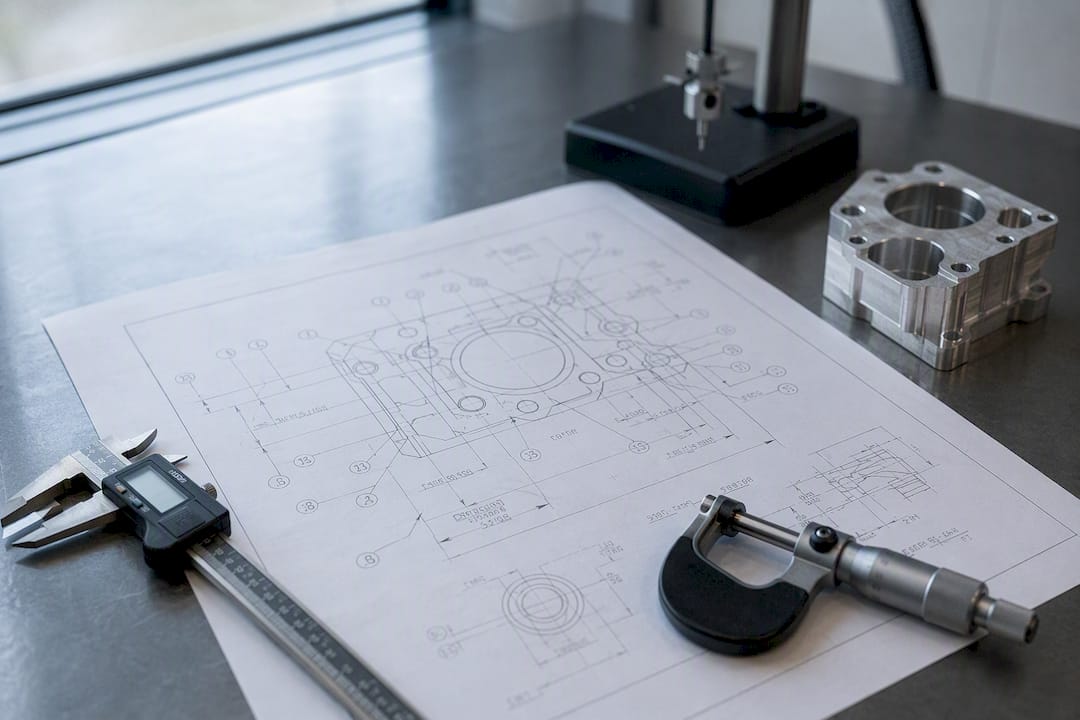
Pairing that with e-signature controls closes the loop: a signed, locked inspection report becomes part of the batch traceability record rather than a separate file that can drift out of sync.
Before piloting a signature workflow inside QA-Report or any similar platform, check this industrial equipment safety checklist to ensure compliance with essential safety and approval steps.
- Role-based access and approver groups are defined for QA, production, and supplier sign-offs.
- Mobile sign-off works reliably for inspectors on the floor, not just office desktops.
- Signed reports archive automatically with full validation metadata attached.
- Export formats are ready for audit requests without manual reformatting.
| Checklist Item | Why It Matters |
|---|---|
| Role-based approver groups | Prevents unauthorized sign-off on regulated records |
| Mobile sign-off | Keeps inspectors from returning to a desktop to close a report |
| Automatic archival | Preserves timestamp and validation data for future audits |
| Audit-ready export | Cuts prep time when a customer or regulator requests records |
What the Conventional Advice on E-Signatures Gets Wrong
Most e-signature guides treat manufacturing like an extension of procurement: send a contract, collect a click, file it away. That framing misses what actually matters on a shop floor, which is that a signature isn't the end of a workflow. It's a transaction inside one. An inspection sign-off, a work-order completion, a batch release, each of these is a record that lives inside a bigger production system, and a signature that isn't wired into that system just creates another document to reconcile later.
The quality managers and production engineers who get the most out of this technology don't start by asking which e-signature vendor has the cleanest interface. They start by asking which of their existing records already fail audits because of missing timestamps or unclear approval chains, then match a signature type to that specific gap. A basic e-signature bolted onto a batch release record is arguably worse than no signature at all, because it creates a false sense of compliance. Prioritize the inspection and production records where a tamper-evident, PKI-backed signature actually closes a real audit risk, and let the lower-stakes HR paperwork follow later.
Get Audit-Ready Signature Workflows With QA-Report
QA-Report gives quality teams a faster path to audit-ready records than stitching together a generic e-signature tool and a separate inspection process. Instead of signing a document and hoping it stays linked to the right batch, QA-Report keeps the signature, the measured data, and the tolerance validation in one sealed report from the start.

That matters most for teams juggling AS9100, ISO 9001, or PPAP submissions on tight deadlines, where a missing link between a signature and its inspection data means redoing the whole package. The measurement wizard auto-flags out-of-tolerance deviations, and the built-in MES layer tracks batches and operations so a signed inspection report connects directly to the production record it belongs to. If your team already struggles to explain to an auditor exactly which revision was approved by whom, that gap is worth closing before your next surveillance audit. Start a trial and run your first pilot on an inspection workflow you already know is a bottleneck.
Frequently Asked Questions
Are electronic signatures legally binding for manufacturing documents in the U.S.?
Yes, for most business records. The ESIGN Act and UETA give electronic signatures the same legal standing as handwritten ones for the majority of commercial transactions, including purchase orders and vendor contracts.
Do FDA-regulated manufacturers need special e-signature controls?
Manufacturers producing medical devices, pharmaceuticals, or other FDA-regulated products need to meet FDA 21 CFR Part 11, which adds specific requirements around security, auditability, and validation beyond what ESIGN and UETA require on their own.
What's the difference between a basic e-signature and a digital signature?
A basic e-signature captures intent to approve a document. A digital signature uses PKI certificates to make the document tamper-evident, so any edit after signing invalidates it, making it the stronger choice for high-assurance records like FAI reports or batch releases.
Can electronic signatures integrate with existing ERP and MES systems?
Yes. Oracle's documentation for standard operation management shows signature preferences and approver groups configured directly inside the production system, so the signature ties to the exact transaction it approves.
How long does it take to roll out electronic signatures on the shop floor?
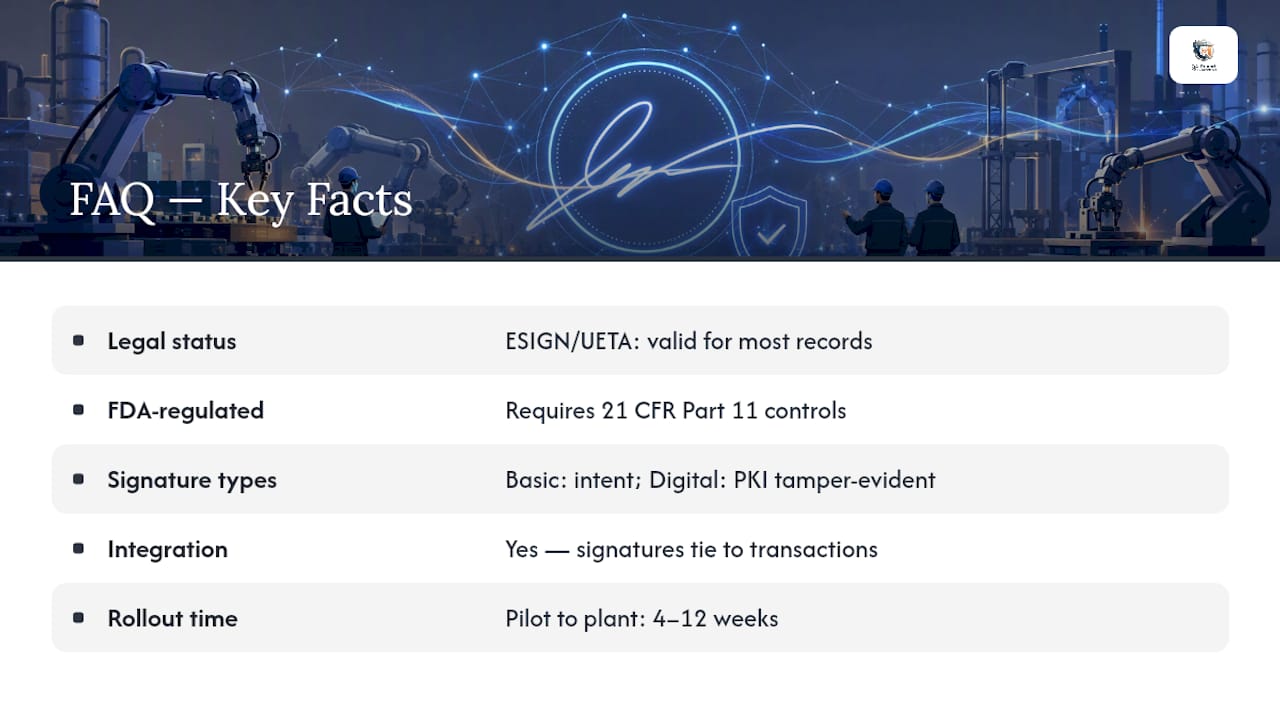
A single-workflow pilot, such as inspection sign-off or HR onboarding, typically runs four to twelve weeks from pilot to plant-wide rollout, depending on how many systems need integration work.
Sources
- ESIGN Act and UETA overview — Documentesign
- Redwood: Use Electronic Signatures and Electronic Records When Completing Operations During Production Execution — Oracle
- Overview of Electronic Signatures and Electronic Records for Standard Operation Management — Oracle
- Electronic signatures vs. digital signatures — Proof