
You must maintain a quality manual, documented procedures for document and record control, a medical device file per device family, design history records, device master and device history records, validated software records, supplier qualification records, complaint and CAPA records, and management review minutes. Start by compiling a clause-by-clause master checklist tied to 21 CFR 820 and assigning a single document owner to that master list before your next audit cycle.
Must-have documents (ISO 13485:2016 mandatory):
- Quality manual and quality policy
- Documented procedure for document control (Clause 4.2.4)
- Documented procedure for record control (Clause 4.2.5)
- Medical device file per device family (Clause 4.2.3)
- Design and development records forming the Design History File (Clause 7.3)
- Device Master Record (DMR) and Device History Record (DHR) (Clause 7.5)
- Supplier evaluation, selection, and monitoring records (Clause 7.4)
- Validation and verification records, including software validation (Clauses 7.5.6, 7.6)
- Complaint handling and CAPA records (Clauses 8.2.2, 8.5.2)
- Internal audit and management review records (Clauses 8.2.4, 5.6)
Typical but not strictly mandatory (context-dependent):
- Work instructions at the operator level (required when absence affects quality)
- Supplier quality agreements (required by some notified bodies and FDA)
- Calibration certificates (required as records; the procedure format is flexible)
- Training records (required as evidence; format is your choice)
Immediate action step: Assign one owner to build a clause-by-clause master document list (MDL) that cross-references each ISO 13485 clause to its corresponding 21 CFR 820 section. That single artifact becomes your audit backbone.
Table of Contents
- How does ISO 13485 documentation differ from ISO 9001 and FDA 21 CFR 820?
- What documents does ISO 13485 require? Clause-by-clause checklist
- How do you control documents and records to avoid audit findings?
- What belongs in your Design History File and how should you structure it?
- What supplier documentation does ISO 13485 require?
- How do you build traceability records and Device History Records that satisfy auditors?
- How does ISO 14971 risk management documentation fit into your QMS?
- What validation, calibration, and equipment records does ISO 13485 require?
- How much documentation do you actually need?
- What templates and tools give you the best head start on audit readiness?
- How do you integrate FAI and CMM inspection reports into ISO 13485 records?
- Are you ready for an ISO 13485 or FDA audit? Checklist and common findings
- How do you keep documentation current through change control and management review?
- Key Takeaways
- The documentation gap most quality managers overlook
- QA-Report helps you close the gap between inspection evidence and audit-ready DHR records
- Useful sources and authoritative references
How does ISO 13485 documentation differ from ISO 9001 and FDA 21 CFR 820?
ISO 13485:2016 is the international standard for medical device quality management systems, and its documentation requirements are deliberately more prescriptive than ISO 9001:2015. Where ISO 9001 replaced the term "documented procedures" with the broader concept of "documented information," ISO 13485 retains the explicit distinction between documents (instructions, procedures, specifications) and records (evidence of activities performed). That distinction matters every time an auditor asks for proof.
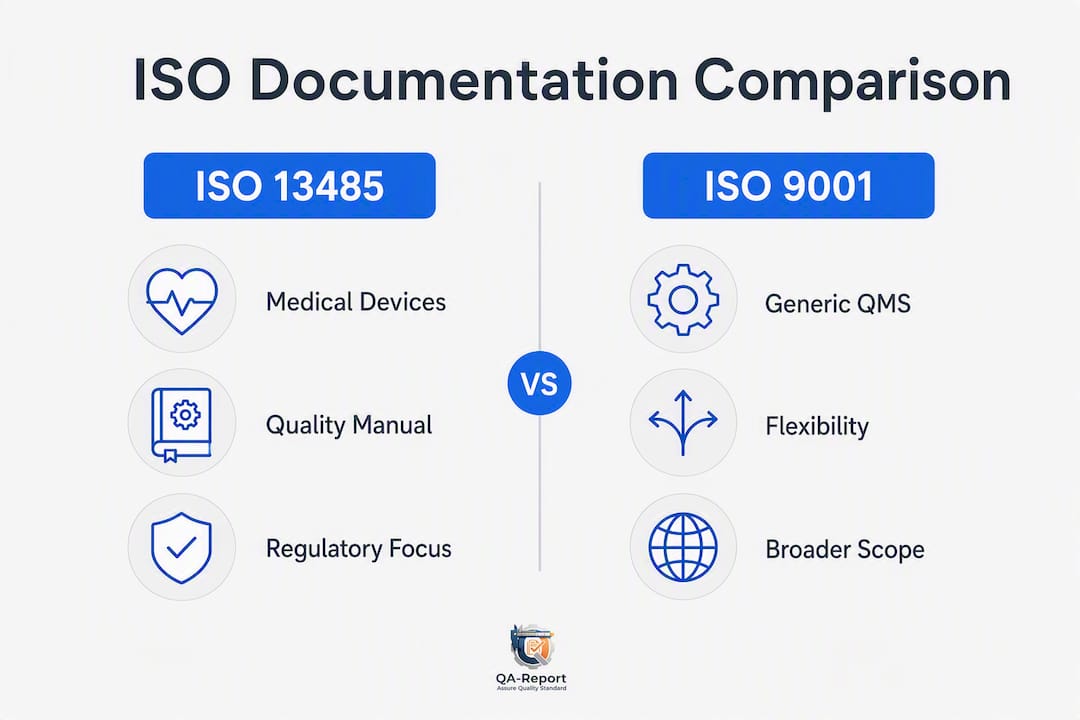
For U.S. manufacturers, the practical question is how ISO 13485 documentation maps to FDA's Quality System Regulation under 21 CFR 820 and its successor, the Quality Management System Regulation (QMSR). The QMSR, which FDA finalized in 2024, explicitly incorporates ISO 13485:2016 as its technical basis, so a well-built ISO 13485 QMS now maps very closely to FDA expectations.
| Dimension | ISO 13485:2016 | ISO 9001:2015 | FDA 21 CFR 820 / QMSR |
|---|---|---|---|
| Quality manual | Explicitly required | Not required (replaced by documented information) | Required (Device Master Record equivalent) |
| Document vs. record distinction | Retained and explicit | Merged into "documented information" | Explicit (documents vs. records) |
| Medical device file | Required per device/family | Not applicable | DHF/DMR/DHR equivalent required |
| Software validation | Mandatory for QMS software | Risk-based, less prescriptive | Mandatory; FDA guidance applies |
| Record retention | Device lifetime or regulatory minimum | Organization determines | Device lifetime; implantables often 15+ years |
| Regulatory alignment | Designed for regulatory compliance | General quality improvement | U.S. law; QMSR now references ISO 13485 |
The ISO clauses that most directly support FDA inspection topics are Clause 7.3 (design controls), Clause 7.4 (purchasing and supplier control), Clause 7.5 (production and service provision, including DHR), Clause 8.2.2 (complaint handling), and Clause 8.5 (CAPA). Auditors from both FDA and notified bodies will pull records from these areas first.
What documents does ISO 13485 require? Clause-by-clause checklist
ISO 13485:2016 lists mandatory documentation structured around regulatory requirements specific to medical devices. The table below maps each clause to its required document or record and the minimum content auditors expect.
| ISO 13485 Clause | Required Document or Record | Minimum Contents |
|---|---|---|
| — | Quality management system scope | Inclusions, exclusions, and justification |
| 4.2.2 | Quality manual | Scope, exclusions, procedure references, process interactions |
| 4.2.3 | Medical device file | Device description, intended use, labeling, specifications, risk management summary |
| 4.2.4 | Document control procedure | Approval, revision, distribution, obsolescence controls |
| 4.2.5 | Record control procedure | Identification, storage, retrieval, retention, disposition |
| — | Quality planning records | Objectives, resources, and process changes |
| 5.6 | Management review records | Inputs reviewed, decisions made, action owners |
| — | Training and competency records | Required competency, training performed, effectiveness evidence |
| 7.1 | Product realization planning records | Risk approach, verification/validation requirements |
| — | Customer requirements review records | Confirmed requirements, resolution of differences |
| 7.3 | Design and development records (DHF) | Planning, inputs, outputs, reviews, V&V, transfer, changes |
| 7.4 | Purchasing procedure and supplier records | Approved supplier list, evaluation criteria, monitoring records |
| 7.5.3 | Traceability records (DHR) | Batch/serial IDs, component sources, inspection results, release authority |
| 7.5.6 | Validation records | Protocol, acceptance criteria, results, deviations, approval |
| 7.6 | Calibration and monitoring records | Equipment ID, calibration date, tolerance, next due date |
| 8.2.2 | Complaint handling records | Complaint description, investigation, decision, regulatory reporting |
| 8.2.4 | Internal audit records | Scope, findings, corrective actions, follow-up |
| — | Nonconforming product records | Description, disposition, authorization |
| 8.5.2 | CAPA records | Root cause, actions taken, verification of effectiveness |
Implementation guides confirm that many organizations mistakenly over-document, creating procedures for activities that a single combined procedure could cover. Small manufacturers can legitimately merge the document control and record control procedures into one, and can combine complaint handling with CAPA into a single procedure, provided all required elements appear. Mid-size and larger organizations typically separate them for clarity of ownership.
Work instructions, templates, and internal forms are typical but not mandatory at the procedure level. They become required when their absence would affect product quality or when a regulatory body specifically calls them out. Flag every document in your MDL as either "controlled mandatory," "controlled supporting," or "uncontrolled reference" so your team knows which items require formal change control.
How do you control documents and records to avoid audit findings?
Document control is lifecycle management, not just storage. The documented procedure for document control is mandatory under Clause 4.2.4 and must address approval before issue, review and update, revision status identification, distribution and access, prevention of unintended use of obsolete documents, and retention of superseded versions for a defined period.
Document lifecycle steps:
- Creation: Author drafts the document using an approved template; assigns document ID, title, revision level (start at Rev A or 00), and effective date.
- Review and approval: Designated reviewers (technical, regulatory, quality) sign off electronically or physically before release. Approval authority must be defined in the procedure.
- Publication and distribution: The EDMS or MDL is updated to reflect the new active revision. Controlled copies are distributed; uncontrolled copies are labeled as such.
- Training and acknowledgment: Personnel affected by the change complete training and sign off. Training records link directly to the document revision that triggered them.
- Change control: Any revision requires a documented change request, impact assessment (including risk and regulatory impact), re-approval, and re-training where needed.
- Archival and retention: Superseded revisions are marked obsolete and removed from active use but retained per device lifetime or regulatory minimum. For implantable devices, record retention may extend to 15 years or longer depending on applicable regulations.
- Destruction: Records at end of retention period are disposed of per a documented procedure with a destruction log.
Obsolete documents remaining accessible and personnel not trained on the current version are the two most common audit nonconformances in document control. Both are preventable with a single rule: the MDL is the only authoritative source of current revision status, and it must be updated the moment a new revision is released.
Pro Tip: Classify documents by risk tier before assigning control requirements. Tier 1 (procedures, specifications, work instructions affecting product quality) requires full change control. Tier 2 (forms, templates) requires version tracking but lighter approval. Tier 3 (reference materials, industry standards) can be uncontrolled with a date stamp. This tiered approach cuts administrative overhead without compromising audit readiness.

Automated document vaults reduce MDL mismatches that spreadsheet-based systems routinely produce as organizational complexity grows. When a document vault provides a single source of truth with audit trails and electronic approvals, the MDL synchronizes automatically with every revision event.
What belongs in your Design History File and how should you structure it?
Design controls and their records are mandatory under Clause 7.3 whenever an organization performs design and development. The Design History File (DHF) is the organized collection of records that demonstrates the design was developed in accordance with the approved design plan. It is not a single document; it is a structured folder of evidence.
| DHF Section | Contents | ISO 13485 Clause | FDA 21 CFR 820 Reference |
|---|---|---|---|
| Design planning | Design plan, team roles, phase gates, regulatory strategy | 7.3.2 | — |
| Design inputs | Functional, performance, safety, and regulatory requirements | 7.3.3 | — |
| Risk management outputs | Risk management plan, hazard analysis, risk evaluation, residual risk justification | 7.3.3, 7.1 | — |
| Design outputs | Drawings, specifications, software architecture, labeling | 7.3.4 | — |
| Design reviews | Meeting minutes, attendees, open actions, closure evidence | 7.3.5 | — |
| Verification records | Protocols, acceptance criteria, test results, deviations | 7.3.6 | — |
| Validation records | Clinical/use validation protocols, results, approval | 7.3.7 | — |
| Design transfer | Transfer checklist, production readiness sign-off, pilot build records | 7.3.8 | — |
| Design changes | Change request, impact assessment, re-verification/validation evidence | 7.3 | — |
A practical naming convention for DHF documents uses a fixed prefix tied to the device project code, followed by a section code and revision: for example, PRJ-001_DHF_7.3.6_VER-PROTOCOL_RevB.pdf. This format lets auditors locate any document in under 30 seconds without a guide.
Link every verification and validation result back to a specific design input requirement. That traceability matrix, sometimes called a Design Verification and Validation Matrix (DVVM), is what auditors use to confirm that every input has been tested and every test result has been reviewed and accepted. Missing that link is one of the most common design-control findings.
What supplier documentation does ISO 13485 require?
Documented purchasing procedures and records of supplier evaluation, selection, monitoring, and re-evaluation are required under Clause 7.4. The depth of control must be proportionate to the risk the supplied product or service poses to the finished device. A supplier of sterile packaging components warrants more rigorous documentation than a supplier of office consumables.
Supplier documents to maintain in your MDL:
- Approved Supplier List (ASL) with current approval status, scope, and approval date
- Supplier evaluation records (initial qualification: audit reports, questionnaires, sample inspection results)
- Supplier quality agreements or purchasing agreements specifying quality requirements, notification of changes, and right-to-audit clauses
- Certificates of conformity (CoC) for each lot or shipment of critical components
- Incoming inspection records linked to the corresponding DHR lot record
- Supplier nonconformance reports and associated CAPA records
- Re-evaluation records (annual or triggered by performance events)
For incoming inspection, record the lot number, quantity received, inspection method, acceptance criteria, results, inspector ID, and disposition decision. That record then links directly to the DHR for any device built using that lot. When a supplier nonconformance occurs, the CAPA record must reference both the supplier file and the affected DHR lots.
For device engineers specifying glass or optical components, documentation expectations for medical glass components add a layer of material-specific traceability that standard supplier qualification checklists may not fully address. Build those material-specific fields into your incoming inspection forms from the start.
Practical guidance on supplier quality management covers how to structure qualification workflows and what records to retain for ISO 13485 surveillance audits.
How do you build traceability records and Device History Records that satisfy auditors?
Traceability records must allow reconstruction of the complete production and distribution history for each device or batch. That means every component, every inspection result, every calibration record used during production, and the identity of the person who authorized release must be traceable to a specific serial number or lot. A broken traceability chain, even a single missing link, can result in a major nonconformance.
| DHR / DMR Element | Required Content | Traceability Link |
|---|---|---|
| Device identification | Part number, revision, serial/lot number | Links to DMR drawing revision |
| Component records | Supplier, lot number, CoC reference | Links to incoming inspection record |
| Production records | Route card, operation sequence, operator IDs | Links to work instructions revision |
| Inspection records | Inspection report ID, results, pass/fail, inspector | Links to drawing revision and calibration record |
| Calibration records | Equipment ID, calibration date, certificate reference | Links to equipment master list |
| Labeling records | Label artwork revision, UDI string, application verification | Links to DMR labeling specification |
| Release authorization | QA signature, date, release criteria met | Links to acceptance criteria in DMR |
For U.S. market devices, UDI (Unique Device Identification) data must be consistent between the device label, the FDA GUDID database, and the DHR. The UDI string (device identifier plus production identifier) should appear as a discrete field in the DHR so auditors can cross-reference it instantly. Linking UDI data to DHR records also supports post-market surveillance and any field safety corrective action.
A simple traceability matrix for a batch might look like this: Batch 2024-0312 → Component Lot A7-221 (CoC #COC-2024-0312-01, Incoming Inspection Report #IIR-0312) → Production Route Card #RC-0312 → Inspection Report #FAI-0312 → Calibration Record #CAL-CMM-003 → Release Authorization #QA-REL-0312. Every ID in that chain must exist as a retrievable record.
Detailed guidance on Device History Record implementation covers how to structure DHR fields and link inspection reports to production lots for audit-ready traceability.
How does ISO 14971 risk management documentation fit into your QMS?
Risk management is mandatory under ISO 13485 Clause 7.1, and its outputs must be traceable to design outputs, verification and validation activities, and post-market surveillance. ISO 14971:2019 is the referenced standard for medical device risk management, and its records must be incorporated into the QMS documentation structure, not kept as a separate silo.
Risk management records to maintain:
- Risk management plan (scope, responsibilities, risk acceptability criteria, review schedule)
- Hazard identification and hazard analysis (FMEA, FTA, or equivalent)
- Risk evaluation matrix with acceptability decisions against defined criteria
- Risk control measures and their implementation evidence
- Residual risk evaluation and risk-benefit justification
- Overall residual risk acceptability statement
- Post-market surveillance inputs and their impact on risk file updates
Each risk item in the hazard analysis should carry a unique ID that links it to the corresponding design input, verification test, and post-market surveillance data point. When a design change occurs, the risk management file must be reviewed and updated before the change is approved. That review record belongs in the design change record within the DHF.
Version control of risk documents is particularly important. When a design change triggers a risk file update, the new risk file revision must be approved before the design change is released to production. Auditors will check that the risk file revision date is not later than the design change approval date.
What validation, calibration, and equipment records does ISO 13485 require?
Any software used in the QMS or for production and measurement must be validated before initial use and after changes, with validation evidence proportionate to risk. This requirement under Clause 7.5.6 catches many organizations off guard because it applies to EDMS platforms, inspection software, ERP systems used for production records, and even spreadsheets used to make quality decisions.
| Validation / Calibration Document | Required Contents |
|---|---|
| Validation protocol | Scope, system description, risk classification, test cases, acceptance criteria, roles |
| Validation test results | Test case ID, expected result, actual result, pass/fail, tester, date |
| Deviation log | Deviation description, impact assessment, disposition, approval |
| Validation summary report | Overall conclusion, residual risks, approval signatures |
| Periodic re-validation trigger log | Change description, re-validation scope, approval |
| Equipment master list | Equipment ID, description, location, calibration interval |
| Calibration record | Equipment ID, calibration date, standard used, tolerance, result, next due date, technician |
| Out-of-tolerance record | Equipment ID, date found, impact assessment, affected product review, corrective action |

For calibration records, the minimum fields are equipment ID, calibration date, the reference standard used (with its own calibration traceability), the tolerance specification, the measured result, pass/fail status, and the next calibration due date. Equipment that fails calibration requires an out-of-tolerance investigation that assesses whether any product measured with that equipment during the affected period needs review.
FDA guidance on software validation establishes the general principles that apply to QMS software, and those principles align closely with ISO 13485's risk-proportionate approach. For an EDMS, validation typically covers installation qualification (IQ), operational qualification (OQ), and a performance qualification (PQ) that tests the workflows your team actually uses.
Automating CMM data import and inspection report generation, as described in CNC and CMM quality control report automation, reduces transcription errors in measurement records and produces a validated, traceable output that links directly to the DHR.
How much documentation do you actually need?
The right answer is: exactly what the standard requires, structured so auditors can find it and your team can use it. Over-documentation is a real implementation risk. Organizations that create procedures for every conceivable activity end up with documents no one reads, revision cycles that consume QA resources, and MDLs that are impossible to keep current.
The four-level documentation model is a practical industry convention that helps right-size a QMS, even though ISO 13485 does not explicitly prescribe those level names.
The four levels in practice:
- Level 1 — Quality policy and quality manual: — Describes the QMS scope, policy commitments, and how processes interact. One document (or a small set). Required by ISO 13485.
For a small manufacturer (under 50 employees), a lean QMS might have 8–12 Level 2 procedures, 10–20 Level 3 work instructions for critical operations, and a set of standard forms. A mid-size manufacturer (50–250 employees) typically carries 15–25 procedures and 30–60 work instructions. Neither number is a target; the right number is the one that covers all mandatory requirements without creating documents that exist only to satisfy a checklist.
Naming conventions matter more than most teams realize. A consistent format such as [Type]-[Number]-[Short Title]-Rev[X] (for example, SOP-007-Document-Control-RevC) makes MDL management and audit retrieval straightforward. Apply the same convention at every level.
What templates and tools give you the best head start on audit readiness?
Using vetted templates speeds implementation, but every template must be tailored to your specific product, regulatory requirements, and device lifetime before it becomes a controlled document. A template copied verbatim from a generic source and issued without customization is a finding waiting to happen.
- Master Document List (MDL) template: A spreadsheet or EDMS-generated list with columns for document ID, title, type, revision, effective date, owner, and retention period. This is your audit backbone.
- DHF table of contents template: A structured folder index covering all nine DHF sections (planning through changes) with placeholder document IDs and required content descriptions.
- DHR template: A form capturing all required traceability fields (device ID, component lots, inspection report IDs, calibration records, release authorization) with fields that link to the DMR.
- Supplier audit checklist: A scored checklist covering quality system, process controls, documentation, and corrective action capability, tied to your supplier risk classification.
- Validation protocol template: Sections for scope, risk classification, IQ/OQ/PQ test cases, acceptance criteria, deviation log, and summary approval.
- Document control procedure template: Covers the full lifecycle from creation through destruction, with defined approval roles and retention rules.
- CAPA record template: Root cause analysis section (5-Why or Ishikawa), action plan with due dates, effectiveness verification criteria, and closure approval.
For EDMS and inspection reporting tools, the features that matter most for ISO 13485 compliance are version control with audit trail, electronic approval workflows with role-based access, automatic MDL synchronization, and the ability to link inspection reports directly to DHR records. Quality control software selection covers the key capability dimensions to evaluate when choosing a platform.
Greenlight Guru is a purpose-built medical device QMS platform that many U.S. manufacturers use for document control and DHF management. For teams whose primary need is inspection reporting and FAI/CMM data integration into DHR records, QA-Report's document vault and inspection-linking capabilities address that specific workflow gap.
Pro Tip: When evaluating any EDMS, run a simulated audit scenario before committing: pull a specific DHR, trace it back to the incoming inspection record, the calibration record, and the drawing revision used. If that trace takes more than five minutes, the system's linking architecture needs work.
How do you integrate FAI and CMM inspection reports into ISO 13485 records?
Tie FAI and CMM inspection reports directly to DHR records and design verification packages using unique report IDs and automated linking from the moment the inspection is triggered. This is the step most teams defer, and it is the one that causes the most scrambling during audits.
The workflow runs in five steps:
- Inspection trigger: A production order or design verification event generates an inspection request with a unique ID tied to the part number, drawing revision, and lot or serial number.
- Report generation: The inspection is performed and the report is auto-generated with all measured values, tolerances, pass/fail flags, and the drawing revision used. CMM data imports directly; no manual transcription.
- Vault linking: The completed report is stored in the document vault with metadata: report ID, drawing revision, serial/lot number, inspector ID, and date. The MDL updates automatically.
- DHR association: The report ID is written into the DHR record for that production lot, creating a direct link between the inspection evidence and the device history.
- Release decision: The authorized QA signatory reviews the linked evidence in the DHR and signs off. The release record references the inspection report ID and the calibration record for each measurement instrument used.
Integration checklist:
- Report ID format includes part number, revision, and lot/serial number
- Drawing revision used for inspection is captured as a metadata field
- CMM data file is attached or linked to the inspection report
- Inspection report links to the calibration record for each instrument used
- DHR field for inspection evidence references the report ID, not a file path
- MDL reflects the new report as a controlled record with effective date
Pro Tip: When migrating legacy inspection spreadsheets into a vault, the most common MDL mismatch comes from inconsistent drawing revision labeling. Before import, audit every spreadsheet for revision field format and normalize it to your canonical naming convention. A one-time normalization pass prevents years of traceability gaps.
Inspection documentation best practices covers the metadata fields and file-naming conventions that make inspection evidence retrievable in under 30 seconds during an audit.
When integrating inspection evidence into DHR records, include metadata that links report IDs, drawing revisions, serial and lot numbers, and measurement files. This enables auditors to trace an inspection result back to the exact drawing revision and production lot instantly.
Are you ready for an ISO 13485 or FDA audit? Checklist and common findings
An audit-ready documentation package requires more than having the right documents. Every document must be at its current revision, every record must be retrievable, and every link in the traceability chain must hold. The single most common failure mode is not missing documents; it is documents that exist but are not controlled, linked, or current.
Pre-audit documentation checklist:
- MDL is current and reflects active revision for every controlled document
- Quality manual and quality policy are at current revision and approved
- Medical device files exist for every device family in scope
- DHF is complete for all released products (all nine sections present)
- DHR samples for recent production lots are retrievable and complete
- Design change records are approved and linked to re-verification evidence
- Validation records are current; re-validation triggered by changes is documented
- Supplier files include current ASL, recent evaluation records, and quality agreements
- CAPA records show root cause, actions, and effectiveness verification
- Management review minutes from the past 12 months are filed
- Training records are current for all personnel with QMS responsibilities
- Calibration records are current; no equipment is past its due date
| Common Audit Finding | Root Cause | Remediation Step |
|---|---|---|
| Obsolete documents accessible on shared drives | MDL not synchronized with file server | Remove obsolete files; implement vault with access controls |
| Missing approval signatures on procedures | Approval workflow bypassed during urgent revision | Retroactive approval with documented rationale; fix workflow |
| DHR missing inspection evidence | Inspection reports not linked at time of release | Retroactive linking with QA sign-off; implement mandatory link field |
| Supplier records incomplete | ASL not updated after re-evaluation | Complete re-evaluation records; update ASL with date |
| CAPA closed without effectiveness verification | Effectiveness check not scheduled | Reopen CAPA; schedule and document effectiveness review |
| Software not validated | EDMS or inspection tool deployed without IQ/OQ/PQ | Perform retrospective validation with risk justification |
| Training records missing for current procedure revision | Training not triggered by document change | Link training trigger to document release workflow |
When a finding is issued, the remediation playbook follows three steps: contain (remove the nonconforming condition immediately), correct (fix the specific instance), and prevent recurrence (update the procedure or system that allowed the gap). The CAPA record must document all three, and the effectiveness verification must confirm the prevention measure worked.
How do you keep documentation current through change control and management review?
Maintain change control records, CAPA evidence, and management review minutes to demonstrate ongoing QMS effectiveness during surveillance audits. A QMS that passes its initial certification audit but lacks evidence of ongoing control will fail its first surveillance visit.
Change control process (required records at each step):
- Change request record: description of proposed change, initiator, date, affected documents and processes
- Impact assessment: risk assessment, regulatory impact, validation/verification impact, training impact
- Approval record: authorized approvers, approval date, effective date
- Implementation evidence: updated documents at new revision, training records, production records if applicable
- Verification of implementation: QA confirmation that change was implemented as approved
Management review must occur at planned intervals and must address a defined set of inputs: audit results, customer feedback, process performance, product conformity, CAPA status, follow-up from previous reviews, planned changes, and recommendations for improvement. The output must include decisions on resource needs, product improvements, and QMS changes. Minutes must capture all inputs reviewed, all decisions made, and action owners with due dates.
Ongoing compliance capability checklist:
- Change control procedure defines trigger criteria, impact assessment template, and approval authority
- Document revision history is retained within each controlled document
- Management review is scheduled at least annually; minutes are filed within 30 days of the meeting
- CAPA effectiveness reviews are scheduled at closure and filed when completed
- Retention audit is conducted annually to confirm records are within retention period and retrievable
- Electronic audit trail in the EDMS captures every document access, approval, and revision event
CAPA records that close without documented effectiveness verification are one of the top repeat findings in surveillance audits. Build the effectiveness check into the CAPA form as a mandatory field with a required completion date, and assign a different person to verify effectiveness than the one who implemented the corrective action.
Key Takeaways
A compliant ISO 13485 documentation system requires a quality manual, clause-mapped mandatory procedures, a medical device file per device family, complete DHF and DHR records, validated software evidence, and a synchronized MDL that serves as the single source of truth for every controlled document.
| Point | Details |
|---|---|
| Mandatory documents are clause-specific | ISO 13485:2016 requires a quality manual, medical device file, document/record control procedures, DHF, DHR, CAPA, and management review records at minimum. |
| ISO 13485 vs. ISO 9001 distinction | ISO 13485 retains explicit document and record categories and requires a quality manual, unlike ISO 9001:2015. |
| MDL synchronization prevents audit findings | Obsolete documents remaining accessible and MDL mismatches are the most common nonconformances; an automated vault eliminates both. |
| Record retention follows device lifetime | Retention must meet device lifetime or regulatory minimum; implantable devices may require 15 years or more. |
| QA-Report links inspection evidence to DHR | QA-Report's document vault and CMM import workflow auto-link FAI and inspection reports to DHR records, reducing MDL errors and audit prep time. |
The documentation gap most quality managers overlook
The conventional wisdom on ISO 13485 documentation focuses almost entirely on what documents to create. The harder problem, and the one that causes the most audit failures, is what happens to those documents after they are created.
Most QMS implementations get the initial document set right. The quality manual is written, the procedures are approved, the DHF is assembled. Then six months pass. A design change is made under time pressure and the risk file is not updated before the change is released. A new EDMS is deployed without a formal validation. A supplier is re-evaluated but the ASL is not updated. None of these gaps show up in a document count. They only surface when an auditor pulls a specific record and asks for the evidence that should be linked to it.
The practical implication is that documentation governance, the ongoing discipline of keeping records linked, current, and retrievable, matters more than the initial document creation effort. A lean, well-maintained QMS with 20 controlled procedures and a synchronized MDL will consistently outperform a bloated system with 80 procedures and a spreadsheet MDL that no one trusts.
The other underestimated risk is the gap between ISO 13485 documentation and FDA inspection readiness. With the QMSR now referencing ISO 13485:2016 directly, the two frameworks are closer than ever. But FDA inspectors still pull DHR samples and trace them to component lots, inspection records, and calibration evidence. If that trace breaks at any point, the ISO certificate does not protect you. Build the traceability chain into every production record from day one, not as a retrofit before an inspection.
QA-Report helps you close the gap between inspection evidence and audit-ready DHR records
The workflow described in this guide, linking FAI and CMM inspection reports to DHR records with unique IDs, synchronized MDL, and electronic approvals, is exactly what QA-Report is built to support. Where most teams spend hours manually attaching inspection files to device history records and reconciling drawing revisions in spreadsheets, QA-Report's document vault and CMM import engine handle that linking automatically.

Version control, electronic approval workflows, audit trail logging, and direct CMM data import are built into the platform. Inspection reports auto-flag out-of-tolerance deviations, attach to the correct DHR lot record, and update the MDL without manual intervention. For quality managers preparing for ISO 13485 certification or an FDA QMSR inspection, that means your audit evidence is organized and retrievable before the auditor walks in.
Start a free trial at QA-Report to see how the inspection vault and DHR linking workflow fit your existing QMS structure.
Useful sources and authoritative references
The following references support implementation and audit readiness for ISO 13485 documentation. Primary standards are listed first, followed by practical implementation resources.
Primary standards and regulatory references:
- ISO 13485:2016 — Medical devices: Quality management systems requirements for regulatory purposes — The authoritative standard text; the clause-by-clause source for all mandatory documentation requirements.
- FDA General Principles of Software Validation — FDA guidance on validating software used in the QMS and for production; directly applicable to EDMS and inspection software validation.
Implementation checklists and practical guides:
- ISO 13485 Mandatory Documents: Complete List (Advisera) — Annotated list of mandatory documents with clause references; useful for cross-checking your MDL.
QA-Report implementation resources:
- Inspection Documentation Best Practices — Guidance on metadata, file naming, and linking inspection evidence to DHR records.
- Device History Record: The 2026 Compliance Guide — Detailed DHR structure and traceability field guidance.
- Supplier Quality Management System Guide — Supplier qualification workflow and documentation requirements for ISO 13485.