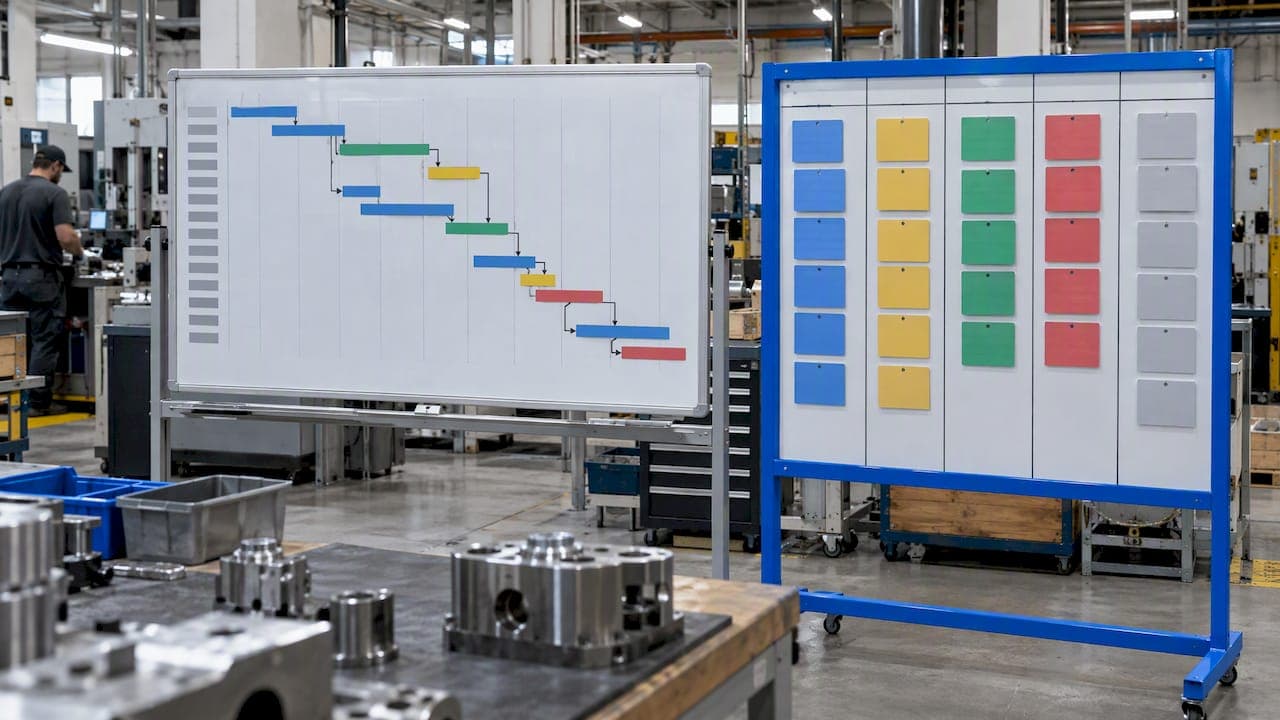
Kanban and Gantt are not rivals for the same job. A Gantt chart answers "what is due, when, and what depends on what." A kanban board answers "what is moving right now, and where is it stuck." In a machine shop or a regulated plant, most teams need both questions answered, so the real decision is which method leads at which level of planning.
This guide compares the two for production and quality work, adds CONWIP as the option many high-mix shops overlook, and shows how a QA kanban board can make inspection, nonconformance and rework visible without replacing formal quality controls.
TL;DR
- Gantt charts plot work against dates and show dependencies and milestones. Kanban boards sort work into stage columns and show flow.
- Use Gantt for order-level commitments, routing dependencies and customer due dates. Use kanban for daily execution and WIP control.
- Kanban suits repetitive, stable-mix production. High-mix job shops often do better with a single line-wide WIP cap (CONWIP) plus a dated plan.
- A QA kanban board makes deviations and CAPAs visible, but it never replaces inspection records, sampling plans or signed reports.
- Most regulated shops end up running a Gantt for the plan and a board for the floor, ideally in one system.
Table of Contents
- What each method actually shows
- Kanban vs. Gantt side by side
- Where Gantt earns its place on the shop floor
- Where kanban works, and where it breaks
- CONWIP: the option for high-mix shops
- What production scheduling research suggests
- A QA kanban board: making quality work visible
- Running both: a practical setup
- Our perspective
- Try both views in one platform
- FAQ
- Sources
What each method actually shows
A Gantt chart lays tasks out as bars on a timeline. Bar length represents estimated duration, and links between bars show sequential dependencies, according to TechRepublic's comparison of the two tools. In manufacturing terms, think of a work order with operations: cut, rough machine, heat treat, finish machine, inspect, ship. Each operation has a start, an end and a predecessor.
A kanban board uses cards in status columns. The same source describes columns that show completed, in-progress and not-yet-started work, and notes that this layout makes dependencies, milestones and future deadlines harder to show. In a shop, a card might be a batch or a route card, and the columns might be queued, in machining, in inspection and released.

One more feature matters on the floor: the work-in-progress (WIP) limit. A board with a cap on how many cards may sit in a column forces the team to finish work before pulling more. That cap, not the card layout, is what makes kanban a control system rather than a picture.
Kanban vs. Gantt side by side
| Question | Gantt chart | Kanban board |
|---|---|---|
| Main view | Work against a calendar | Work against process stage |
| Best at | Dependencies, milestones, due dates | Flow, bottlenecks, WIP control |
| Weakest at | Staying current without constant updates | Showing future load and deadlines |
| Planning horizon | Weeks to months | Today to this week |
| Typical owner | Planner, production manager | Supervisor, operators, inspectors |
| Fits production that is | Project-like, multi-step, deadline-driven | Repetitive, steady, fixed route |
| Failure mode | Plan drifts from reality | Board looks calm while orders run late |
The last row is the one to remember. A Gantt chart fails by going stale. A board fails by hiding lateness: every column can look healthy while a customer date quietly slips because nothing on the board carries a date.
Where Gantt earns its place on the shop floor
Gantt thinking is most valuable when the order is more than a single operation and dates are contractual.
- Multi-operation routings. If finish machining cannot start until heat treat returns from an outside vendor, that dependency belongs on a timeline, not in a column.
- Capacity conflicts. Two urgent orders needing the same five-axis machine in the same week show up as overlapping bars long before they show up as a missed ship date.
- Customer commitments. Aerospace and medical programs often have delivery milestones and FAI gates that must be sequenced. A timeline makes the critical path visible.
- Communication upward. PMI's guidance on Gantt charts and agile planning advises using Gantt charts to communicate high-level information and track critical dependencies and dates, while leaving task-level detail to other tools. That division of labor maps neatly onto a plant: the Gantt is for the plan and the conversation with customers and management, the board is for the work.
The cost is maintenance. TechRepublic identifies complexity as the main drawback of Gantt charts: plans can go stale quickly, need substantial ongoing updating, and report inaccurate status if nobody maintains them. A Gantt chart that depends on someone retyping progress from paper travelers will be wrong by Wednesday. It works when progress is captured at the machine, so the bars update from reported operations rather than from memory.
Where kanban works, and where it breaks
Kanban shines when the work is repetitive and the path is fixed. A 2001 simulation-conference paper on Kanban and CONWIP fundamentals notes that kanban is typically restricted to repetitive manufacturing with steady flow along a fixed path, and that large variations in volume or product mix undermine its performance.
That is the main downside, and it is a real one for job shops. If every order takes a different route, a column-per-station board with a cap at each station will either starve some stations or pile up at others. Other practical limits:
- No dates. A card in "In inspection" says nothing about whether it is due Friday or next month unless you add the date and sort on it.
- No dependency logic. The board will not warn you that an outside process is going to return late.
- Discipline required. WIP limits only help if supervisors actually stop pulling work when the cap is hit.
Where it fits, the benefits are substantial: visible bottlenecks, less partially finished inventory, and a shared picture that operators can read in seconds.
CONWIP: the option for high-mix shops
Searches for "CONWIP vs. Kanban" come from shops that like pull-based control but do not have repetitive flow. CONWIP (constant work in process) keeps the idea of a WIP cap but applies it differently. Classic kanban caps WIP between each pair of workstations. CONWIP sets one cap for the whole line or routing: a new job is released only when a finished job leaves.
The 2001 paper above describes CONWIP as somewhat more resilient to product-mix changes, using one global set of cards instead of a set per station. That makes it a natural fit for job shops and high-mix, low-volume work where parts take different routes through the same machines.
A simple way to choose:
- Stable mix, fixed route, high repetition: station-level kanban.
- Variable mix, different routes, shared machines: CONWIP with a dated release plan.
- Project-like work with long lead items and hard milestones: Gantt for the plan, with a WIP cap on the floor so the plan is not overloaded.
CONWIP still needs something to decide which job gets released next. That decision is a scheduling decision, and a due-date view is the right tool for it. In practice, CONWIP and Gantt complement each other more than they compete.
What production scheduling research suggests
The evidence on pull-style control versus traditional scheduling is encouraging but comes with a trade-off. A 2019 manufacturing scheduling paper reports that, in its simulation, Kanban and Theory of Constraints produced shorter task-completion times and fewer active tasks than traditional scheduling, but at lower resource efficiency.
Read that as a design choice, not a verdict. Lower utilization is the price of shorter lead times and less WIP. If your machines are expensive and your customers tolerate long lead times, you may prefer to keep resources busy. If your customers want short, predictable lead times, as many aerospace and medical customers do on repeat parts, accepting some idle capacity is often the better trade. It is a simulation, so test any change on one cell before rolling it out.
A QA kanban board: making quality work visible
Quality departments run their own flow: parts waiting for inspection, first articles awaiting approval, deviations under review, rework waiting for reinspection. A QA kanban board puts those items in one view.
A practical column set for a manufacturing quality board:
- Awaiting inspection
- In inspection
- Out of tolerance, under review
- Disposition decided (use as is, rework, scrap, return to supplier)
- Rework or corrective action in progress
- Awaiting reinspection or verification
- Approved and closed
Software teams use a similar pattern for defects. One QA team workflow write-up lists columns such as In QA Review, Approvals to Proceed, In Verification, Approvals to Close and Closed as a way to make deviations, nonconformities and CAPAs visible. The manufacturing version simply swaps the ticket for a lot, serial number or nonconformance report.
What a quality board must not replace
A board shows flow. It does not decide acceptance. Formal inspection still rests on your control plan, your drawings and your sampling rules. For attribute and variable sampling, ANSI/ASQ publishes the Z1.4 and Z1.9 acceptance sampling standards, covering attributes inspection and variables inspection respectively. A card moving to "Approved" should be triggered by a completed, signed inspection record, not by someone dragging it across the screen.
Traceability is the other guardrail. If a card can move without a linked measurement result, lot number and operator, the board becomes a broken chain: it looks continuous, but you cannot walk back through it during an audit. Tie every card to its records, and restrict who can approve or close. For ideas on who should see and change what, see our guide to role-based permissions for manufacturers.
Running both: a practical setup
Most teams that try to pick one end up with a spreadsheet Gantt nobody updates and a whiteboard nobody photographs. A workable hybrid has three layers.
- Plan layer (Gantt). Orders and their routings with due dates, dependencies and outside processes. Reviewed weekly by planning and production management.
- Release layer (WIP cap). A limit on how many jobs are open on the floor, either per station or for the whole line. The next job is released from the plan when capacity opens.
- Execution layer (board). Cards for batches or route cards moving through operations, updated by scanning or reporting at the machine, with inspection and nonconformance columns feeding the quality board.
Three rules keep it honest:
- Every card carries its due date, so the board cannot hide lateness.
- Progress is reported once, at the point of work, and feeds both views. Double entry is how plans go stale.
- Rejections and rework loop back into both layers. A scrapped batch changes the plan, not just the board.
If you are evaluating tools for this, our comparison of manufacturing kanban software for regulated teams covers the criteria that matter in audited environments. For the tracking side, see our production tracking software guide.
Our perspective
We build inspection and production software for aerospace, automotive and medical device suppliers, and the pattern we see is consistent: the scheduling method matters less than whether the data behind it is captured once and trusted.

Shops that adopt kanban without dates drift late. Shops that adopt Gantt without shop-floor reporting drift out of date. In both cases the fix is the same: connect planning to the parts, batches and operations as they really move, and connect those to inspection results, so a rejected batch and its recovery are visible in the plan the moment they happen.
That is why we put kanban and Gantt planning, route cards, batch tracking and rejection and recovery tracking in the same platform as inspection and first article reports. A quality manager should not have to reconcile a schedule in one tool with FAI status in another before an audit. Our advice for a team starting out: begin with a dated plan for your three or four most important orders, add a WIP cap on the one constrained machine group, and put your open nonconformances on a board with a named owner for each card. Expand only after that works for a month.
— Michael Chen
Try both views in one platform
QA-Report combines kanban and Gantt planning with route cards, batch and serial tracking, rejection and recovery tracking, and role-based shop-floor access, alongside FAI, dimensional and GD&T inspection reporting. You can start on the Free plan ($0 per month), and paid plans start at $49.99 per month for Basic and $149.99 per month for PRO. On-Premise and Enterprise options are available for organizations with data confidentiality requirements. See the QA-Report pricing page for what each plan includes, or look at our MES for machine shops overview to see how planning and traceability fit together.
FAQ
Is a Gantt chart outdated?
No. It is outdated only when it is maintained by hand. Gantt charts remain the clearest way to show dependencies, milestones and due dates, and PMI's guidance still recommends them for high-level dates and critical dependencies. They stay useful when progress feeds them automatically from the floor.
What are the downsides of Kanban?
Kanban works best in repetitive production with a steady flow along a fixed path, and large swings in volume or product mix undermine it. It also does not show dates or dependencies by default. Job shops with varied routings usually need a due-date plan or a line-wide WIP cap such as CONWIP alongside it.
What is the difference between CONWIP and Kanban?
Kanban limits WIP between each workstation, while CONWIP sets one cap for the entire line or routing. CONWIP tolerates product-mix changes better, so it often suits high-mix job shops. Kanban fits stable, repetitive flows.
Can a kanban board replace formal inspection?
No. A board shows where inspection and nonconformance work stands, but acceptance still depends on your inspection plan, sampling standards and signed records. Link every card to its measurement results and restrict who can approve and close.
Should a manufacturer use Kanban, Gantt, or both?
Most use both: Gantt for orders, dependencies and customer dates, and kanban for daily execution and WIP control. The one condition is that progress is reported once and feeds both views, so neither goes stale.
Sources
- Kanban vs Gantt charts: Can kanban effectively replace Gantt charts? (TechRepublic)
- Gantt Charts and Agile Planning (PMI)
- Understanding the Fundamentals of Kanban and CONWIP (Winter Simulation Conference, 2001)
- Manufacturing Scheduling Performance (DAAAM proceedings, 2019)
- ANSI/ASQ Z1.4 and Z1.9 Sampling Plan Standards (ASQ)
- Why Jira's Kanban Board Is What Your QA Team Needs (Radbee)