
For manufacturers in aerospace, automotive, and medical devices, QA-Report is the recommended choice for manufacturing Kanban software. It combines pull-based MES planning with audit-ready inspection reporting that satisfies ISO 9001, AS9100, and PPAP requirements in a single platform. The result: fewer manual tally sheets, integrated replenishment signals tied directly to route cards, and full MES traceability from card trigger to dimensional inspection record.
Table of Contents
- Why digital Kanban matters for regulated manufacturers
- What features should you require from manufacturing Kanban software?
- How do you choose the right manufacturing Kanban software?
- How QA-Report maps to regulated manufacturers' Kanban and QA needs
- Pilot-to-rollout implementation checklist and common pitfalls
- What do timelines and costs look like for manufacturing Kanban software?
- Key Takeaways
- The gap between Kanban software and Kanban discipline
- QA-Report: inspection and Kanban planning in one platform
- Useful sources and standards for further reading
Why digital Kanban matters for regulated manufacturers
Manufacturing Kanban is a pull-based material control system built on two distinct card types: production cards authorize making parts, and withdrawal cards authorize moving them. Keeping those signals separate is not a formality. When a line goes short, the card type tells you immediately whether the problem is in fabrication or in material transport, which cuts diagnostic time considerably.
Digital Kanban adds compliance weight that paper loops cannot carry. Regulated manufacturers need time-stamped, exportable audit trails for every replenishment event, not a whiteboard count that gets erased at shift change. Kamishibai audits and Kanban both support just-in-time production, but moving both into a digital system creates consistent accountability and traceable corrective actions that auditors can verify.
The operational case is equally strong. Digital platforms replace manual tally sheets with live shop-floor telemetry and automated replenishment signals, reducing transcription errors and giving line leaders real data to act on. One documented implementation reported a 25% reduction in inventory costs after deploying eKanban alongside tighter supply-chain collaboration.
What features should you require from manufacturing Kanban software?
Not every Kanban tool is built for the shop floor. The table below maps the feature categories that matter in regulated environments to the specific capabilities your evaluation should confirm.
| Feature Category | What to Require |
|---|---|
| Pull-based Kanban primitives | Separate production and withdrawal card types; mathematical WIP caps; card-count formula tied to demand, lead time, and container quantity |
| IoT/RFID integration | Scan-to-trigger replenishment; real-time SLA countdown timers per card; live consumption telemetry |
| Compliance and audit | Exportable digital audit trails; FAI / AS9102 / PPAP-ready PDF reports; CMM data import; drawing ballooning |
| MES and ERP connectivity | Route card-driven production; Kanban signals linked to work orders; bidirectional ERP sync |
| Shop-floor usability | Mobile inspection UI; role-based access by zone or operation; kitting verification; multi-plant visibility |
IoT/RFID-enabled automated replenishment and real-time SLA countdown timers are the dividing line between industrial-grade Kanban and a glorified task board. If a vendor cannot demonstrate both, the platform will create manual workarounds the moment your line runs hot.
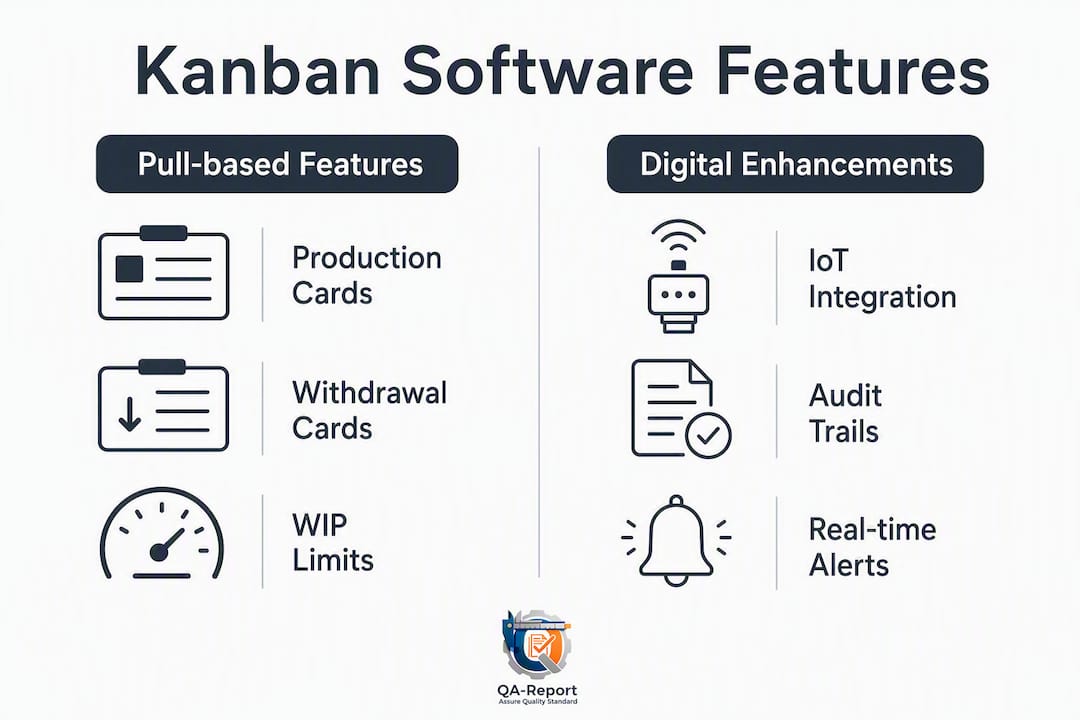
A critical point that many evaluations miss: card count is a mathematical WIP cap, calculated from demand rate, replenishment lead time, container quantity, and a minimal buffer. Software that lets operators add cards without recalculating the loop is not enforcing Kanban discipline; it is just moving sticky notes to a screen.
How do you choose the right manufacturing Kanban software?
Regulated manufacturers need a structured evaluation, not a feature checklist from a vendor's marketing page. Work through these questions in order.
- Does it integrate directly with your MES and ERP? Confirm event-level APIs and ask for a time-to-first-sync demonstration. A Kanban tool that doesn't sync consumption data with ERP/MES becomes a silo that forces manual reconciliation.
- What audit export formats does it support? Require FAI, AS9102, PPAP, and ISO 9001 PDF exports. Ask to see a sample report, not a screenshot.
- Does it import CMM data and support drawing ballooning? Specify supported file formats (STEP, IGES) and confirm the import maps dimensions to balloon numbers automatically.
- How does it handle SLA timers and IoT/RFID scanning? Ask which scanner hardware is certified and whether RFID tags require proprietary readers.
- What are the role-based access controls? Confirm granular permissions by plant, zone, and operation. Data retention policies and exportable access logs matter for audits.
- What does the onboarding scope look like? Request a pilot plan with defined KPIs, a training schedule, API documentation, uptime SLA, and an escalation matrix.
Red flags to walk away from: standalone Kanban with no MES link; no digital audit trail; manual double-entry between Kanban and ERP; role permissions limited to admin/user only.
Pro Tip: Ask every vendor to demonstrate a live replenishment loop from scan to ERP inventory update during the demo. If they cannot show it live, assume it requires custom integration work billed separately.

Modern manufacturing leaders are shifting from standalone Kanban boards to unified platforms that integrate with MES and ERP for real-time decision-making. That shift is not optional in regulated industries where every material movement needs a traceable record.
How QA-Report maps to regulated manufacturers' Kanban and QA needs
QA-Report is built specifically for the overlap between production planning and quality inspection that regulated manufacturers live in every day. The table below maps its modules to the buyer checklist from the previous section.
| Buyer Requirement | QA-Report Capability |
|---|---|
| Pull-based Kanban signals | Integrated MES layer with Kanban and Gantt planning tied to route cards |
| CMM import and drawing ballooning | CMM data import with automatic balloon numbering and dimension mapping |
| FAI / AS9102 / PPAP reports | Measurement wizard generates compliant PDF reports with statistical summaries |
| Digital audit trail | Time-stamped inspection records with role-based access and exportable logs |
| Mobile shop-floor access | Multi-language mobile UI for inspectors; role-based zone access |
| ERP integration | Bidirectional sync for orders, inventory, and batch tracking |
The workflow that separates QA-Report from generic Kanban tools is the direct link between a Kanban replenishment signal and a dimensional inspection record. When a route card triggers production of a new batch, the inspection module is already loaded with the relevant drawing, balloon numbers, and tolerance specifications. Inspectors capture measurements on mobile devices; out-of-tolerance deviations are flagged automatically; and the resulting report is audit-ready without any manual formatting.
"The most valuable digital Kanban implementations pair Kanban signals with audit and corrective-action workflows so that flow issues automatically create traceable quality actions." — Kanban in Manufacturing, Ease.io
Teams evaluating QA-Report can review feature walkthroughs and inspection report demos in the product video gallery before committing to a pilot. For PPAP-specific workflows, the APQP and PPAP software guide covers how digital submissions align with customer-specific requirements.
Pilot-to-rollout implementation checklist and common pitfalls
A disciplined pilot protects you from the most common failure mode: deploying Kanban software across a full plant before the card math and integration are validated.
- Define pilot scope. Select 1–2 SKUs on a short replenishment loop. Set baseline KPIs: stockout frequency, on-time replenishment rate, and inspection cycle time.
- Discover and map integrations. Confirm ERP item master data, MES work order structure, and CMM export formats before configuration begins.
- Configure card loops and container sizes. Use the demand-rate formula: card count = (demand × lead time) / container quantity, plus a minimal buffer. Do not estimate.
- Test IoT/RFID and scanning workflows. Run the full loop from scan to ERP update in a staging environment. Confirm SLA timers fire correctly.
- Train operators and quality staff. Cover both the replenishment workflow and the inspection reporting sequence. Role-based access should be live before training starts.
- Run the pilot and collect metrics. Four to eight weeks is the minimum for meaningful data on a single loop.
- Review metrics and build the rollout plan. Gate the plant-wide rollout on hitting pilot KPIs, not on calendar date.
Pro Tip: Assign a named owner for leader standard work during the pilot. Kanban discipline collapses without someone auditing card counts and loop integrity weekly. Build that role into your pilot plan before go-live.
The lean practitioner principle applies here directly: "make to a returned card, never to a feeling." Software enforces that discipline only when the card count is correct and the loop is closed. Skipping ERP integration during the pilot and planning to add it later is the single most common reason rollouts stall.
For contract manufacturers running regulated chemical or specialty production, SaraWest's contract manufacturing capabilities illustrate how Kanban-driven replenishment integrates with batch tracking and certificate-of-analysis workflows in high-compliance environments.
What do timelines and costs look like for manufacturing Kanban software?
Set realistic expectations before you go to budget approval.
| Phase | Typical Duration |
|---|---|
| Pilot (1–2 SKUs, single loop) | several weeks |
| Integration (ERP/MES connectors) | weeks to a few months depending on complexity |
| Full plant rollout | several months |
- Subscription tiers cover most small-to-mid-size operations; per-seat or per-line pricing is common.
- Enterprise custom pricing applies to multi-plant deployments with dedicated API support and SLA guarantees.
- Hidden costs to budget for: integration engineering, data cleanup (item master alignment with ERP), CMM connector configuration, and operator training time.
- ROI drivers: inventory reduction (one documented case showed 25% lower inventory costs), fewer manual inspection hours, and reduced audit preparation time.
IoT/RFID hardware adds upfront capital cost. Specify supported scanner models and RFID tag types during procurement to avoid compatibility surprises after contract signature. Multi-facility Kanban platforms that automate loop sizing and flag early inventory shortages across plants justify higher per-seat costs through reduced expediting and line-stop events.
Key Takeaways
For regulated manufacturers, the best manufacturing Kanban software integrates pull-based MES planning, IoT/RFID replenishment, and audit-ready inspection reporting within a single platform.
| Point | Details |
|---|---|
| Separate card types matter | Require distinct production and withdrawal cards; card count must be calculated mathematically, not estimated. |
| Integration is non-negotiable | Confirm event-level ERP/MES APIs before signing; standalone Kanban creates manual reconciliation work. |
| Compliance features are table stakes | Require FAI, AS9102, PPAP, and ISO 9001 PDF exports plus CMM import and digital audit trails. |
| Pilot before you scale | Run 4 weeks on 1–2 SKUs with defined KPIs; gate plant rollout on hitting those metrics. |
| QA-Report covers the full stack | QA-Report's MES layer, Kanban planning, CMM import, and inspection reporting satisfy regulated-industry requirements in one platform. |
The gap between Kanban software and Kanban discipline
Most Kanban implementations fail not because the software is wrong but because the discipline is absent. Teams configure a digital board, set card counts once, and then let operators add cards informally when pressure builds. The software becomes a display, not a control mechanism.
The harder truth is that regulated manufacturers face a compounding risk. A Kanban system without a closed audit trail is a compliance liability, not just an operational inconvenience. When an AS9100 auditor asks for evidence of controlled material flow, a screenshot of a board is not an answer. Time-stamped, role-attributed, exportable records are. Choosing software that enforces both the loop math and the audit trail is not a premium feature decision; it is a baseline requirement for anyone operating under a quality management system.
QA-Report: inspection and Kanban planning in one platform
QA-Report gives quality engineering teams in aerospace, automotive, and medical device production something most Kanban tools cannot: a direct connection between a replenishment signal and a compliant inspection record, without switching platforms or manually transferring data.

The MES layer handles route cards, Kanban signals, and Gantt planning. The inspection module handles CMM import, drawing ballooning, GD&T validation, and PPAP-ready PDF generation. Both run in the same cloud platform with mobile access and role-based permissions. Start a free trial or request a guided demo at qa-report.com. The video gallery includes walkthroughs of the inspection wizard, CMM import workflow, and MES planning board so your team can evaluate real workflows before the pilot begins.
Useful sources and standards for further reading
- ISO 9001:2015 Quality Management Systems — the foundational QMS standard referenced throughout regulated manufacturing Kanban evaluations
- AS9100 Rev D — aerospace quality management standard governing FAI and audit trail requirements
- AIAG PPAP Manual — the automotive production part approval process standard
- How to Use Kanban in Manufacturing — practical guide covering card math, WIP caps, and production vs. withdrawal card discipline
- Kanban in Manufacturing: A Comprehensive Guide — covers Kamishibai integration and corrective-action workflows
- QA-Report Video Gallery — product tutorials covering CMM import, inspection reporting, and MES planning
- Inspection Documentation Best Practices — practical guide for building audit-ready inspection records
- Production Tracking Software Guide — covers multi-plant visibility and MES integration considerations
Use these references to validate vendor claims during your evaluation. If a vendor's feature list references ISO 9001 or AS9100 compliance, ask them to map each claim to a specific standard clause and show you the corresponding report output.