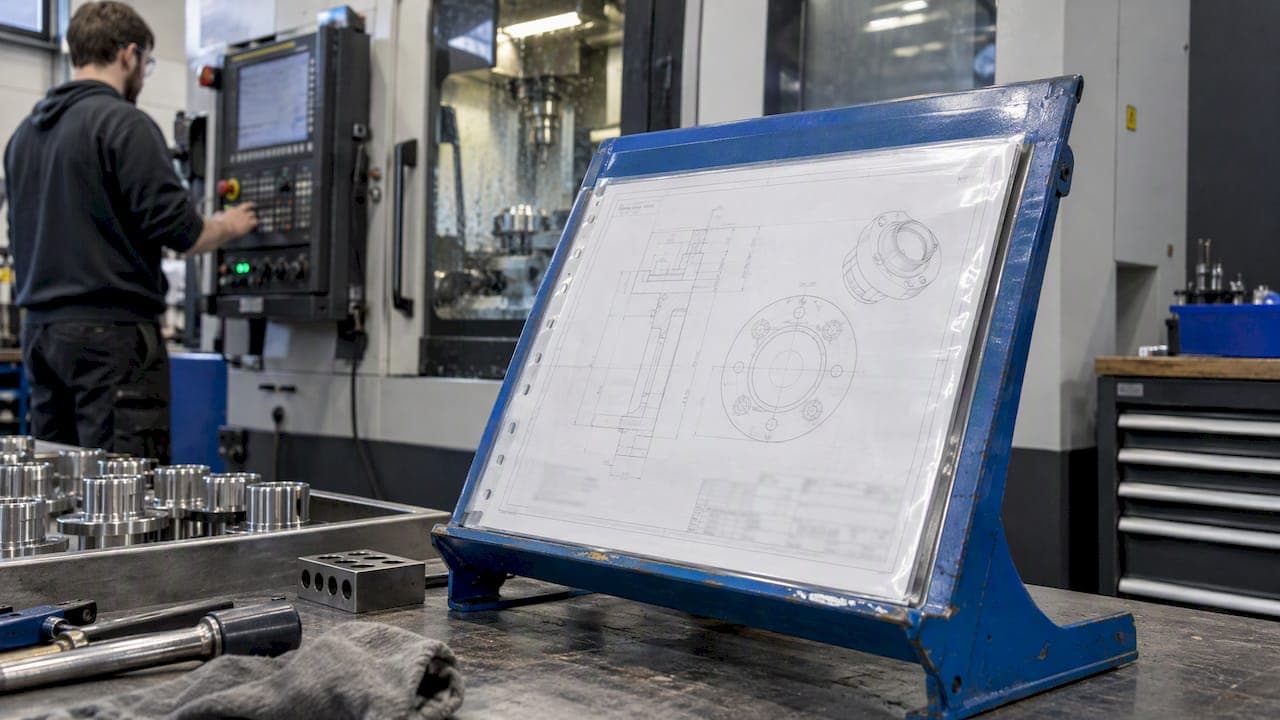
A document control procedure is the written rule set that decides how your documents are created, approved, issued, changed, protected and retired, so that every person on the floor works from the current, approved version. Under ISO 9001 this sits in clause 7.5, "documented information." This guide walks through what the clause expects, the steps a working procedure contains, the mistakes that trigger audit findings, and how to run it in a regulated manufacturing environment such as aerospace, automotive or medical devices.
TL;DR
- ISO 9001 clause 7.5 asks that documented information be identified, approved before use, available where it is used, protected, and retained or disposed of on a defined basis. It does not prescribe a manual or a fixed list of procedures.
- Separate documents (they say what to do, and get revised) from records (they show what happened, and are never revised).
- A working procedure covers eight steps: scope, identification, authoring, approval, distribution, change control, protection, and retention.
- Process owners should draft the content. Quality owns the system, not every sentence.
- A digital system pays off when it enforces approvals, shows only current revisions at the point of use, and keeps an audit trail.
Table of Contents
- What document control actually protects
- What ISO 9001 clause 7.5 requires
- Documents versus records
- The eight steps of a document control procedure
- Revision control in practice
- Who owns the documents
- Protecting documents from loss and unauthorized change
- Obsolete documents and retention
- Common audit findings and how to avoid them
- AS9100, PPAP and FAI add layers
- Paper, spreadsheets or software
- Our perspective: documents belong next to the work
- Putting the procedure into QA-Report
- FAQ
- Sources
What document control actually protects
Document control is not paperwork for its own sake. A drawing, a work instruction or an inspection plan is only useful if the person holding it is sure it is the right one. The American Society for Quality describes document control as the foundation of a quality management system, because inspection, training and corrective action all depend on the documents that define them.
Think of it as a chain. If one link, say an outdated drawing revision at a CMM station, is replaced without notice, the traceability from customer requirement to shipped part breaks, and everything downstream is suspect. The procedure exists to keep that chain intact and to let you prove it to an auditor.
The measure of success is not how many controlled documents you have. It is whether the information used for daily operations is always the most current, approved version.

What ISO 9001 clause 7.5 requires
Since the 2015 edition, ISO 9001 has used the term documented information instead of separate language for documents, procedures and records. The ASQ overview of the standard covers the current edition, and ISO publishes its own guidance on documented information requirements. Work from your licensed copy of the standard for the exact wording, because clause text and numbering can shift between editions.
In practice, the clause expects you to manage documented information in three areas.
Creating and updating
When you create or update documented information, you identify and describe it (title, date, author, reference number), choose a suitable format (paper, electronic, language, software version), and review and approve it for suitability and adequacy before it is used.
Control of documented information
The information must be available and suitable where and when it is needed. It must also be protected from loss, loss of confidentiality, improper use or unauthorized alteration. For control, the organization addresses distribution, access, retrieval and use, storage and preservation, control of changes (for example, version control), and retention and disposition.
External documents
Documents of external origin that the QMS needs, such as customer drawings, specifications and standards, must be identified and controlled too. This one catches many shops: the customer's drawing revision is a controlled document even though you did not write it.
No mandatory manual
Modern standards, including AS9100D and AS9110, no longer name "documented procedures" or a "quality manual" as such. The extent of documentation depends on organization size, process complexity and the competence of people, as the IAQG FAQ for AS9110 explains. You still need documented information that the standard requires, plus whatever you decide is necessary for your processes to work. Most regulated manufacturers keep a written document control procedure anyway, because auditors and customers expect to see how the rules work.
Documents versus records
This distinction drives most of the practical design. A document tells you what to do: a procedure, a work instruction, a blank form, a drawing. A record tells you what happened: a completed inspection report, a calibration certificate, a signed traveler.
| Aspect | Controlled document | Record |
|---|---|---|
| Purpose | Defines how work is done | Proves work was done |
| Revision | Revised with change control | Never revised after completion |
| Approval | Before issue | At completion, by the person responsible |
| Lifecycle | Current, superseded, obsolete | Retained for a set period, then disposed of |
| Example | Inspection plan Rev C | FAI report for lot 4471 |
One common audit-triggering mistake is adding revision letters to completed records. If an inspection report is wrong, you do not overwrite it. You correct it by a documented, dated, signed amendment that preserves the original entry. Revision belongs to the blank form and the procedure that governs it. For a deeper treatment, see our guide to controlled documents versus records.
The eight steps of a document control procedure
Whatever you call it, a procedure that holds up in an ISO 9001 or AS9100 audit answers these questions in order.
- Scope and definitions. State which documents are controlled: QMS procedures, work instructions, inspection plans, forms, drawings, specifications and external standards. Define terms such as controlled copy, uncontrolled copy, obsolete and superseded.
- Identification. Give every document a unique number, title, revision level, effective date and owner. Decide the numbering scheme once and keep it simple enough that people will follow it.
- Authoring and review. Assign drafting to the people who do the work. Reviewers check technical accuracy and consistency with other documents.
- Approval. Name who approves each document type, and require that approval occur before release. Record approver, date and, for electronic systems, how the signature is captured. Our guide to electronic signatures in manufacturing covers the compliance side.
- Distribution and access. Make current revisions available at the point of use. Define who may view, edit, print or approve. Say what happens to printed copies.
- Change control. Describe how a change is requested, assessed, approved, communicated and implemented, and how affected training and in-process work are handled.
- Protection and storage. Define backup, access permissions and protection against unauthorized alteration, for both paper and electronic files.
- Retention and disposal. Set retention periods for superseded documents and records, who authorizes disposal, and how disposal is recorded.
Keep the written procedure short. Three to six pages with a flowchart and a clear responsibility table is usually enough. A thirty-page document that nobody reads is itself a risk.
Revision control in practice
Revision control is where procedures succeed or fail on the shop floor. Four rules keep it reliable.
- One current revision per document, visible in the header of every page.
- A revision history that says what changed and why, not just a letter.
- Superseded revisions removed from the point of use on the day the new one takes effect, and retained in an archive when you need them for traceability.
- A defined effective date, so that a job started under Rev B finishes under a stated rule rather than a guess.
We lay out a step-by-step rollout in revision control in manufacturing.
Who owns the documents
Many organizations fail by treating the quality department as the author of everything. Quality should own the document control system: the template, the numbering, the approval workflow and the audit. The process owners, the machinists, inspectors and supervisors, should write the content. Work instructions drafted by someone who has never run the machine tend to be unrealistic, and the shop floor stops using them.
A practical split looks like this:
- Quality: system design, training on the procedure, internal audits, archive integrity.
- Process owners: drafting and updating content, proposing changes.
- Approvers: verifying adequacy before release.
- Everyone: using only the current revision and reporting problems.
Protecting documents from loss and unauthorized change
Clause 7.5 treats protection as a requirement, not an option. Three practical controls cover most risk.
- Role-based permissions, so that inspectors can read and complete forms but cannot edit the master.
- An audit trail showing who changed what and when.
- Backups that you have tested by restoring from them.
The same logic applies to measurement data. Scan files, CMM output and probe data are part of your evidence, and altered or orphaned files weaken a report as much as an altered form. This article on 3D scan data integrity shows why file provenance matters in manufacturing. Your procedure should say where such data lives, who can change it, and when it is archived.
Obsolete documents and retention
Some teams try to keep every obsolete document forever and then cannot find the current one. A better approach is a retention schedule that states how long each class of superseded document and record is kept, and what triggers secure disposal. Retention periods come from your customer contracts, your regulators and your own risk assessment, so write them down per document class rather than using one blanket number.
Regulated sectors add their own demands. Medical device manufacturers should read our guide to ISO 13485 documentation, and the retention periods in your customer flow-downs may exceed what the standard alone suggests.
If you keep obsolete documents for reference, mark them clearly as superseded so that nobody mistakes them for current ones.
Common audit findings and how to avoid them
| Finding | Typical cause | Fix |
|---|---|---|
| Uncontrolled form on the floor | Local printing and copying | Print from the system only, with a controlled-copy stamp, or work on screens |
| Wrong drawing revision at inspection | Customer revision change not communicated | Treat external documents as controlled, and verify the revision at job release |
| Procedure with no approval evidence | Approval by email, not retained | Capture approval inside the system |
| Revised inspection report | Confusing documents with records | Amend by dated, signed correction, keep the original |
| Documents nobody can find | No numbering or retention logic | Unique IDs and a defined archive |
| Over-documentation | Writing for the auditor | Document what supports your processes and risks |
Quality experts warn against chasing myths about what the standard demands. The ASQ session on ISO 9001 myths and truths addresses this directly. Documentation should support process effectiveness and risk management, not merely avoid audit findings.
AS9100, PPAP and FAI add layers
AS9100 builds on ISO 9001, so clause 7.5 applies in full, and aerospace customers add flow-down requirements for configuration, drawing revisions and record retention. Automotive suppliers working to PPAP need approved, traceable documents behind every submission element. First article inspection under AS9102 depends on the right drawing revision being ballooned and measured, which makes document control a precondition rather than a separate chore.
For inspection documents in particular, see inspection documentation best practices. When a nonconformance appears, the same controlled documents define the response, which we cover under ISO 9001 clause 8.7.
Paper, spreadsheets or software
There are three common ways to run document control.
- Paper and binders: low cost, but hard to guarantee that old copies are gone.
- Shared drives and spreadsheets: flexible, but approvals, revision history and access control depend on discipline rather than enforcement.
- Dedicated software: enforces workflows, keeps an audit trail and shows current revisions at the point of use.
When you evaluate any system, check these criteria:
- Does it enforce approval before release?
- Does it show only the current revision to shop-floor users?
- Are permissions role-based?
- Is there a complete audit trail?
- Can it handle both documents and records under their different rules?
- Does it connect to the inspection and production work where documents are actually used?
- Does it support the deployment model your data policy demands (cloud or on-premise)?
- Is the interface usable on a tablet or phone at the machine?
The last two points matter for aerospace and defense suppliers, where confidentiality requirements can rule out some cloud-only tools.
Our perspective: documents belong next to the work
We build QA-Report for manufacturers, machine shops and quality engineers, and the pattern we see is consistent: document control fails at the handoff between the system of record and the place where the work is done. The inspection plan lives in one folder, the drawing in another, the measurement results in a spreadsheet, and the report in a PDF. Each handoff is a chance for the wrong revision to slip in.

That is why we link the ballooned drawing directly to measured results, so the revision the inspector measures against is the one in the report. It is also why our platform keeps a document vault, role-based permissions, batch and serial tracking, and production planning in one place, with cloud and on-premise deployment for organizations that need data confidentiality. A document control procedure is easiest to follow when the system makes the right action the easy one.
Our advice: write a short procedure, let process owners draft the content, and measure success by whether an inspector at a station can answer "is this the current revision?" in under ten seconds.
— Michael Chen
Putting the procedure into QA-Report
If your inspection documents, FAI reports and production routes are still scattered across folders, QA-Report brings them into one cloud platform. You can start on the Free plan at $0 per month, move to Basic at $49.99 per month, or choose PRO at $149.99 per month when your team needs more. On-Premise and Enterprise Solutions are available on request. Compare them on the pricing page, or see how CMM inspection software feeds measured results straight into controlled reports.
FAQ
What does a document controller do?
A document controller runs the system that keeps documents accurate and current. That means assigning identifiers, routing documents for review and approval, issuing current revisions, withdrawing superseded ones, and maintaining the archive. In small shops this role is often part of the quality engineer's job.
Does ISO 9001 require a written document control procedure?
The standard requires that you control documented information as clause 7.5 describes, but it does not name a mandatory procedure or manual. Most certified organizations still write one, because it is the simplest way to show auditors and customers how control works. Check your customer contracts, since some flow down explicit requirements.
What is the difference between document control and records control?
Documents are revised to change how work will be done, and records are retained unchanged to show what was done. Both fall under documented information, but they have different revision and retention rules. Our guide to controlled documents versus records gives five working rules.
How do I choose document control software for AS9100?
Start with approval enforcement, revision visibility at the point of use, role-based permissions, an audit trail, and a deployment model that fits your data confidentiality needs. Then check how well the tool connects to inspection, FAI and production work. Run a trial with a real document set before committing.
Sources
- ASQ: How to Establish a Document Control System (ISO 9001, ISO 13485, FDA)
- ASQ: ISO 9001 overview
- ISO: Guidance on the requirements for documented information
- IAQG: 9110:2016 Standard FAQs
- ASQ: ISO 9001:2026 Analyzing Myths and Truths
- 3D scan data integrity in manufacturing