
Offline inspection data capture means downloading forms and reference data to a device before you lose signal, completing the inspection with photos, measurements, and signatures saved locally, and syncing everything once connectivity returns. Done right, it gives you uninterrupted coverage in dead zones, accurate timestamps, and fewer transcription errors from paper-to-digital re-entry. Done wrong, it creates records that fall apart under audit scrutiny because the system never preserved the metadata or validation trail that OSHA's recordkeeping guidance expects from a digitized inspection record.
TL;DR:
- Only native offline apps with persistent local storage, resumable uploads, and conflict-resolution mechanisms reliably withstand full inspection shifts offline.
- A local aggregation model where a laptop collects from multiple devices before cloud sync often outperforms direct device-to-cloud solutions in areas with spotty Wi-Fi.
- Offline records must carry complete metadata, timestamps, and audit trails, with validation procedures ensuring immutable, paper-equivalent evidence for compliance.
- Vendors should demonstrate real-world durability through edge-condition testing, such as app crashes, stale data conflicts, low storage warnings, and reconnect recovery.
- Proper offline workflows include pre-departure sync checks, clear policies on record amendments, and ongoing monitoring of sync status to maintain audit integrity.
Table of Contents
- How Offline Inspection Data Capture Actually Works
- Essential Capabilities For A Reliable Offline Inspection App
- Compliance And Record-Control: What Makes Offline Data Defensible
- Common Field Workflows And Sync Conflict Patterns
- The Vendor Proof Test: An Offline Readiness Checklist
- How To Roll Out Offline Capture In Your Program
- Author Perspective: Operational Lessons For QA Teams
- QA-Report: Try Audit-Ready Inspection Capture
- Sources
- FAQ
How Offline Inspection Data Capture Actually Works
Two architectures dominate this space, and the difference between them determines whether your app survives a real shop floor or a remote job site.
The first is the cached web form. An inspector opens a browser-based form while connected, and the app caches the form definition, lookups, and reference data locally. This works for lightweight inspections but tends to struggle once you add large photo attachments or multi-page dimensional checklists, since browser caching was never designed to be a durable local database.
The second architecture is the native or dedicated offline app that downloads full form definitions, drawing references, and prior batch data before the inspector leaves connectivity behind. KoboToolbox's documentation on offline collection draws exactly this distinction: browser-cached forms versus a downloaded native app like KoboCollect, each suited to different field conditions. Native apps handle the harder problems: local persistent storage, pending-sync queues that hold unsent records, and resumable uploads that can restart a failed photo transfer at the point it broke, not from scratch.
A few mechanisms separate a truly offline-capable tool from one that just looks that way in a demo:
- Persistent local storage that survives an app crash, phone reboot, or battery death mid-inspection.
- Pending-sync queues that track every unsent record and retry automatically once signal returns.
- Resumable uploads for large attachments, so a dropped connection doesn't force a re-upload of a 40-photo inspection packet.
- Auth token handling that lets an inspector keep working when their login token expires offline, then re-authenticates cleanly on reconnect instead of locking them out mid-shift.
- Local export or aggregation, where a laptop on-site acts as a local server, collecting data from several tablets before the whole batch syncs to the central system.
That last pattern matters more than most buyers realize. SurveyCTO's documentation on fully offline operations recommends routing field data through a local server specifically to deduplicate and aggregate records safely before they ever touch the cloud. If your inspection team works in a facility with spotty Wi-Fi rather than zero connectivity, this local-aggregation model often outperforms a pure device-to-cloud sync.
Essential Capabilities For A Reliable Offline Inspection App
Not every app that claims "offline mode" can actually survive a full shift disconnected from the network. Architectural analysis of offline-first field software makes a sharp distinction: offline-first is a design stance built around durable operation logs and conflict rules, not a checkbox feature bolted onto a normally-online app. Use this list to vet any tool before it touches a live inspection.
- Durable local persistence. Every capture must write to storage immediately and survive a crash, reboot, or dead battery without losing the record.
- A pending-queue model. Unsynced records should sit visibly in a queue, not silently disappear if the app closes unexpectedly.
- Resumable attachment uploads. A dropped connection during a large photo or CAD file transfer should resume, not restart.
- Per-entity conflict-resolution rules. Measurements, signatures, and free-text notes each need their own logic for what happens when two devices edit the same record.
- Immutable event logging for anything that could face audit scrutiny, so the original capture is never silently overwritten.
- Pre-departure readiness checks. Confirm forms, templates, and lookup tables synced successfully before the inspector loses signal.
- Storage and battery safeguards, including alerts before a device runs out of room mid-inspection.
- Local encryption and role-based access, so a lost or stolen tablet doesn't expose unfinished inspection data.
- Paper-equivalent export, since OSHA's guidance requires that digitized records be producible in accessible, paper-equivalent form on request.
Pro Tip: Ask any vendor to show you what happens when you force-close the app mid-capture, on a real device, in front of you. A polished sales demo rarely reveals whether the underlying storage model is actually durable.
Compliance And Record-Control: What Makes Offline Data Defensible
A record captured offline is only as good as the validation process behind it. OSHA's ADM 03-01-006 directive lays out the core requirement clearly: digitized records must be validated before they become official, must carry metadata proving that validation occurred, and may replace paper originals only when the validation procedure was actually followed. That single rule reframes how you should evaluate offline inspection tools. This isn't a convenience feature. It's part of your records-control ecosystem, whether the app vendor frames it that way or not.
A few practical checks separate a defensible offline record from a liability:
- Confirm the app timestamps capture events at the moment of entry, not at the moment of sync.
- Verify metadata (device ID, user identity, GPS if relevant, capture time) travels with the record through sync, not just at upload.
- Check that destruction or replacement of an original paper form only happens after validation metadata confirms the digital version is complete and accurate.
- Require a documented amendment policy: the original capture stays intact, every edit records who changed what and why, and any substantive correction routes through a review step rather than a silent overwrite.
That last point deserves emphasis, because it's where most teams get caught off guard during an audit. A finalized inspection record should never be casually editable. Instead, good record-control design treats a correction as its own event: it preserves the prior value, logs the identity of whoever made the change, timestamps it, and captures the rationale. Auditors don't just want to see the current value. They want to see the chain that produced it, the same way a broken link in a supply chain undermines the whole traceability claim, not just the one part it touched.
Practices like electronic signature validation and structured inspection documentation fit directly into this framework. Both exist to prove that a digital record can stand in for a signed paper one without weakening the evidence trail.
Common Field Workflows And Sync Conflict Patterns
Most offline inspection programs run one of three workflows, and each carries its own conflict risk.
The single-device workflow is the simplest: an inspector creates a record offline, finalizes it, it sits in the pending queue, and it auto-syncs on reconnect. The main failure point here is verifying that the server actually accepted the record rather than assuming a queued item synced successfully.
The local-aggregation workflow adds a middle step. Several inspectors' devices sync to a laptop or dedicated local server on-site, and that local server later syncs the aggregated batch to the central platform. SurveyCTO recommends this pattern specifically for teams that need to deduplicate and aggregate records before they hit the cloud, which matters when several inspectors might otherwise submit overlapping data on the same asset.
Conflicts show up differently depending on the data type, and treating them all the same way is a mistake:
- Measurement conflicts (two devices recording different values for the same dimension) should never resolve by last-write-wins. Both values need to route to review, since one inspector may have measured incorrectly and last-write-wins could silently bury the correct number.
- Signature conflicts should preserve every signature captured, since a missing signature is itself a compliance gap.
- Status conflicts (pass/fail changing between devices) need an explicit reviewer decision, not an automatic overwrite.
- Free-text conflicts (notes or corrective-action comments) generally merge safely, since two inspectors' notes rarely contradict outright.
Network-edge behavior matters just as much as the conflict logic. A well-built app uses backoff and retry on flaky connections, keeps upload progress resumable rather than restarting failed transfers, and surfaces sync status honestly, showing the inspector exactly which records are saved locally, queued, uploaded, or flagged for review. Silence on sync status is one of the fastest ways to lose inspector trust in a tool.
The Vendor Proof Test: An Offline Readiness Checklist
Sales demos rarely reveal what happens under real field conditions. Run this sequence before you commit to any tool, and insist the vendor walks through it live rather than describing it in a slide deck.
- Preload a real inspection form with reference drawings, then switch the device to airplane mode.
- Capture a full record offline: measurements, a photo attachment, and a signature.
- Force-close the app, reopen it, and start a second record to confirm the first wasn't lost or corrupted.
- Simulate two devices editing the same record with stale data, then check whether the conflict surfaces in a log rather than disappearing silently.
- Reconnect on a deliberately poor connection and confirm uploads resume rather than restart from zero.
- Fill device storage close to capacity and confirm the app warns before it fails mid-capture.
- Let an auth token expire while offline, then verify the app recovers gracefully on reconnect instead of locking the inspector out.
- Export the finalized record locally and confirm it prints or exports in a paper-equivalent format.
KoboToolbox's own guidance on offline testing treats exactly this kind of edge-condition testing (app termination, storage exhaustion, interrupted uploads, stale edits) as the real differentiator between tools, since these failure modes stay invisible in a five-minute sales demo.
Pro Tip: Require the vendor to show you the actual conflict log and audit history from step 4, not just tell you it exists. If they can't produce it on the spot, that's your answer.
How To Roll Out Offline Capture In Your Program
- Choose your architecture first. If your inspections involve heavy attachments, CAD reference drawings, or multi-step measurement workflows, a native offline app beats a cached web form nearly every time.
- Set a device policy. Standardize storage minimums, battery thresholds, and OS patch levels, and build a pre-departure checklist that confirms forms and lookup tables actually synced before anyone leaves the building.
- Write your record-control policy before go-live. Define validation steps, retention schedules, amendment governance, and how the team will export paper-equivalent evidence on request, so you're not improvising when an auditor asks.
- Train for failure, not just success. Run readiness checks and airplane-mode drills on real devices, and give inspectors a clear escalation path when something doesn't sync as expected.
- Set sync SLAs and monitor them. Decide how long a record can sit in a pending queue before someone gets alerted, and track it, so a sync failure doesn't quietly go unnoticed for a week.
Practices from revision control in manufacturing apply directly here: preserving history and documenting who changed what is exactly the discipline offline amendment policies need.
Author Perspective: Operational Lessons For QA Teams
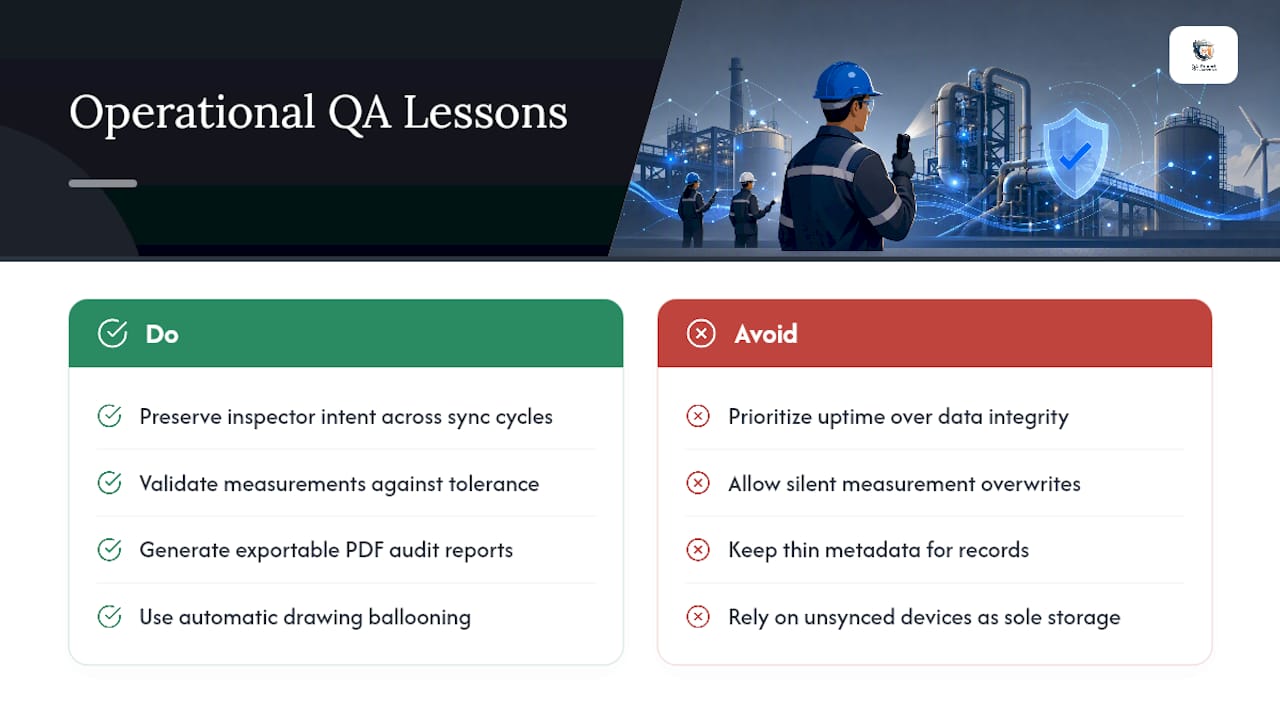
The most overlooked problem in offline capture isn't connectivity. It's preserving inspector intent once a record crosses multiple devices and sync cycles. Teams focus on uptime and forget that a silently overwritten measurement is worse than a delayed sync, because it erases evidence without anyone noticing.
Poor offline design has a real operational cost: rework when records don't reconcile, audit exposure when metadata is thin, and lost evidence when a device fails before syncing. Features like automatic drawing ballooning, measurement validation against tolerance, and exportable PDF reports matter here because they tie offline captures back to a traceable, audit-ready record the moment connectivity returns.
— Michael Chen
QA-Report: Try Audit-Ready Inspection Capture
There are platforms that allow manufacturing QA teams to keep inspection data audit-ready whether it's captured on the shop floor or offline in the field, balancing cloud convenience and data control options for sensitive programs. Some platforms provide features that link ballooned drawing dimensions to measured results and flag out-of-tolerance deviations automatically, and enable mobile access for inspectors to capture FAI, dimensional, and GD&T data directly on the floor, then generate professional PDF reports for common industry standards.

Run the proof test from this guide against your own workflow: preload a real inspection, capture measurements and photos, and see how the record holds up through sync. Certain quality inspection platforms support both cloud and on-premise deployment for industries requiring data confidentiality, and offer configurable CMM import to accommodate various measurement equipment. Check the PRO and Enterprise plans to find the tier that matches your team's inspection volume, or start with the Free plan to see the ballooning and reporting workflow firsthand.
Sources
For deeper technical and compliance detail, review OSHA's electronic casefile directive, KoboToolbox's data collection documentation, SurveyCTO's offline operations guide, and the architectural essay on offline-first field software design. For shop-floor practices that reduce the corrective-action load feeding into your inspection records, see this panel labeling checklist for manufacturers.
- KoboToolbox data collection tools documentation
- SurveyCTO documentation on fully offline operations
- Offline-first is not a feature: building mobile software that survives the field
FAQ
What Are The Four Types Of Inspections?
Manufacturing and quality programs typically distinguish first article inspection (FAI), in-process inspection, final inspection, and receiving inspection, each verifying different points in the production sequence. Offline capture applies to all four, though FAI and final inspection usually carry the heaviest documentation and evidence requirements.
What Are Red Flags During An Inspection?
Red flags include out-of-tolerance measurements without a documented disposition, missing signatures on finalized records, and inconsistent timestamps that suggest data was backfilled rather than captured in real time. A reliable offline app should flag out-of-tolerance deviations automatically and preserve the original capture time regardless of when the record syncs.
What Is Data Inspection?
Data inspection is the process of reviewing captured inspection records, measurements, and attachments for accuracy, completeness, and compliance with the applicable standard or internal quality procedure. It includes verifying that metadata and validation steps required by OSHA's guidance were followed before a digitized record becomes official.
What Are Data Capturing Systems?
Data capturing systems are the software and devices used to record inspection results, measurements, photos, and signatures at the point of work, whether online or offline. Tools like QA-Report, KoboToolbox, and SurveyCTO represent different approaches, but the strongest systems share durable local storage, resumable sync, and audit trail features that hold up under compliance review.