
Rejection and recovery in manufacturing means logging a nonconforming part with a reason code and inspection evidence, then routing it through a documented disposition (scrap, rework, return to supplier, or use as is) with approver sign off recorded in the transaction history. The immediate action when a part fails inspection: hold the material, capture the evidence, and apply a disposition your quality system already recognizes under ISO 9001 or AS13100/AS9100. Everything else in this guide builds from that one move.
TL;DR:
- Accurate rejection records require attaching inspection evidence such as photos or CMM outputs, linked directly to the transaction for reliable traceability.
- Disposition decisions must follow technical feasibility, economic comparison, and authority approval rules, especially for repairs exceeding rework scope or outside approved procedures.
- MES systems should record rejection data with specific fields, including reason code, inspection results, serial/lot number, and approval details, to meet audit requirements.
- The ownership of rejection data transitions from MES to eQMS once a formal NCR is triggered, necessitating a structured handoff to prevent data discrepancies.
- Standardizing reason codes based on actual failure modes and enforcing single-authority approval minimizes errors and improves audit readiness in manufacturing quality systems.
Table of Contents
- Quick Action Checklist: Stabilize the Event and Preserve Traceability
- Step-by-Step Rejection and Recovery Workflow in the MES
- Deciding Disposition: Technical, Economic, and Authority Rules
- Recordkeeping: The Minimum Fields Auditors Expect
- MES vs eQMS: Who Owns the Record?
- A Sample Reject Transaction, Field by Field
- What Shop Floors Get Wrong About Rejection and Recovery
- Where QA-Report Fits Into Your Rejection and Recovery Process
- Sources
- FAQ
Quick Action Checklist: Stabilize the Event and Preserve Traceability
The first hour after a reject determines whether your paperwork survives an audit. Move fast, but move in this order.
- Segregate the material. Physically hold the affected inventory so nobody downstream mistakes it for conforming stock.
- Log the transaction immediately. Capture the reason code, measured values, photos or CMM attachments, and the serial or lot number tied to the part.
- Flag the work order or operation. Mark it on hold and notify the supervisor or quality manager responsible for disposition.
- Decide on containment. Determine whether unaffected lots from the same batch can keep moving through production or need a broader hold.
Pro Tip: Attach the raw inspection file, not just a pass/fail note. A CMM output or photo saved at the moment of rejection is worth more in a Design Authority review six months later than any written summary of what happened.
Step-by-Step Rejection and Recovery Workflow in the MES
A consistent MES workflow turns disposition from a judgment call into a repeatable, auditable process. Here's how it runs in practice.
- Open the reject transaction. Select the work order operation, enter the rejected quantity, and choose a standardized reason code rather than typing free text.
- Attach inspection results. Link measured values, CMM files, or photos directly to the transaction so the evidence travels with the record.
- Record serial or lot identifiers. This is what lets you trace the reject back to a specific batch or unit later.
- Pull up transaction history for context. Filter by previous operations, prior inspection notes, and the part's project or task to see if this is a recurring failure mode or a one off.
- Select a disposition action. Most MES platforms built for regulated manufacturing offer four routes:
- Scrap the quantity outright, removing it from usable inventory.
- Reverse to ready, sending the part back for reprocessing when the defect is correctable in the current operation.
- Create a rework operation, which opens a new routing step with its own inspection checkpoint.
- Submit for design or customer disposition, escalating when the nonconformity falls outside standard authority.
Supervisors typically perform these actions directly from a production workbench, where transaction history, reason codes, and inspection results sit side by side to support the decision, according to Oracle's documentation on disposition of rejected quantities. Some platforms now layer a Disposition Assistant on top of this, recommending scrap, rework, or reverse to ready based on the reason code and any linked procedural documents, then routing the recommendation for supervisor validation before it executes.
Partial quantities need their own line item. If five of twenty units in a lot fail, only those five get rejected and dispositioned. A reversal to ready changes resource usage and routing status, but it does not erase the original inspection record. The failed reading stays in the transaction history even after the part passes rework.
Deciding Disposition: Technical, Economic, and Authority Rules
Disposition decisions come down to three tests, and skipping any one of them is how nonconforming parts end up back on a customer's dock.
The technical test comes first. Can an approved rework procedure realistically restore the part to drawing or specification? If yes, follow that procedure. If no procedure exists or the defect falls outside its scope, the part goes to scrap or gets escalated to Design Authority.
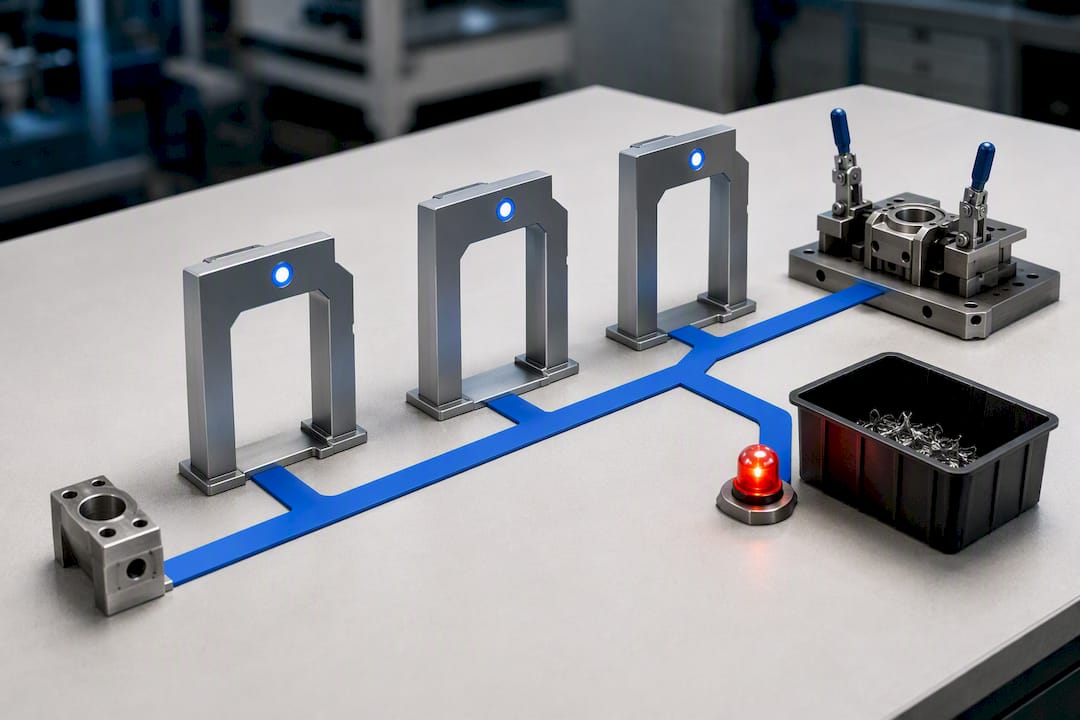
The economic test comes second. Before choosing rework over scrap, compare labor cost, requalification effort, and the traceability burden of documenting a repair against the cost of just scrapping the piece and cutting new stock. Rework that requires a full re-inspection cycle sometimes costs more than starting over. QA-Report's breakdown of scrap versus rework economics covers this trade-off in more depth for capacity-constrained shops.
The authority test closes the loop. Your quality management system and customer contracts should spell out who can approve production repair, concessions, or use-as-is dispositions. In aerospace supply chains, AS13100 guidance requires Design Authority sign off whenever a repair might not fully restore conformity, and it treats standard rework and production repair as separate categories with different approval thresholds.
- Only open a rework work order once the procedure, its limits, and its inspection checkpoints are documented and approved.
- Log the tooling used and any deviation from standard routing inside the rework record itself.
Pro Tip: Build your reason code list around failure modes you actually see, not generic categories like "dimensional" or "other." A code like "OD undersize, turning op 30" gives your Disposition Assistant or your next FAI reviewer something to act on.
Recordkeeping: The Minimum Fields Auditors Expect
An auditor reviewing your nonconformance file isn't looking for narrative. They're looking for a specific set of fields, populated consistently, every time.
- Nonconformance or NCR identifier
- Work order and operation number
- Rejected quantity and unit of measure
- Reason code
- Inspection values, with attachments (CMM output, CSV, photos)
- Serial or lot number
- Transaction notes
- Disposition action taken
- Approver name and timestamp
MES platforms handling process manufacturing can log these directly into Control Batch Records, classify severity, and route approvals with digital signatures attached at each step. That linkage matters because a reject record disconnected from its FAI or batch record is functionally invisible during a customer audit, even if the data exists somewhere in the system.
Retention policy matters just as much as capture. If your organization uses an approved standard production repair procedure, log its revision number and any expiration date on the procedure itself. An expired repair procedure applied to a live nonconformance is its own finding. For more on structuring these fields consistently, see inspection documentation best practices.
MES vs eQMS: Who Owns the Record?
Operational reject data belongs in the MES until the event crosses a threshold that makes it a formal nonconformance report. Once it does, the eQMS becomes the system of record, and the MES's job shifts to storing a pointer back to that record.
This ownership split avoids what auditors call "two truths": one version of the story in the MES, a slightly different one in the eQMS, and no clear answer about which is authoritative. The recommended pattern, per analysis on MES and eQMS ownership, is an event-driven handoff: the MES pushes a structured payload the moment a reject meets NCR criteria, the eQMS creates the formal record, and the returned eQMS ID gets written back into the MES transaction.
- Avoid nightly batch syncs between the two systems. A defect discovered at 9 a.m. and synced at midnight leaves twelve hours of ambiguity about which system holds the truth.
- Enforce single-write disposition authority: once the eQMS owns the NCR, only that system should be able to change its disposition status.
- The handoff payload should carry, at minimum, reason code, quantity, serial/lot, inspection results, and initiating operator or supervisor.
Structured reason codes tied to documented procedures also improve any automated disposition recommendation downstream, since the assistant has consistent categories to reason from rather than free text.
A Sample Reject Transaction, Field by Field
Here's a template you can adapt directly into your MES or a paper traveler if your system isn't there yet.
| Field | Example Entry |
|---|---|
| NCR/reject ID | REJ-2026-— |
| Work order / operation | WO-— / Op —, CNC turning |
| Rejected quantity | 5 units rejected |
| Reason code | OD undersize, turning op |
| Inspection values | undersize on outer diameter after turning |
| Attachments | CMM output and photo attachment |
| Serial/lot number | serialized shafts from a titanium lot |
| Disposition | Rework operation created |
| Approver / timestamp | Approver name and timestamp recorded |
The scenario: five serialized shafts from a titanium lot measure undersize on outer diameter after turning. The reason code flags it as a turning offset issue, the CMM file attaches directly to the transaction, and the supervisor authorizes a rework operation instead of scrap since the geometry allows a light re-cut to nominal. That CMM file needs to land somewhere it can be pulled into an FAI package later, not buried in a shared drive nobody indexes. For a deeper look at keeping serial and lot data connected across a full batch, see batch traceability for manufacturers.
What Shop Floors Get Wrong About Rejection and Recovery
The failures I see repeated across regulated shops aren't exotic. They're structural: missing reason codes, approval rules that vary by shift, and MES records that quietly diverge from what the eQMS says happened. Each one is fixable with the same fix: standardize reason codes, require attachments before a transaction closes, enforce single disposition authority, and automate the eQMS handoff instead of trusting someone to remember it.
— Michael Chen
Where QA-Report Fits Into Your Rejection and Recovery Process
This software platform is built around the workflow this guide describes, not a generic inspection tool retrofitted for nonconformance tracking. A measurement wizard links ballooned drawing dimensions directly to measured results and auto-flags out-of-tolerance deviations the moment they occur, so reason codes and inspection evidence exist in the same record from the start.

CMM data import pulls measured values straight into the record, reducing manual re-entry that usually introduces gaps in a reject transaction. An MES layer manages rejection and recovery tracking across parts, batches, and operations, with role-based shop-floor access controlling who can approve a disposition, create a rework work order, or execute a scrap action. All functions run in one centralized platform, which can help prevent the "two truths" problem between separate systems. If your team is still stitching together spreadsheets and paper travelers to document dispositions, try QA-Report and see how a single connected record changes your next audit.
Sources
- Perform Disposition of Rejected Quantities for a Work Order Operation During Production Supervision
- AS13100 guidance (rework and production repair) — AESQ
- MES vs eQMS: Who owns the quality record in 2026 – MES Engineer
FAQ
What Is the Difference Between Rejection and a Formal NCR?
A rejection is an operational event logged in the MES when a part fails inspection. It becomes a formal NCR once it triggers a documented nonconformance report subject to disposition and often CAPA review in the eQMS.
Can Rejected Parts Return to Production After Rework?
Yes, if an approved rework procedure exists and the part passes re-inspection against the original specification. The reversal changes the part's routing status but does not delete the original failed inspection record.
Who Approves a Scrap or Concession Decision?
Approval authority depends on your quality management system and customer contract terms, typically a supervisor for routine scrap and a Design Authority for concessions or repairs that might not fully restore conformity.
How Does QA-Report Handle Rejection and Recovery Tracking?
QA-Report's MES layer logs rejection transactions with reason codes, inspection values, and serial/lot data, and supports role-based approvals and rework work-order creation within the same platform used for FAI and GD&T reporting.
What Fields Should Every Reject Transaction Include?
At minimum: NCR ID, work order and operation, rejected quantity, reason code, inspection values with attachments, serial/lot number, disposition action, and approver with timestamp.