
Production Part Approval Process (PPAP) is a standardized, evidence-based gate that proves a supplier can produce parts consistently meeting a customer's engineering and quality requirements at actual production volumes and rates. In short, it shifts the question from "does this sample part look good?" to "can your production system reliably deliver conforming parts every time?" The Automotive Industry Action Group (AIAG) maintains the PPAP manual and governs the standard. The Part Submission Warrant (PSW) is the summary document that ties the entire package together and carries the formal approval signature.
Table of Contents
- What is PPAP in manufacturing, and how does it relate to APQP?
- Why do companies require PPAP?
- When is PPAP required, and who is responsible?
- What are the 18 PPAP elements?
- What are the five PPAP submission levels?
- How do you prepare and submit a compliant PPAP package?
- How does PPAP fit with APQP, AIAG, FAI, and ISO standards?
- What are the most common PPAP mistakes, and how do you avoid them?
- How does digitizing your PPAP workflow change the process?
- Key Takeaways
- The gap between PPAP compliance and PPAP readiness
- Cut PPAP preparation time with QA-Report
- Useful sources and templates for PPAP preparation
What is PPAP in manufacturing, and how does it relate to APQP?
PPAP validates that a supplier's production process, not just a prototype or sample, is capable of meeting design intent at volume. The scope covers design adherence, material conformance, process capability, measurement system reliability, control plan adequacy, and packaging verification. Every one of those dimensions must be documented and evidenced before a customer authorizes series shipments.

PPAP sits at the end of Advanced Product Quality Planning (APQP). Think of APQP as the planning and execution phase and PPAP as the evidence package that proves the plan worked. When APQP activities are executed well, assembling the PPAP package is largely a matter of organizing documents that already exist rather than scrambling to create them from scratch. When APQP is skipped or rushed, PPAP becomes a painful backfill exercise that delays launch.
The PSW is the folder cover for the entire submission. It summarizes the reason for submission, the submission level, and whether all results meet drawing and specification requirements. Without a signed, approved PSW, a supplier is not authorized to ship in volume.
Why do companies require PPAP?
PPAP shifts the focus from inspecting individual samples to proving process capability at production rate and volume. That distinction matters in practice because a part that passes a one-off inspection can still fail when the process runs at full speed with real tooling wear, operator variation, and production-rate pressures.
Key benefits PPAP delivers:
- Verifies that the production process can hold tolerances at volume, not just on a handful of hand-picked samples
- Reduces launch defects and recall risk by catching process gaps before series production begins
- Clarifies engineering requirements early, forcing supplier and customer to align on specifications before tooling is committed
- Creates a documented baseline so any future change triggers a formal review rather than slipping through unnoticed
- Serves as a gatekeeping tool for procurement and OEMs, giving them objective evidence to authorize or withhold production approval
The cost of skipping PPAP shows up quickly. A supplier that misses a critical tolerance at volume may ship thousands of nonconforming parts before the defect surfaces in assembly. An undocumented sub-supplier material change can invalidate a qualification that took months to earn. A packaging specification error discovered at the customer's dock can halt an entire production line. PPAP is the mechanism that catches these risks before they become field problems.
Without an approved PPAP, suppliers are typically not authorized to ship in volume. That single fact explains why procurement teams at OEMs treat PPAP status as a hard launch gate, not a formality.
When is PPAP required, and who is responsible?
Triggers that require a PPAP submission
PPAP is not a one-time event. Any of the following changes typically requires a new or partial submission:
- New part or new customer
- New or modified tooling (including tool repair or replacement)
- Significant process changes (new equipment, new facility, changed process parameters)
- Sub-supplier or material changes
- Engineering change notices (ECNs) affecting form, fit, or function
- Corrective actions following a field or customer complaint
- Annual revalidation, where required by the customer's quality agreement
- Production interruptions beyond a customer-defined threshold (often 12 months of inactivity)
These partial resubmissions are called delta PPAPs. Failing to recognize a delta PPAP trigger is one of the most common causes of launch delays and customer quality escapes.
Roles and responsibilities
The supplier quality engineer owns PPAP preparation. That means gathering design records, coordinating dimensional inspection and capability studies, compiling material certifications, and completing the PSW. The customer's quality or supplier development engineer reviews the package and issues approval, conditional approval, or rejection. Procurement manages the contractual requirement and timeline, while production and tooling teams supply the sample parts and run-at-rate evidence.
A supplier quality management system that tracks PPAP status across the supply base makes it far easier to catch missed delta PPAP triggers before they become escapes.
Timeline expectations
A typical PPAP cycle for a new part varies in length from tooling sign-off to customer approval depending on part complexity, capability study requirements, and customer review time. The critical path usually runs through tooling lead time, first-run sample production, and the capability study window. Customer review typically adds one to three weeks. Build that review time into your launch schedule, not as a buffer, but as a fixed milestone.
What are the 18 PPAP elements?
The AIAG PPAP manual defines 18 required elements. Not every element applies to every submission level, but a full Level 3 package requires all of them. Customers may also append their own requirements beyond the AIAG baseline.
| # | PPAP Element | Purpose |
|---|---|---|
| 1 | Design Records | Drawings and CAD data defining the part's geometry and tolerances |
| 2 | Engineering Change Documents | Authorized ECNs incorporated into the current design |
| 3 | Customer Engineering Approval | Written sign-off from the customer's engineering team on design deviations or changes |
| 4 | Design FMEA (DFMEA) | Risk analysis of the design identifying potential failure modes and their effects |
| 5 | Process Flow Diagram | Visual map of every production step from raw material to finished part |
| 6 | Process FMEA (PFMEA) | Risk analysis of the manufacturing process; links to the control plan |
| 7 | Control Plan | Document specifying inspection points, frequencies, and reaction plans for each process step |
| 8 | Measurement System Analysis (MSA) | Gage R&R or other studies confirming measurement systems are reliable |
| 9 | Dimensional Results | Measured values for every ballooned drawing characteristic, typically from a first article inspection |
| 10 | Material / Performance Test Results | Material certifications and functional test data confirming spec compliance |
| 11 | Initial Process Studies | Capability indices (CpK/Ppk) for critical characteristics, demonstrating process stability |
| 12 | Qualified Laboratory Documentation | Certifications confirming test labs meet accreditation requirements |
| 18 | Appearance Approval Report (AAR) | Customer sign-off on color, texture, and appearance attributes |
| 18 | Sample Production Parts | Physical parts from the production run submitted with the package |
| 18 | Master Sample | A retained reference part signed off by customer and supplier |
| 18 | Checking Aids | Fixtures, gauges, or templates used to inspect the part |
| 18 | Customer-Specific Requirements | Any additional documentation the customer requires beyond the AIAG baseline |
| 18 | Part Submission Warrant (PSW) | The cover form summarizing the submission and carrying approval signatures |
A note on the PSW: The PSW is not just a cover sheet. It is the formal declaration that all elements have been completed, all results meet requirements, and the supplier is ready for production authorization. A PSW signed with open deviations or unresolved capability gaps is a liability, not a formality.
For Element 11, many customers require a minimum CpK threshold for critical characteristics during initial process studies. Element 8 (MSA) typically requires acceptable gage R&R results for critical measurements, with some results subject to customer disposition. Always confirm these thresholds in the purchase order or quality agreement, because customers frequently set tighter targets than the AIAG baseline.
Pro Tip: Sample quantities for initial process studies are negotiable. While 300-piece runs appear frequently in guidance documents, the actual quantity is defined in the purchase order or quality agreement. Confirm it with the customer before scheduling your production run.
What are the five PPAP submission levels?
PPAP submission levels range from Level 1 through Level 5, with each level requiring progressively more documentation and customer involvement. The customer specifies the required level, though suppliers can propose an alternative when the risk profile justifies it.
Level 1 — PSW only. The supplier submits the PSW with no supporting documentation. Reserved for low-risk, commodity, or previously approved parts where the customer has high confidence in the supplier's process. Appearance approval reports are submitted when applicable.
Level 2 — PSW with limited supporting data. The supplier submits the PSW plus a defined subset of documentation (typically dimensional results and material certifications). Used for parts with moderate complexity or when the customer has an established relationship with the supplier.
Level 3 — PSW with full supporting documentation. This is the standard default for most new parts in automotive supply chains. The complete 18-element package is submitted to the customer for review. If a customer does not specify a level, assume Level 3.
Level 4 — PSW and other requirements as defined by the customer. The customer specifies exactly what documentation is required beyond the PSW. Often used for parts with unique characteristics or where the customer has specific audit requirements not covered by the standard levels.
Level 5 — PSW with full documentation, reviewed at the supplier's facility. The customer's quality team conducts an on-site review of the documentation and the production process. Reserved for safety-critical components, complex assemblies, or new suppliers where the customer needs direct process verification.
When a customer requires Level 5, treat it as an audit, not just a document review. Have your process running, your operators available, and your measurement systems ready for demonstration. A Level 5 review that exposes a gap in your control plan is far more damaging than catching it internally first.
How do you prepare and submit a compliant PPAP package?
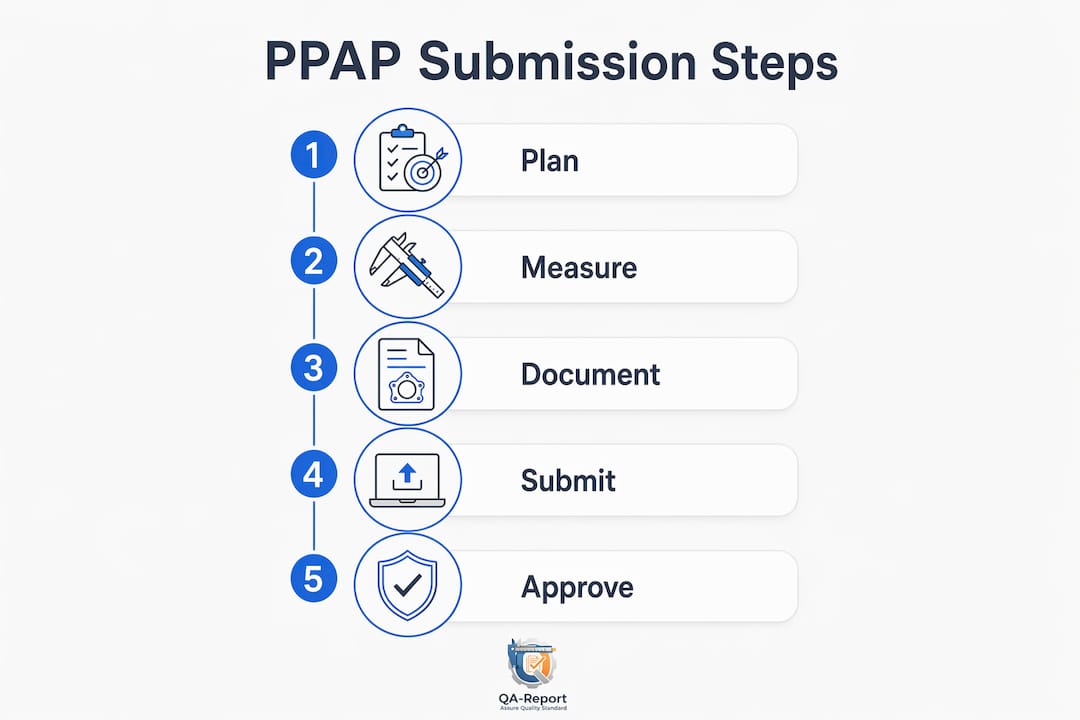
A well-organized PPAP package moves through customer review faster and generates fewer requests for additional information. Follow this sequence:
- Confirm requirements and PPAP level. Review the purchase order, customer-specific requirements, and any supplier portal instructions. Confirm the submission level, sample quantity, capability study requirements, and submission format (electronic vs. paper).
- Gather design records and ECNs. Collect the current drawing revision, 3D model (if required), and all authorized engineering change documents. Verify that the drawing revision on the PSW matches the revision in production.
- Produce first-run parts from production tooling. Sample parts must come from actual production tooling, equipment, and processes, not prototype tooling. Confirm the production run quantity with the customer before scheduling.
- Perform dimensional inspection and MSA. Balloon the drawing and measure every characteristic. Run gage R&R studies on critical measurement systems. A first article inspection report that maps ballooned dimensions to measured results is the standard format for Element 9.
- Run capability studies. Calculate CpK/Ppk for critical and significant characteristics. Confirm that results meet the customer's minimum indices. Address any out-of-capability characteristics with a disposition plan before submitting.
- Compile the PFMEA and control plan. Verify that the PFMEA risk rankings are current and that the control plan reflects actual production controls, frequencies, and reaction plans. These two documents must be consistent with each other.
- Collect material certifications and test data. Gather material certs from sub-suppliers, functional test reports, and any appearance approval data. Confirm lab accreditation documentation is current.
- Complete the PSW. Fill in every field on the PSW, including the submission reason, drawing revision, weight, and material/finish designations. Sign only after confirming all elements are complete and all results meet requirements.
- Organize and submit the package. Structure the electronic package by PPAP element number. Label files clearly. Submit through the customer's designated portal or format. Include a cover index listing each element and its corresponding file.
- Respond to review comments promptly. Track open items from the customer's review and respond with corrected documentation or additional evidence within the agreed turnaround window. A slow response to a minor comment is one of the most avoidable causes of PPAP delay.
For timeline planning, build backward from the customer's required approval date. Allow three to four weeks for tooling and first-run production, one to two weeks for dimensional inspection and capability studies, one week for package compilation and internal review, and one to three weeks for customer review. Production reporting software that tracks run-at-rate data and batch results can supply the capability evidence needed for Element 11 without manual data extraction.
How does PPAP fit with APQP, AIAG, FAI, and ISO standards?
PPAP within APQP and the AIAG framework
PPAP is one of five core manuals in the AIAG's Advanced Product Quality Planning suite, alongside APQP, FMEA, MSA, and SPC. APQP defines the planning activities that generate the evidence; PPAP defines the package that proves the evidence is complete and acceptable. When APQP is executed with discipline, the PPAP package assembles itself from documents that already exist.
PPAP vs. First Article Inspection (AS9102)
PPAP and First Article Inspection (FAI) per AS9102 are related but distinct. Both require dimensional verification of every drawing characteristic and material evidence, but their scope and industry context differ.
FAI under AS9102 is the aerospace standard, focused on verifying that the design record and manufacturing process produce a conforming part. It covers design documentation, material and process certifications, functional testing, and dimensional results, but it does not require the same process capability evidence (CpK studies, MSA, control plans) that PPAP demands. PPAP, by contrast, is built around proving the production system's repeatability, not just a single conforming part.
In practice, aerospace suppliers often complete both: an AS9102 FAI to satisfy the design verification requirement and a PPAP-style package when an automotive or industrial customer requires process capability evidence. The dimensional results element (Element 9) in a PPAP package is functionally equivalent to the AS9102 FAI dimensional report, which is why platforms that support AS9102 FAI templates can also serve PPAP dimensional documentation needs.
IATF 16949 and customer-specific requirements
IATF 16949 references PPAP as a required process for automotive suppliers. The standard does not redefine PPAP elements but requires that the organization maintain a documented process for PPAP and that customer-specific requirements are incorporated. OEMs including Ford, GM, and Stellantis publish their own customer-specific requirements that extend the AIAG baseline, sometimes adding elements, tightening CpK thresholds, or requiring specific submission portals. Always check the customer's current supplier quality manual before finalizing your PPAP package.
What are the most common PPAP mistakes, and how do you avoid them?
Common pitfalls that cause rejections and delays:
- Treating PPAP as a paperwork exercise rather than a process capability demonstration. If the capability data does not support the PSW, the package will be rejected regardless of how well the documents are formatted.
- Missing delta PPAP triggers. A tooling repair, a sub-supplier change, or a process parameter adjustment can each require a resubmission. Failing to recognize the trigger means shipping without authorization.
- Submitting MSA results without adequate gage R&R evidence. A gage R&R result above 30% is typically unacceptable; results between 10% and 30% require customer disposition. Submitting without running the study at all is an immediate rejection.
- Inadequate capability evidence. Submitting CpK data from a short preliminary run rather than a full production-rate study, or calculating capability on a non-normal distribution without appropriate analysis, are both common errors.
- Mismatched drawing revisions. The drawing revision on the PSW, the dimensional results, and the design records must all match. A single revision mismatch triggers a request for additional information.
- Poor packaging validation. Packaging specifications are part of the PPAP scope. Submitting without evidence that the packaging protects the part through the supply chain is a frequently overlooked gap.
Best practices for pre-submission validation:
- Assign a single owner for each PPAP element and track completion status against the submission date
- Run an internal peer review of the complete package before submission, checking every element against the customer's requirements checklist
- Verify that the PFMEA, control plan, and process flow are internally consistent (the same process steps, the same characteristic numbers, the same reaction plans)
- Confirm sub-supplier material certifications are current and traceable to the specific production lot
- Organize electronic files by element number with clear, consistent naming conventions
Pro Tip: Before submitting formally, run a mock customer review with your cross-functional APQP team. Assign one person to play the role of the customer reviewer and challenge every element for completeness and consistency. Teams that do this routinely report significantly fewer requests for additional information on first submission.
How does digitizing your PPAP workflow change the process?
Paper-based and spreadsheet-driven PPAP packages create version control problems, slow customer review, and make it difficult to demonstrate traceability when a customer audits the submission months later. Digital PPAP workflows address these problems by standardizing package structure, providing audit trails, and giving reviewers immediate access to the evidence they need.
The features that matter most when evaluating a digital PPAP platform:
- Electronic PSW generation with auto-populated fields from inspection data
- Integrated FAI/AS9102 templates that map ballooned drawing dimensions to measured results and flag out-of-tolerance deviations automatically
- CMM data import that eliminates manual transcription of dimensional results
- Automatic drawing ballooning that numbers every characteristic on the PDF drawing and links it to the measurement record
- MSA and CpK dashboards that calculate capability indices from imported measurement data
- Secure document vault with version control so every revision is traceable and the current package is always the one under review
- Audit trail recording who reviewed, approved, or modified each document and when
The tradeoff with digitization is upfront integration effort. Connecting CMM output formats, aligning drawing file types, and training the team on a new workflow takes time. The payoff is a package that takes hours to compile instead of days, with fewer transcription errors and a structure that customers can navigate quickly.
QA-Report maps directly to these requirements. The platform imports CMM data, auto-balloons drawings, calculates GD&T tolerances, flags deviations, and generates PDF inspection reports that satisfy PPAP dimensional evidence requirements. For teams managing multiple part numbers and PPAP submissions simultaneously, the centralized document vault and role-based access keep every package organized and audit-ready. Explore APQP and PPAP software options to see how these capabilities fit into a broader quality workflow.
Key Takeaways
PPAP is an evidence-based production gate: without a complete, approved package demonstrating process capability, suppliers are not authorized to ship in volume.
| Point | Details |
|---|---|
| PPAP proves process capability | The goal is demonstrating that the production system, not just a sample part, can consistently meet customer specifications at volume. |
| PSW is the approval document | The Part Submission Warrant summarizes all 18 elements and carries the formal approval signature; it must be signed only when all results meet requirements. |
| Level 3 is the standard default | Most new automotive parts require a full Level 3 submission; confirm the required level in the purchase order before preparing the package. |
| Delta PPAPs are frequently missed | Tooling changes, sub-supplier changes, and process parameter adjustments each trigger a resubmission; missing the trigger risks shipping without authorization. |
| QA-Report accelerates PPAP preparation | CMM import, automatic drawing ballooning, and integrated FAI templates reduce package assembly from days to hours and keep documentation audit-ready. |
The gap between PPAP compliance and PPAP readiness
There is a version of PPAP that gets approved and a version that actually means something. The difference shows up at launch.
Teams that treat PPAP as a documentation exercise tend to backfill the package after the production run, fitting the evidence to the PSW rather than letting the evidence drive the decision. The PSW gets signed, the customer approves it, and then the first production shipment reveals a process that was never really in control. The PPAP was compliant. The launch was not.
The teams that get this right start APQP early enough that the PPAP package is nearly complete before the first sample run. The control plan is written before production starts, not after. The MSA is run on the actual production gauges, not a calibration lab instrument. The capability study uses the full production run, not a cherry-picked subset. When those disciplines are in place, the PSW is a summary of work already done, not a declaration of hope.
The other thing that gets underestimated is the delta PPAP. Most quality engineers know to submit a PPAP for a new part. Fewer have a reliable system for catching every tooling repair, sub-supplier substitution, or process parameter adjustment that crosses the threshold for resubmission. A supplier quality management system with change notification workflows is the practical answer, but the cultural answer is treating every process change as a potential PPAP trigger until it is confirmed otherwise.
PPAP done well is not more work. It is earlier work, organized work, and work that pays off when the customer's auditor asks for the submission from three years ago and your team can pull it up in thirty seconds.
Cut PPAP preparation time with QA-Report
Assembling a PPAP package manually, pulling CMM printouts, transcribing dimensional results, ballooning drawings by hand, and chasing material certs across email threads, can consume days of a quality engineer's time. QA-Report eliminates the most time-consuming steps.

The platform imports CMM data directly, auto-balloons PDF drawings with AI-assisted numbering, maps every measured dimension to its drawing characteristic, and flags out-of-tolerance results automatically. FAI and AS9102 inspection reports generate in minutes and satisfy PPAP Element 9 dimensional evidence requirements. The secure document vault keeps every version of every document traceable, with a full audit trail showing who reviewed and approved each file. For teams managing multiple active PPAP submissions, the centralized dashboard gives your quality team visibility across all packages without digging through shared drives.
Start a free trial at qa-report.com and see how much faster your next PPAP submission comes together.
Useful sources and templates for PPAP preparation
Building a compliant PPAP package requires access to the right standards, templates, and reference materials. These sources cover the full scope of what you need:
- AIAG PPAP Manual (4th Edition): The governing document for PPAP requirements. Defines all 18 elements, submission levels, and the PSW format. Required reading for any supplier quality engineer preparing a PPAP package.
- SAE International: Publishes standards and technical papers relevant to automotive quality systems, including references that support PPAP and APQP implementation in the U.S. supply chain.
- ASQ (American Society for Quality): Offers training, certification resources, and reference materials on process capability, MSA, and SPC, all of which support PPAP Elements 8 and 11.
- SME (Society of Manufacturing Engineers): Provides manufacturing-focused training and resources covering quality systems, APQP, and supplier development practices relevant to PPAP compliance.
- First Article Inspection Report Template (AS9102): A practical guide and template for completing AS9102-compliant FAI reports, directly applicable to PPAP Element 9 dimensional results documentation.
- QA-Report CMM Inspection Software: Feature page covering CMM data import and automated dimensional reporting, useful for teams building PPAP dimensional evidence from CMM output files.
- PPAP and APQP Software Guide: A detailed overview of how software platforms support PPAP and APQP workflows, with feature comparisons relevant to quality teams evaluating digital PPAP tools.