
A PPAP submission is complete when every one of the 18 elements your customer requires is finished, the Part Submission Warrant (PSW) is fully filled in, and the evidence comes from real production conditions. This checklist walks through the elements, the five submission levels, and the last checks that keep a package from being rejected.
TL;DR
- The PPAP Fourth Edition lists 18 requirements. Not every item applies to every part number, so confirm the list with your customer.
- Your customer's authorized representative sets the submission level, usually during quoting or planning. The level decides what you send and what you only retain.
- Evidence must come from production tooling, gaging, processes, materials, operators and rate, not from prototype runs.
- Most avoidable rejections come from format, language and empty PSW fields. Check those last, every time.
- Customer-specific manuals override generic checklists. Read them before you build the package.
Table of Contents
- What a PPAP submission is
- Step 1: Confirm the submission level
- Step 2: Work through the 18 elements
- Step 3: Prove the evidence is production-representative
- Step 4: Check customer-specific requirements
- Step 5: Run the pre-submission check
- When to resubmit
- Perspective: where checklists break down
- Build the dimensional element faster
- FAQ
- Sources
What a PPAP submission is
PPAP is a formal process that shows a supplier understands every engineering design and specification requirement, and that the manufacturing process can consistently produce conforming parts in actual production. The AIAG manual is the baseline, and OEMs add their own requirements on top.
If you want the wider context first, our practical guide to PPAP in manufacturing covers the purpose and the workflow. If you are weighing it against aerospace practice, see FAI vs PPAP.

Step 1: Confirm the submission level
Before you collect a single document, confirm the level. Suppliers typically agree it with the customer's authorized representative during quoting or planning. One published supplier handbook describes the levels this way:
| Level | What you submit |
|---|---|
| 1 | Warrant only; an Appearance Approval Report for designated appearance items |
| 2 | Warrant, product samples and limited supporting data |
| 3 | Warrant, samples and complete supporting data |
| 4 | Whatever the customer defines |
| 5 | Warrant, samples and complete supporting data, reviewed at your manufacturing location |
Level 3 is the default most suppliers plan for. For a deeper look, read PPAP levels explained.
Retention still matters at lower levels. Daimler Truck North America (DTNA), for example, requires suppliers to complete the 18 elements and keep records for the life of the product plus one year, even when submission is not required.
Step 2: Work through the 18 elements
Use this as your documents list. Mark each item as submitted, retained or not applicable, and get the "not applicable" agreed in writing.
- Design records, for proprietary and for all other components or details.
- Authorized engineering change documents.
- Customer engineering approval, when required.
- Design FMEA.
- Process flow diagram.
- Process FMEA.
- Control plan.
- Measurement system analysis (MSA) studies.
- Dimensional results.
- Records of material and performance test results.
- Initial process studies.
- Qualified laboratory documentation.
- Appearance approval report, when applicable.
- Sample production parts.
- Master sample.
- Checking aids.
- Customer-specific requirements records.
- Part Submission Warrant (PSW).
The wording of the list comes from the AIAG standard, and the Fourth Edition notes that not every item necessarily applies to every customer part number.
Elements that trip teams up
- Process flow diagram: it must match the control plan and the PFMEA step for step. Our PPAP flow diagram checklist shows where steps go missing.
- Dimensional results: every characteristic on the ballooned drawing needs a measured result, with out-of-tolerance values explained. Numbering each feature once and linking it to its result keeps the trail unbroken.
- Material reporting: automotive customers expect IMDS submission for each part number before PPAP approval can be granted.
- PSW: every field counts. Our field-by-field PSW check takes about five minutes.
Step 3: Prove the evidence is production-representative
This is where a good-looking package fails. PPAP documentation must be generated with production tools, equipment, materials and operators, at production rates, often called a significant production run. DTNA also expects evidence from the production site.
Before you submit, confirm:
- Dimensional and capability data came from the production run, not a trial.
- Gages in the MSA are the gages used on the floor.
- Samples and the master sample carry the same part number and revision as the drawing.
- Drawing revision matches across the design record, control plan, and inspection results.
Step 4: Check customer-specific requirements
The generic list is only the start. Every OEM publishes its own supplier manual, and the answer to "what do I submit?" lives there. Sourcing teams that qualify suppliers against OEM quality manuals before the first order avoid surprises later.
Two examples show how much the details differ:
- DTNA requires that drawing or specification deviations get DTNA Engineering approval and are submitted through its PPAP system with a PPCN.
- Ford's customer-specific requirements require a PPAP submission for changes to manufacturing processes or production tooling after approval.
If you work in aerospace, the same discipline applies under AS9145.
Step 5: Run the pre-submission check
These are the checks that cost nothing and prevent most delays. For DTNA, a submission can be rejected if it is not an Excel workbook, is not in English, or leaves a PSW field empty.
- Every required element is present, and its "not applicable" status is agreed.
- The package is in the format the customer's portal or manual specifies.
- All documents are in English, or carry an accurate English translation, where the customer demands it.
- Every PSW field is complete, including the reason for submission and the declaration.
- Part number, revision, and supplier code match on every page.
- Open deviations have written customer approval.
- Shipment labeling follows the customer's rules. Where a customer allows shipment before approval, DTNA's exception conditions call for 100% inspection and clear package labeling.
Customers may also grant an interim approval on a temporary basis, but only when you have defined the non-compliances and a clear action plan for full compliance.
When to resubmit
Treat PPAP as living. Resubmit, or notify the customer, when design, material, tooling, process, supplier, or location changes. Each customer defines its own triggers, so list them from the manual in your supplier file. The traceability chain from drawing to measurement to report should stay intact through every revision.
Perspective: where checklists break down
We see the same pattern in quality teams. The checklist is not the problem. The handoffs are: a drawing is ballooned in one tool, measurements are typed into a spreadsheet, and the PSW is assembled by hand days later. Each handoff is a link in a chain, and PPAP rejections tend to appear where the chain is weakest.
Our approach is to keep the drawing, the balloons, the measured values and the report in one place. When a revision arrives, the dimensional results follow the balloons rather than being retyped. Out-of-tolerance values are flagged as you enter them, not discovered during the final review.
We also think the checklist should be configurable per customer. A DTNA package and a Ford package share most elements, but not all of the rules. Capture those customer requirements once, and every new part number starts from a known baseline.
Michael Chen
Build the dimensional element faster
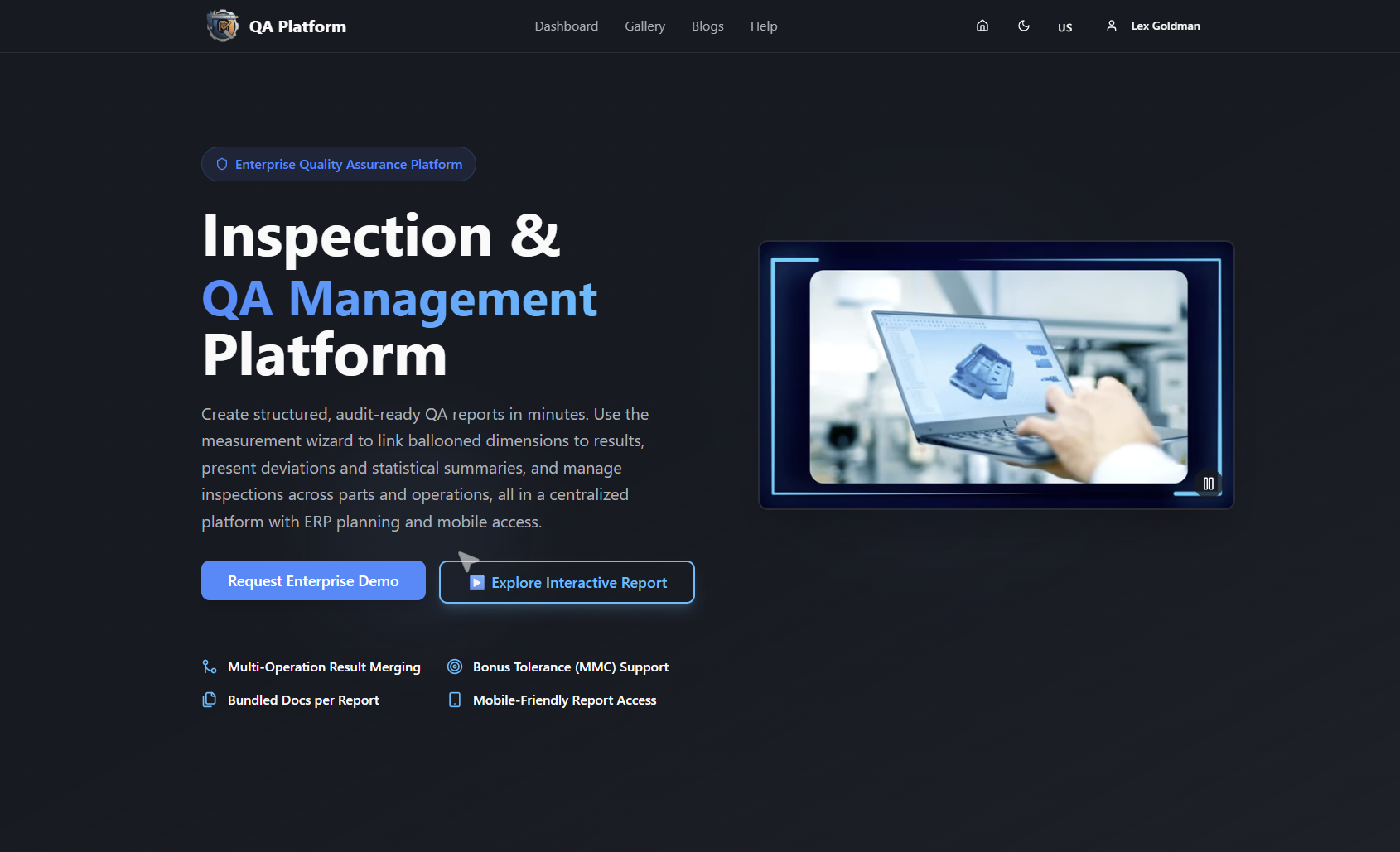
Dimensional results are usually the slowest element. QA-Report lets you balloon a drawing, link each balloon to a measured result, import CMM data, and generate a PDF report with statistical summaries. You can start with the free drawing ballooning tool, or compare plans on the pricing page. The Free plan costs $0 per month, Basic is $49.99 per month, and PRO is $149.99 per month.
If you are comparing tools, our guide to APQP and PPAP software explains what to look for, and the supplier quality management system guide covers the wider program.
FAQ
Is there a downloadable PPAP checklist PDF?
Many customers and quality-tool vendors publish one, but the safest version is the one in your customer's supplier manual. Copy the 18 elements above into your own template, then add the customer's specific rules. That way your checklist matches what the reviewer will check.
Do I submit all 18 elements every time?
No. What you submit depends on the level, and some elements may not apply to a given part. Even so, you generally retain the records. DTNA, for example, wants them kept for the life of the product plus one year.
Who decides the PPAP level?
The customer decides, typically through its authorized representative during quoting or planning. Confirm it in writing before you start preparing the package.
What is the most common reason for rejection?
Avoidable format problems are common. Some customers reject packages that are in the wrong file format, not in English, or missing a PSW field. Run the pre-submission check before every send.
Sources
- Production Part Approval Process, Fourth Edition (AIAG)
- DTNA Production Part Approval Process Manual
- Supplier PPAP Handbook North America
- AIAG International Material Data System (IMDS)
- Ford Specifics for PPAP
- How to Qualify Additive Suppliers Before the First Order